Inventory management app for your phone — your whole business in one place
An inventory app for your phone that covers your warehouse, sales, Prom and Rozetka orders, Instagram, Telegram and Viber chats, waybills (TTN) and reports. Your camera replaces a barcode scanner, and push notifications tell you about every order. It's your full account, not a stripped-down mobile version.
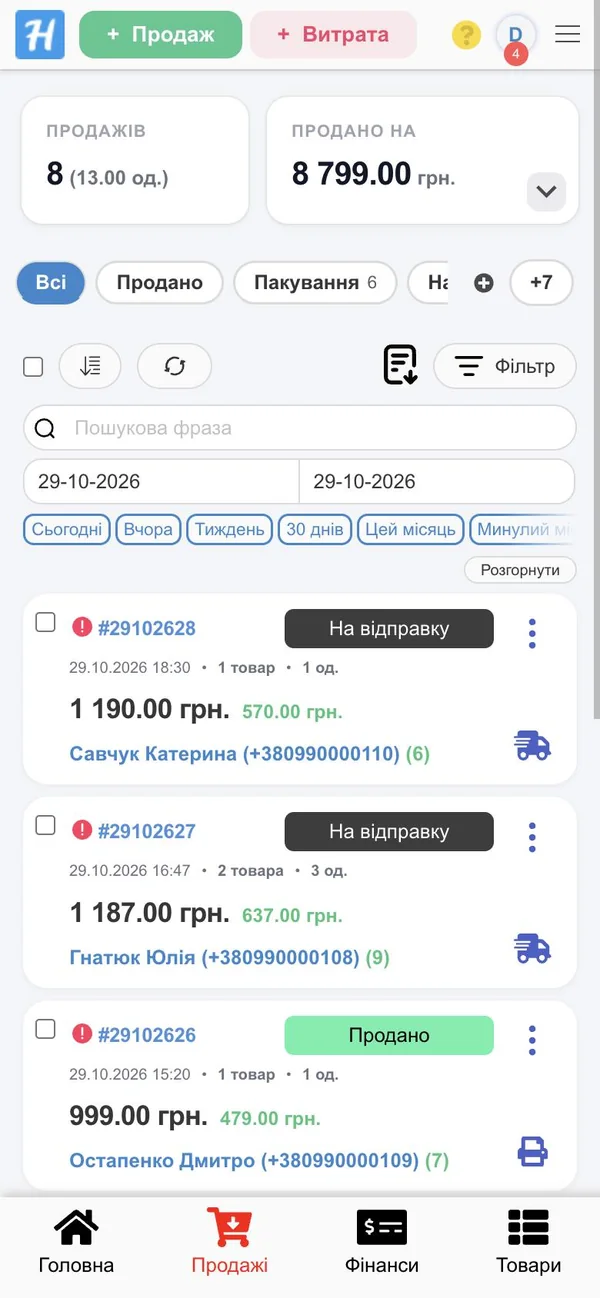
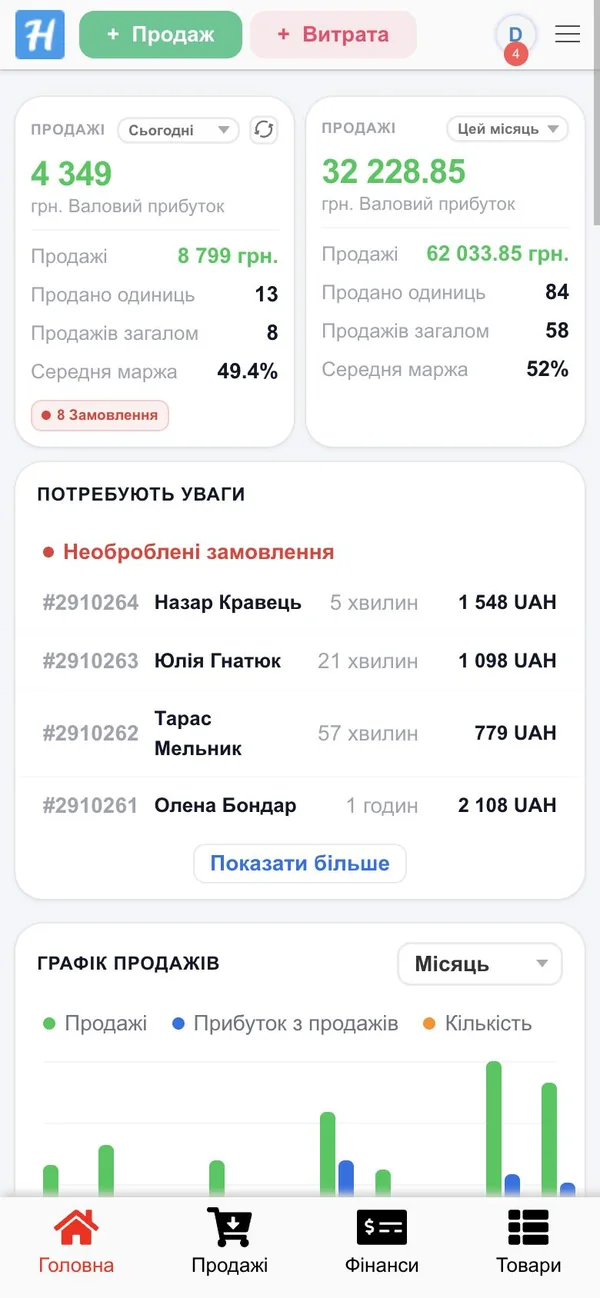

What you can do from your phone
Everything you can do on a computer. The HugeProfit app opens your full account — the same sections, data and plans. Plus what only a phone can offer: the camera, push notifications and fingerprint login.
Camera barcode scanner
Sell, find products, receive goods and run stocktakes — no separate scanner needed.
Learn more →Warehouse and stock
Real-time stock levels across all your warehouses and stores.
Inventory management →Receiving shipments
Scan a product, and its quantity and cost are recorded in the shipment.
Learn more →Stocktaking
Walk around the warehouse with your phone, and the system shows any discrepancies.
Learn more →Orders and packing
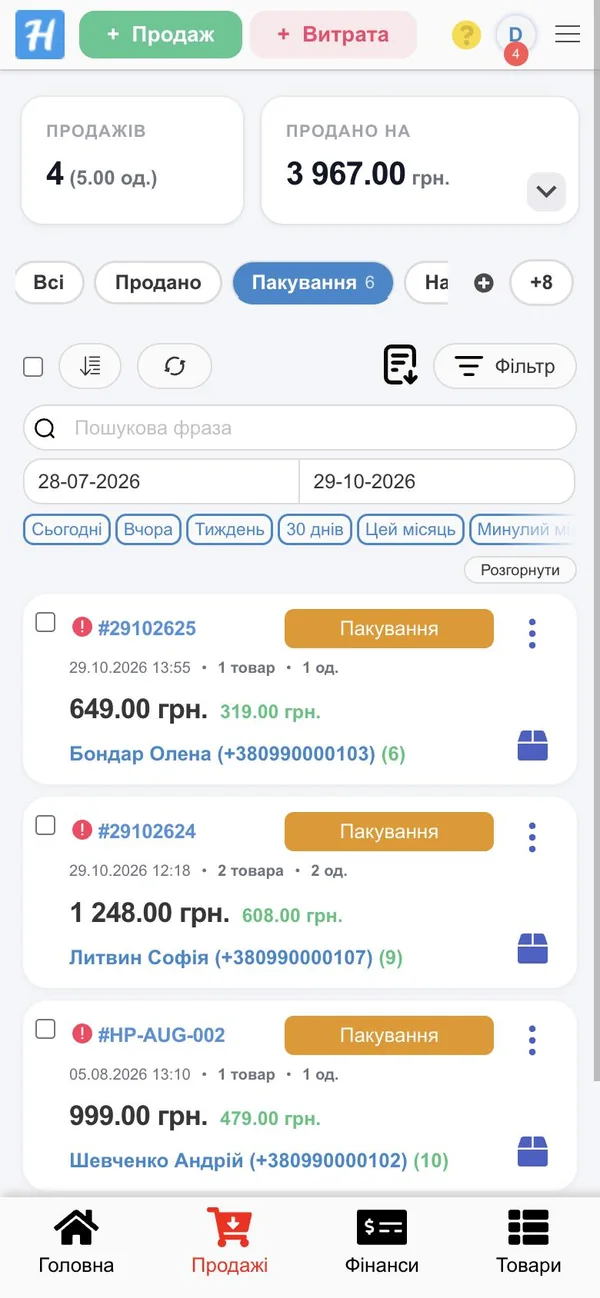
Prom, Rozetka, Horoshop and your website in one list, waybills in a couple of taps.
Learn more →All chats in one feed
Instagram, Facebook, Telegram, Viber, OLX, Prom, Rozetka.
Learn more →Notifications and reminders
New orders, messages, parcels about to be returned to sender.
Learn more →Reports and profit
Today's revenue, profit per product and sales by employee.
Sales accounting →One app instead of five
A typical seller keeps the Prom app, the Rozetka dashboard, Instagram, Telegram, Viber and Nova Poshta on their phone, and stock levels in Excel on a computer. HugeProfit puts all of this into one app: orders come in on their own, stock updates across every sales channel, and when a customer writes on Instagram, you reply and create the sale without switching apps.
Mobile warehouse app: your phone instead of a handheld terminal
Your smartphone camera works as a barcode scanner, so you don't need to buy a handheld data terminal for receiving, transfers and stocktaking.
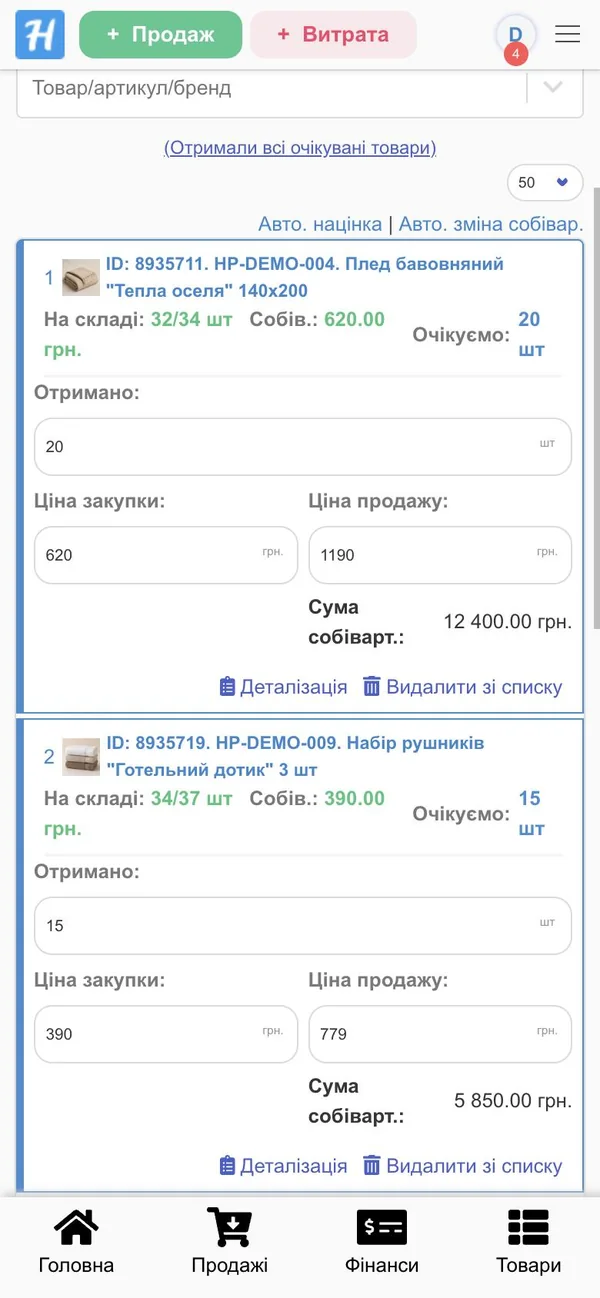
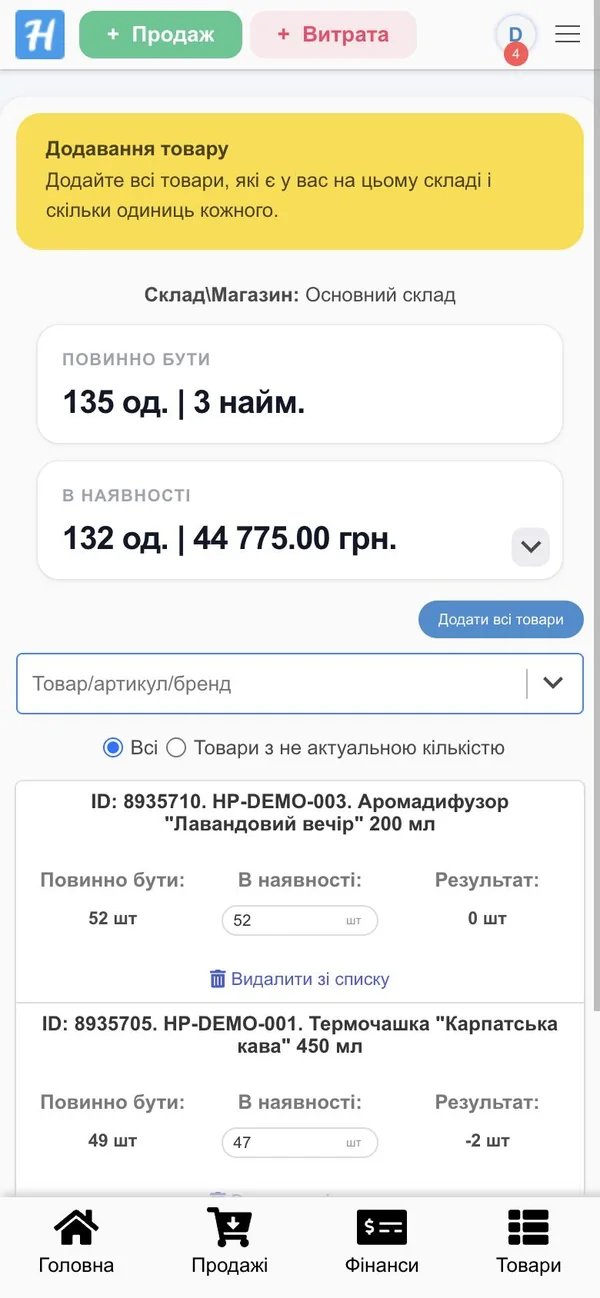
Receiving goods from your phone
Shipments in any currency: scan a product, enter the quantity, and its cost and stock level update. You can print price tags right there too — see our price tag printing software.
Stocktaking with a smartphone
For a whole warehouse or a single storage location. The system compares your count with the records, highlights discrepancies and corrects stock levels once the stocktake is posted.
Transfers between warehouses
Scan what you take out, then scan what arrives at the other warehouse.
Storage locations
A rack and shelf for every product, so the storekeeper knows exactly where to look.
Order packing
The picker sees the “Packaging” list, scans the items and changes the status.
Illustration of the in-app scanner
Barcode scanner on your phone
Tap the scanner button and the camera reads the barcode in a split second. What happens next depends on the screen: in sales, the product is added to the receipt; in a shipment or stocktake, to the document; in the product list, the product card opens; and an unknown code prompts you to create a new product.
- Sales and checkout: the product goes straight into the cart
- Shipments, transfers, write-offs, stocktaking
- Finding a sale by order number
- Storage location barcodes
Camera scanning works in the app. A Bluetooth or USB scanner works too: it acts as a keyboard in both the app and the browser.
Prom, Rozetka and website orders on your phone
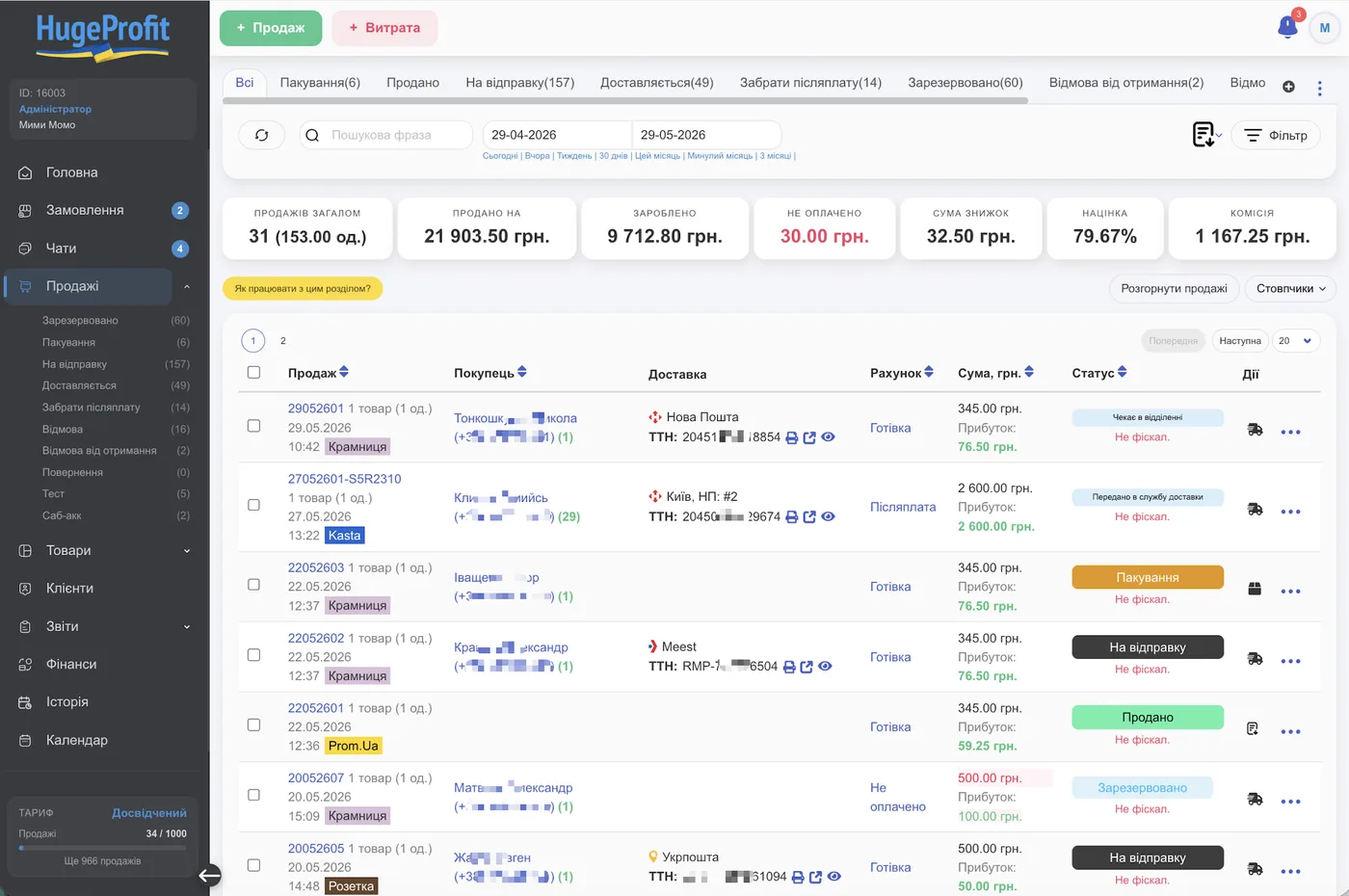
Orders from every sales channel arrive in the app with a push notification. The product is reserved, stock levels update automatically on all your websites and marketplaces, and you change the order status without logging in to the marketplace dashboard.
- Prom, Rozetka, Horoshop, OpenCart, WooCommerce, Shop-Express and your own storefront website
- Waybills (TTN) for Nova Poshta, Ukrposhta, Meest and Rozetka Delivery: create and track them from your phone
- Reminders like “3 days left before the parcel is returned to sender” and paid storage alerts
- A fiscal receipt when the parcel is collected, via a software cash register (PRRO)
- Monobank or WayForPay payment links you can send to the customer in chat
All customer chats in one app
Instagram, Facebook Messenger, Telegram, Viber, OLX, and Prom and Rozetka messages, all in one feed. Next to each chat you see the customer's purchase history and active orders, and you can create a sale right from the conversation.
- Tags, statuses and a sales funnel for every chat
- Quick replies and templates
- Your whole team can reply to customers from their phones
Push notifications: be the first to know
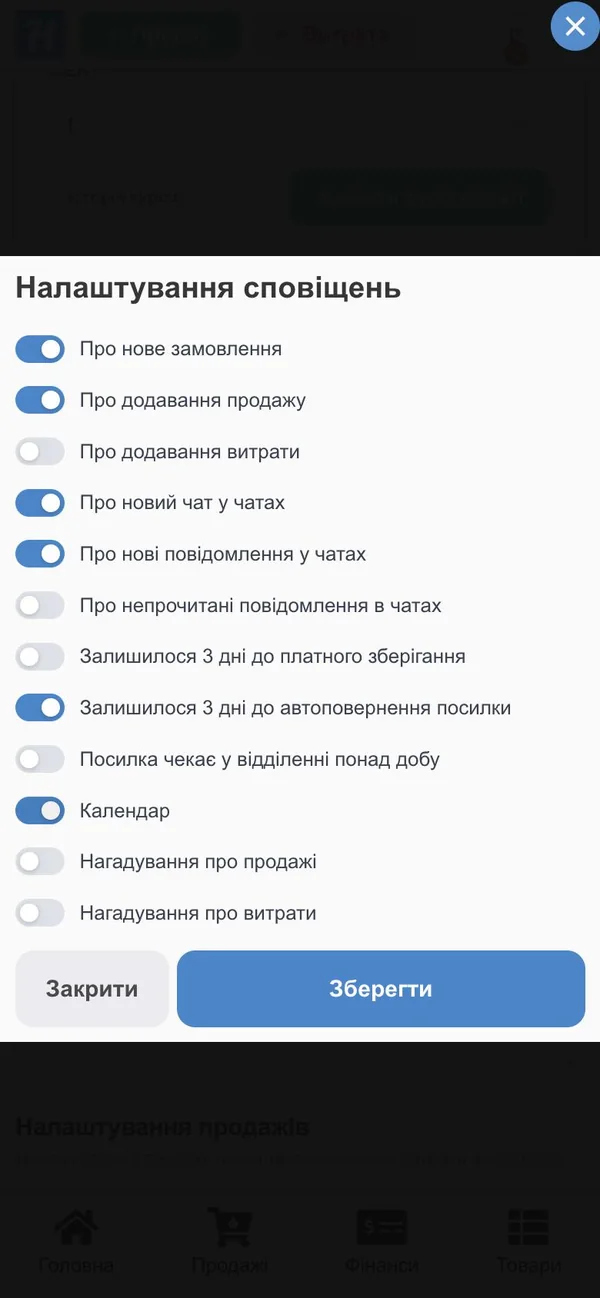
You choose which notifications to get. Don't use push? Connect the Telegram notification bot instead. If an integration gets disconnected, the app warns you too, so no orders get lost.
Run your business from your phone
Open the app and in a second you see how much you've sold and earned today and this month, and which orders haven't been processed yet.
- Dashboard: today's sales, gross profit and margin
- Reports by product, employee and sales channel
- Expenses and account balances
- Employee permissions: a cashier sees their own register, a storekeeper sees the warehouse
- Fingerprint or Face ID login
- A customizable bottom menu with the 4 sections you use most
Work from your phone and computer at the same time
Your data lives in the cloud and syncs instantly: a manager processes orders at the computer, a storekeeper scans a shipment with a phone, and the owner checks profit on the go.
The app is optional, since your account also opens in your phone's browser. But camera scanning, push notifications, fingerprint login and printing work only in the app.
HugeProfit vs simple inventory apps
A simple stock app counts inventory, and a mobile CRM shows orders. HugeProfit does both, plus chats, waybills and a cash register.
| Feature | Simple stock app | Mobile CRM | HugeProfit |
|---|---|---|---|
| Camera barcode scanner | yes | rarely | yes |
| Warehouse, shipments, stocktaking | partly | no | yes |
| Prom, Rozetka and website orders | no | yes | yes, with stock sync |
| Instagram, Telegram, Viber, OLX chats | no | partly | yes, in one feed |
| Waybills (TTN) and parcel reminders | no | rarely | yes |
| Cash register and PRRO | no | no | yes |
| Same features as on a computer | — | limited | all |
| Price | free or cheap | paid | free for up to 50 sales/mo |
Who the inventory management app is for
Goods accounting via phone suits anyone who sells and isn't tied to a computer all day: from a seller without an office to a warehouse with several storekeepers.
Prom and Rozetka sellers
Orders, stock and waybills from your phone, with no office or laptop needed.
CRM for Prom →Instagram stores
Direct messages, orders and payment links in one app.
Instagram CRM →Shops and kiosks
Scanner sales, the cash register and the store's stock levels in the seller's pocket.
Retail store software →Warehouses and storekeepers
Receiving, transfers and stocktaking with a phone instead of a handheld terminal.
Warehouse CRM →Wholesale and sales reps
Stock, prices and customer orders while you're on the road.
Wholesale CRM →Business owners
Profit, sales and team performance at a glance, wherever you are.
Get started in 3 minutes
-
1
Install HugeProfit
From Google Play or the App Store, or simply open your account in your phone's browser.
-
2
Add your products
Manually, by scanning or from Excel. Or connect Prom or Rozetka, and your products are imported automatically.
-
3
Turn on notifications
Then take your first order. Step-by-step instructions are in the HugeProfit documentation.
What sellers say



Start for free: the app is included in every plan
You don't pay separately for the Android and iPhone app. All features are available on every plan, including the free one.
- 50 sales / month
- 200 products
- ∞ employees
- ∞ warehouses
- Android and iPhone app
- 200 sales / month
- 3,000 products
- ∞ employees
- ∞ warehouses
- Android and iPhone app
- 1,000 sales / month
- 12,000 products
- ∞ employees
- ∞ warehouses
- Android and iPhone app
- ∞ sales / month
- 100,000 products
- ∞ employees
- ∞ warehouses
- Android and iPhone app
Change your plan at any time · All plans
Frequently asked questions
Your whole business in your pocket
Install the app and sign up, no card required. It's free for up to 50 sales a month.
Start for free →