ERP for small business:your whole business in one place
A Ukrainian ERP for small business that sells products: purchasing, inventory, manufacturing, sales, finance, team and reports in one cloud system. No implementation project, servers or developers: up and running in a day, free for up to 50 sales a month.
What is ERP for small business? A plain-English answer
ERP is one system that connects every part of your business: a purchase updates stock, a sale writes off the item and calculates profit, and money shows up in your accounts right away. For a small business, ERP means no more juggling five spreadsheets and apps: you see the whole business in one place.
Learn more in our article What is an ERP system.
HugeProfit ERP system modules
Each module is switched on separately: start with inventory and sales, then add manufacturing or finance when you need them. That way the ERP platform grows with your business, and the menu doesn't fill up with things you don't use.
Purchasing and suppliers
- Shipments in batches with cost price and delivery
- Purchases in foreign currency at the exchange rate
- Supplier debt and partial payments
Inventory
- Multiple warehouses and stores, transfers
- Reserves, stocktaking, write-offs with a reason
- Minimum stock levels and stock rollback to a past date
Bin locations and serial tracking
- Racks and shelves with barcode labels
- Serial numbers and IMEI
- Batches and expiry dates with reminders
Manufacturing
- Recipe templates for finished goods
- Raw materials written off automatically
- Cost price that includes expenses
Sales and orders
- Orders from every sales channel in one list
- Reserve, packing, delivery, returns
- Cashier panel and POS terminal
Finance
- Cash, cards, sole proprietor (FOP) accounts and transfers
- Expenses by category and scheduled payments
- Multiple currencies and payment links
CRM and marketing
- Customers with purchase history and balances due
- Discounts, bonuses, promotions, ad campaigns with ROAS
- Telegram, Viber, Instagram and OLX chats
Team
- A separate login and permissions for everyone
- Sales commission for employees
- A log of every action in the system
Reports and analytics
- Profit by day, product and brand
- By employee and sales channel
- Export to Excel and PDF
Documents and printing
- Invoices, delivery notes and receipts from templates
- Price tags and barcode labels
- Fiscal receipts via PRRO
Integrations and API
- Marketplaces, websites and delivery services
- Checkbox and Vchasno.Kasa PRRO, banks
- API v2 with webhooks
Mobile app
- Full functionality on Android and iPhone
- Barcode scanning with your camera
- Push notifications for new orders
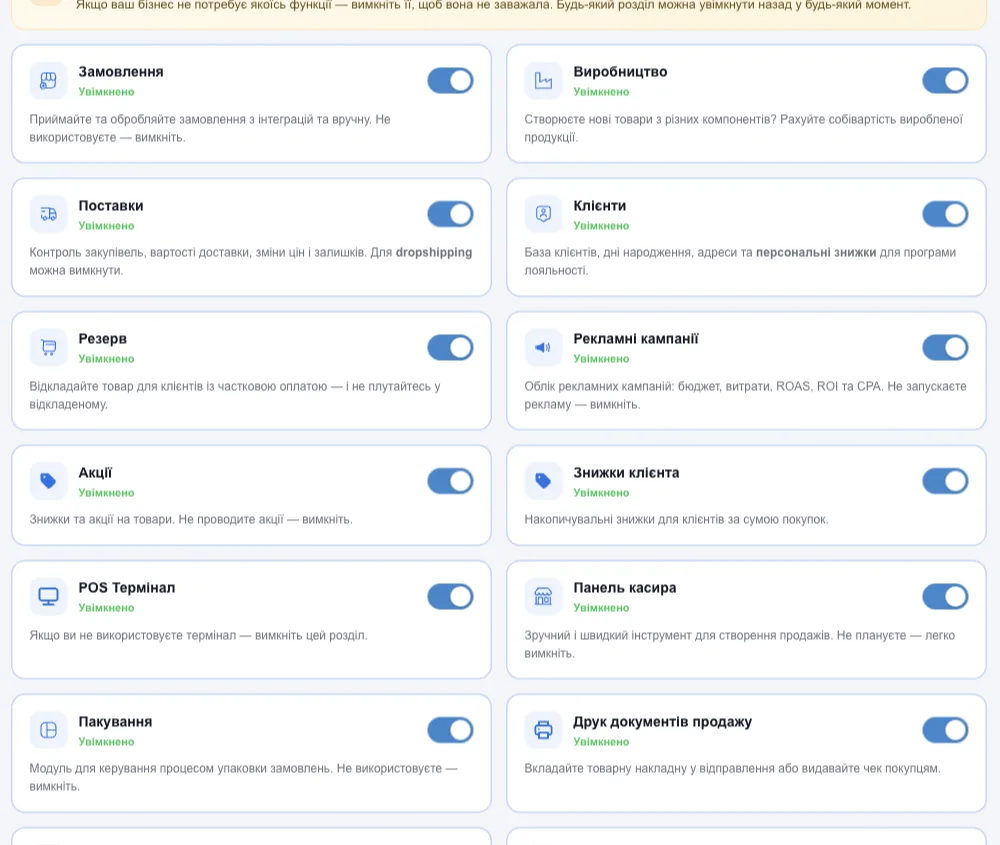
Turn on only what your business needs
In “Settings → System modules”, every module has its own toggle. Don't make your own products? Turn off “Manufacturing”. Dropshipping? Turn off “Shipments”. The section disappears from the menu, your data is kept, and you can turn it back on at any time.
What HugeProfit ERP software can do
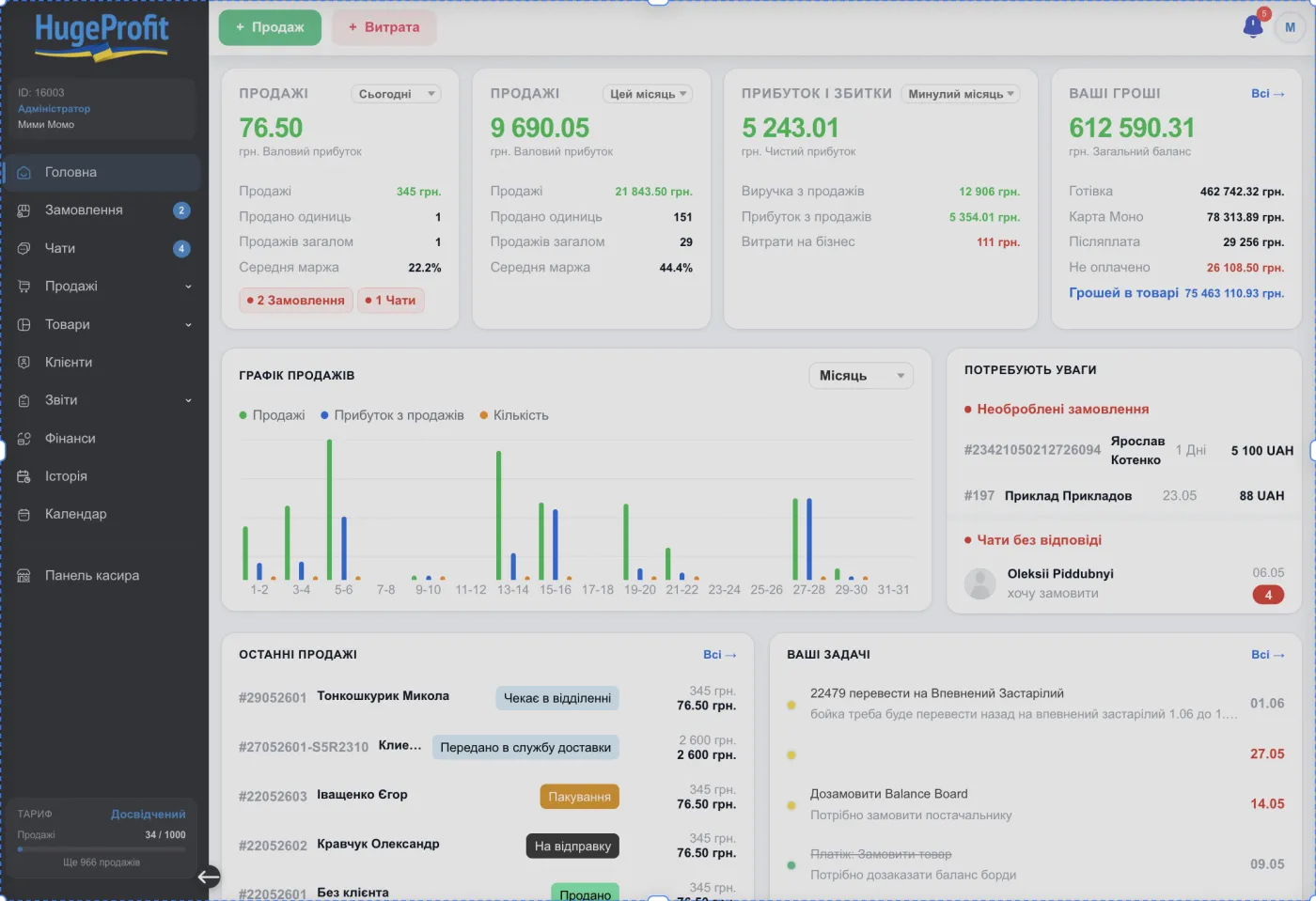
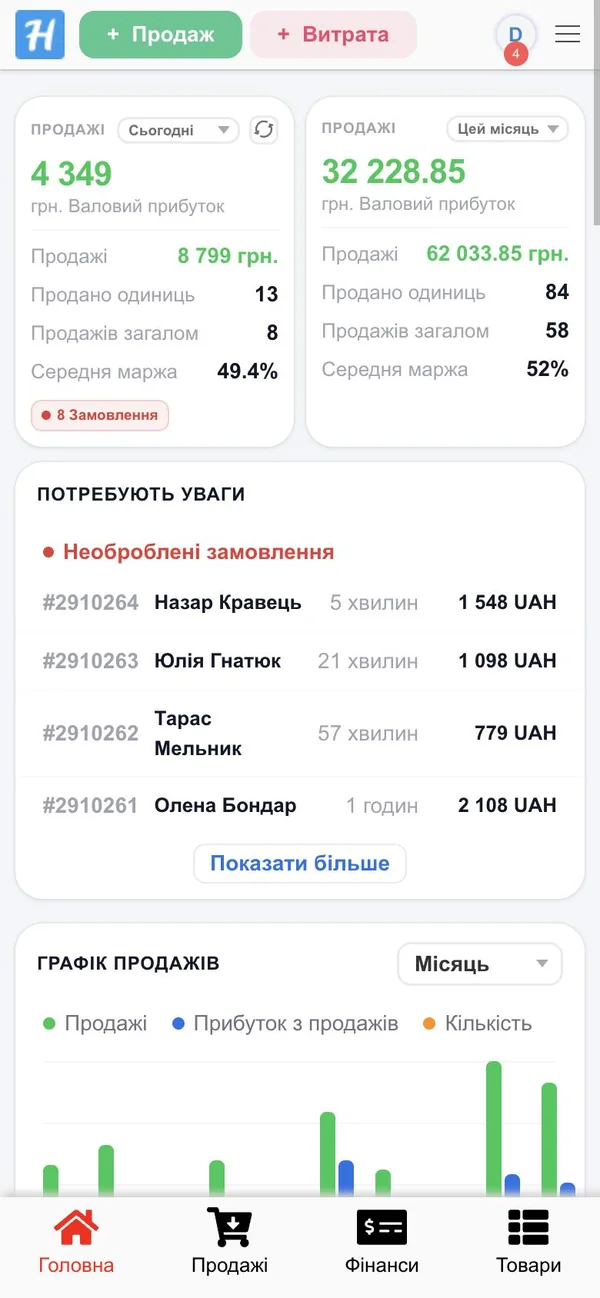
Below are real screens from the system, not mockups: click any of them to zoom in. This is what an ERP system for small business looks like when it runs purchasing, inventory, manufacturing and finances.
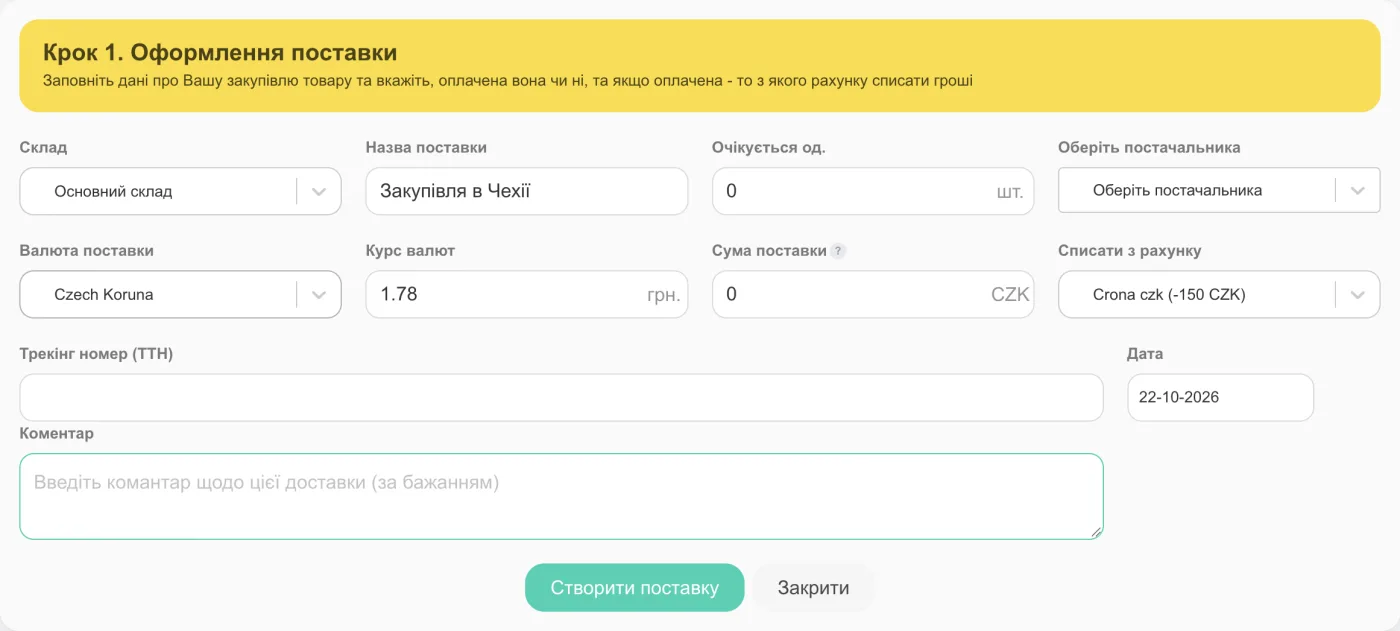
Buy in any currency, cost price in hryvnia
Create a shipment in dollars, euros or zlotys, and HugeProfit converts the cost price of each batch into hryvnia at the exchange rate and adds the delivery cost. You can see how much you owe each supplier and which shipments are still unpaid.
- Batches with their own cost price and FIFO write-off
- Partial payments and supplier debt
- “Purchase” mode: what to reorder based on sales velocity
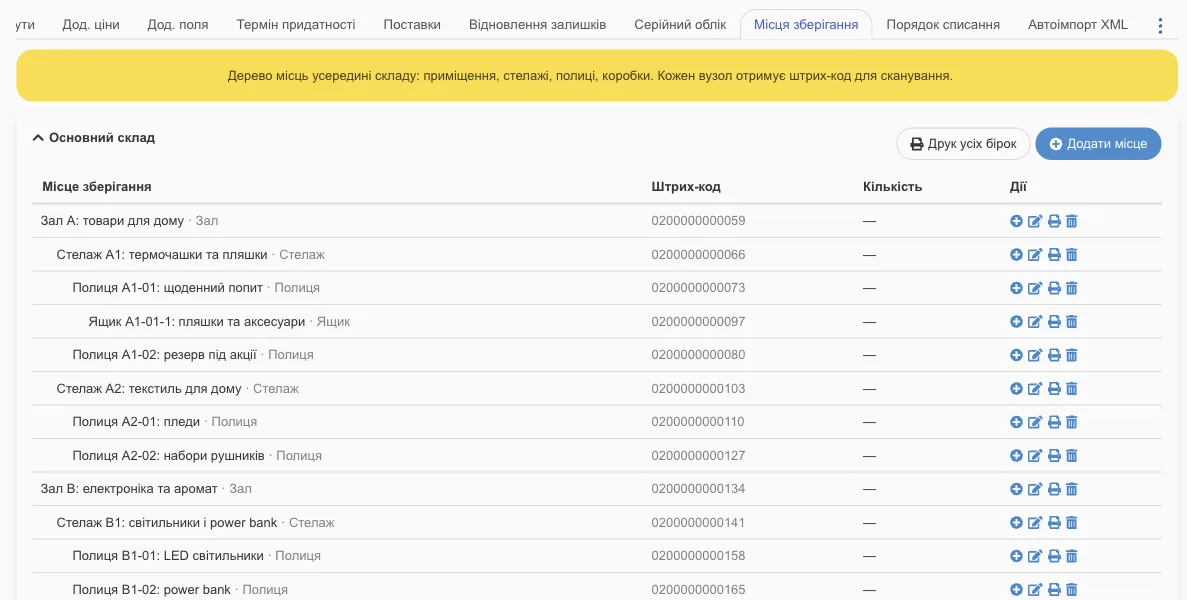
Down to the shelf: an inventory management platform
Multiple warehouses and stores, with transfers between them and between shelves. Every shelf gets a barcode label: a storekeeper scans it with a phone and sees what's stored where.
- Stocktaking: shortages go to expenses automatically
- Serial numbers, IMEI, expiry dates
- Stock rollback to any past date
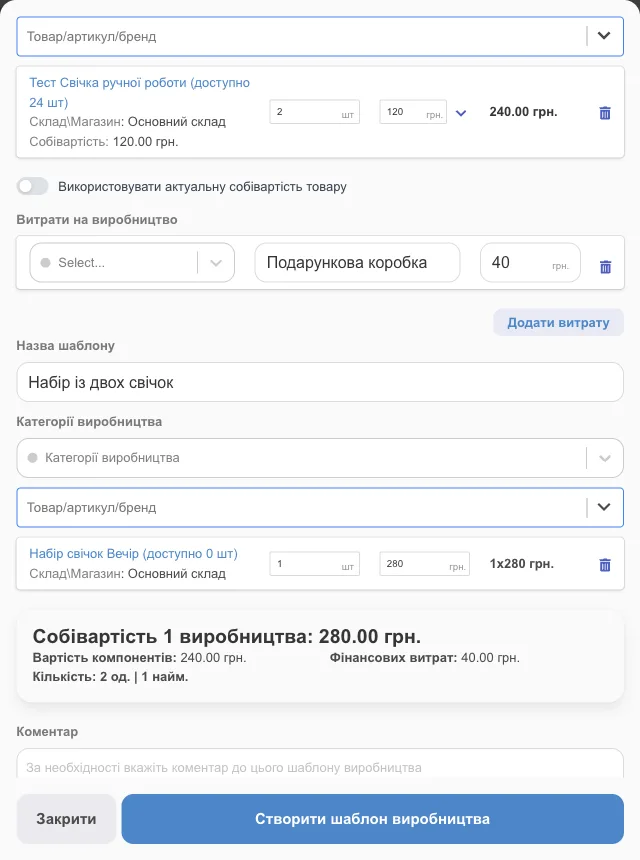
Manufacturing: recipe, raw materials, cost price
For small-scale manufacturing: a bakery, a candle workshop, a sewing shop or a coffee roastery. Create a recipe template once: when you start a production run, raw materials are written off from the warehouse, and the finished product gets an exact cost price that includes packaging and other expenses.
- Templates with multiple components and expenses
- Production run history
- Finished goods available for sale right away
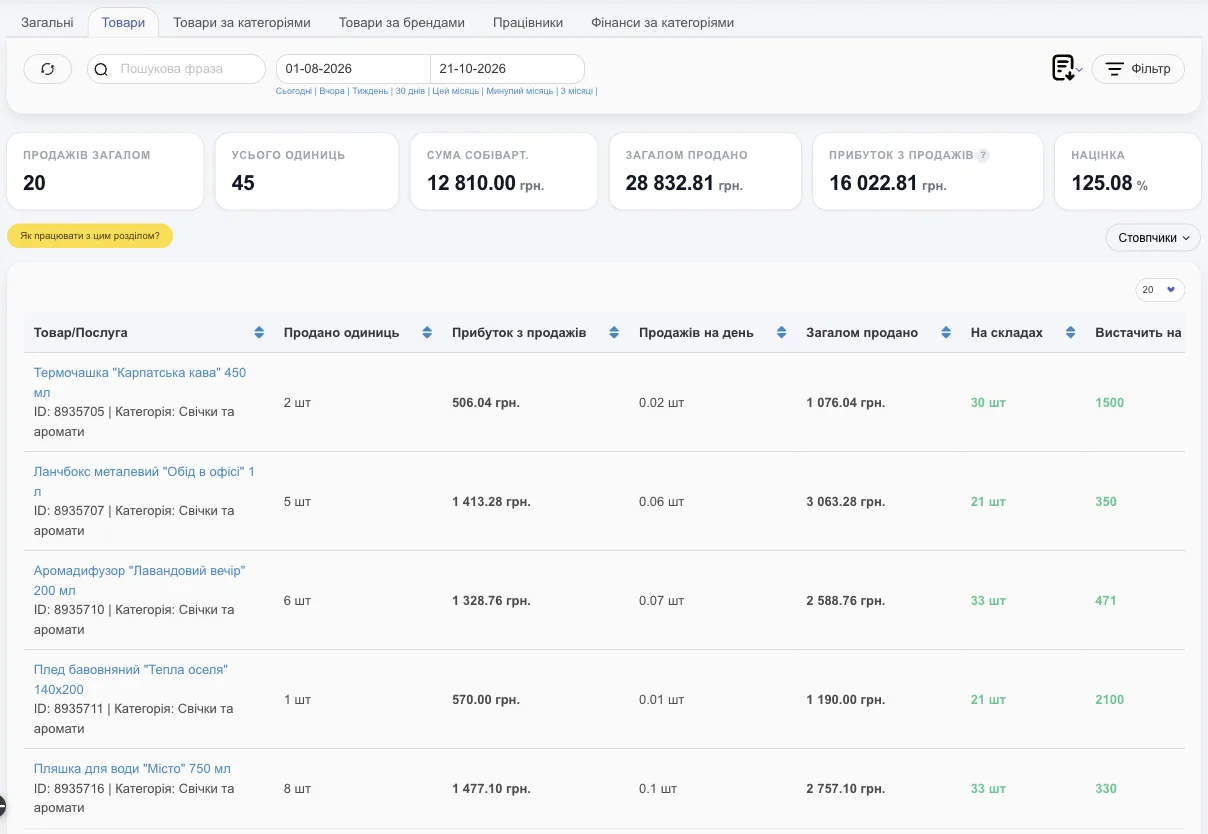
ERP for financial management: profit, not just revenue
HugeProfit deducts the batch cost price, marketplace fee, delivery and expenses from every sale. Reports show profit by day, product, category, brand, employee and sales channel.
- Accounts: cash, card, FOP, with real-time balances
- Expenses by category, scheduled and automatic expenses
- Customer debts and Monobank or WayForPay payment links
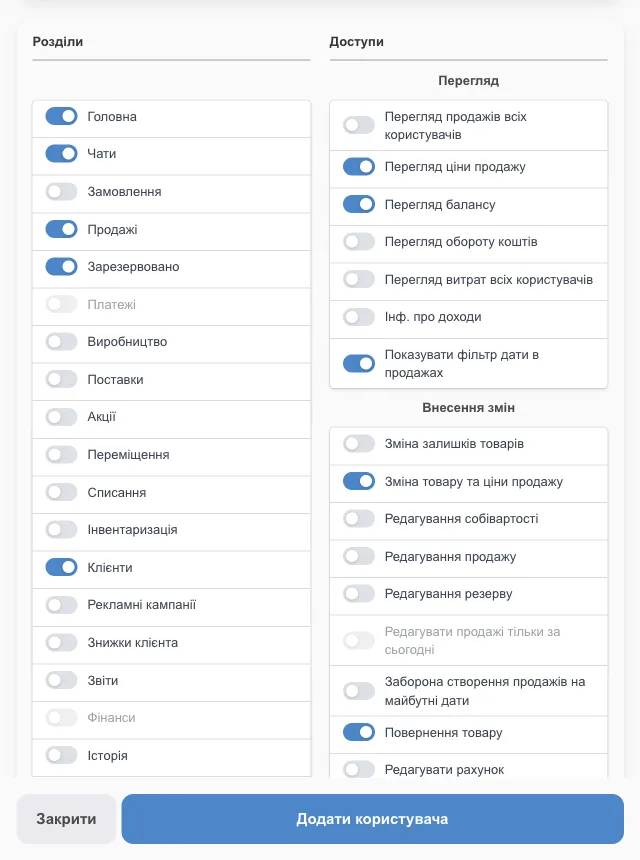
Each employee sees only what they need
Every employee has their own login. You decide which sections, warehouses and cash registers they see, and whether they can change prices, cost prices or stock levels. Every action is logged, and deleted products and sales can be restored.
- Permissions for sections, warehouses, cash registers and specific actions
- Sales commission calculation
- Employee report and change history
One product, from purchase to profit with no manual re-entry
The key difference between ERP and a set of separate apps is that data is entered only once. Here's how one product travels through HugeProfit: each step picks up the data from the previous one.
- 1Shipment in dollarsBought in the supplier's currency.USD
- 2Cost price in hryvniaConverted at the exchange rate, delivery included.automatically
- 3Item on shelf A-3A storage location with a label.barcode
- 4Order from PromLands in the list on its own, with customer and delivery details.automatically
- 5ReserveStock is updated in the warehouse and on marketplaces.automatically
- 6PackingItems are checked with the phone scanner.phone
- 7Nova Poshta TTNThe customer's details are already in the order.2 clicks
- 8Fiscal receiptIssued via PRRO when the parcel is picked up.automatically
- 9Money in the FOP accountCash on delivery goes to the right account.instantly
- 10Profit in the reportMinus cost price, fees and delivery.instantly
CRM and ERP in one system
On its own, a CRM covers customers and sales, while an ERP covers inventory, purchasing and money. A small business doesn't have to buy two systems and wire them together: in HugeProfit both parts work as one CRM and ERP system.
| Feature | Typical CRM | Classic ERP | HugeProfit |
|---|---|---|---|
| Customers, purchase history, discounts | ✓ | — | ✓ |
| Orders and statuses | ✓ | partly | ✓ |
| Customer chats and broadcasts | ✓ | — | ✓ |
| Inventory, reserves, stocktaking | — | ✓ | ✓ |
| Purchasing and suppliers | — | ✓ | ✓ |
| Manufacturing and cost price | — | ✓ | ✓ |
| Finance and profit | — | ✓ | ✓ |
| Marketplaces and delivery | often | with custom development | out of the box |
CRM vs ERP: what's the difference
A CRM answers the question “who's buying and what do we do next”: customers, deals, messages. An ERP answers “is the item in stock, what did it cost and how much did we make”: inventory, purchasing, money. For a product business, one doesn't work without the other, which is why HugeProfit keeps both in one database.
Learn more in our article CRM and ERP: how they differ.
A Ukrainian ERP for selling in Ukraine
Most ERP systems used in Ukraine are either foreign or built for large companies, so marketplaces, delivery and cash registers have to be added through custom development. HugeProfit is a Ukrainian ERP built around local services: everything below connects in the settings, without a developer.
Big ERP or HugeProfit: which fits a small business
Enterprise ERP systems are powerful, but they're built for factories and retail chains: implementation with an integrator takes months. A small business needs an ERP it can launch on its own in a day.
| Enterprise ERP | Accounting software | Excel + separate services | HugeProfit | |
|---|---|---|---|---|
| Launch | 3–12 months with an integrator | weeks, needs an accountant | right away, but all by hand | 1 day on your own |
| Startup cost | from hundreds of thousands of hryvnias | license and setup | free | $0 |
| Marketplaces and delivery | custom development | no | by hand | out of the box |
| Inventory and batch cost price | yes | partly | by hand | yes |
| Working from a phone | rarely | no | awkward | full app |
| Who sets it up | a developer | an accountant | you | you |
When HugeProfit isn't a fit
An honest look at the limits, so you don't waste your time.
Choosing an ERP system for small business: a checklist
Check seven things before you choose an ERP. Under each point, you'll see how HugeProfit handles it.
Does it cover your processes as is?
Purchasing, inventory, sales and money should work from day one, not after months of setup.
HugeProfit: 12 ready-made modules, and you turn on the ones you need.
What does it cost to start? Is there a free plan?
Count not only the license, but also implementation, servers and a developer.
HugeProfit: $0 for up to 50 sales a month, with no time limit.
Does it integrate with your sales channels and carriers?
Without integrations, you'll have to copy orders and stock levels by hand.
HugeProfit: Prom, Rozetka, Horoshop, Nova Poshta, Ukrposhta and PRRO out of the box.
Can you work from your phone?
Owners and storekeepers rarely sit at a computer all day.
HugeProfit: Android and iPhone apps with the same functionality.
Does it calculate real cost price and profit?
Revenue without batch cost prices, fees and expenses tells you nothing about the business.
HugeProfit: profit on every sale, with currency rates and fees taken into account.
Can you limit what each employee sees?
A salesperson shouldn't see cost prices, and a manager shouldn't see other people's cash registers.
HugeProfit: permissions for sections, warehouses, cash registers and specific actions, plus change history.
Can you export your data and connect via API?
Your data should stay yours, and the system should be open to other services.
HugeProfit: export to Excel and XML, API v2 with webhooks.
ERP implementation in 1 day: 5 steps
No integrator, but you're not on your own: the setup wizard walks you through it step by step, and the knowledge base and support team help with the rest.
- 1
Sign up
Free, no card required. The setup wizard configures the basics.
- 2
Products
Import from Excel, XML or directly from Prom and Rozetka.
- 3
Warehouses & accounts
Warehouses, stores, cash, card and FOP accounts.
- 4
Integrations
Marketplaces, delivery services and PRRO, connected with an access key.
- 5
Team
Employee logins and access to the sections they need.
A knowledge base with 69 guides, plus support via Telegram, Viber and chat. Start with the quick start documentation.
Who the HugeProfit ERP system is for
Product businesses from a single person to a few dozen employees: online and offline, with or without their own manufacturing.
Online stores
An ERP system for your online store: website orders, stock and waybills.
Online store CRM →Prom and Rozetka sellers
Several marketplaces, one warehouse and profit after fees.
Marketplace CRM →Retail stores
Retail automation: cash register, PRRO, price tags and stock at every location.
Retail store software →Wholesale
Wholesale prices, customer debts, invoices and delivery notes.
Wholesale CRM →Small manufacturers
Recipes, raw material write-offs and the cost price of finished goods.
Production accounting →Kiosks and pavilions
Fast sales, a cash register and control over sellers at each point of sale.
ERP for kiosks →Dropshipping? Turn off the “Shipments” module: orders, delivery and profit stay, and the cost price comes from the product card. Sellers of clothing, cosmetics, auto parts, electronics, building materials, furniture and pet supplies all run their business on HugeProfit ERP.
Real people in support, not an autoresponder
No bots: every customer gets personal support in Viber, Telegram, WhatsApp or Messenger — at every step of getting started.

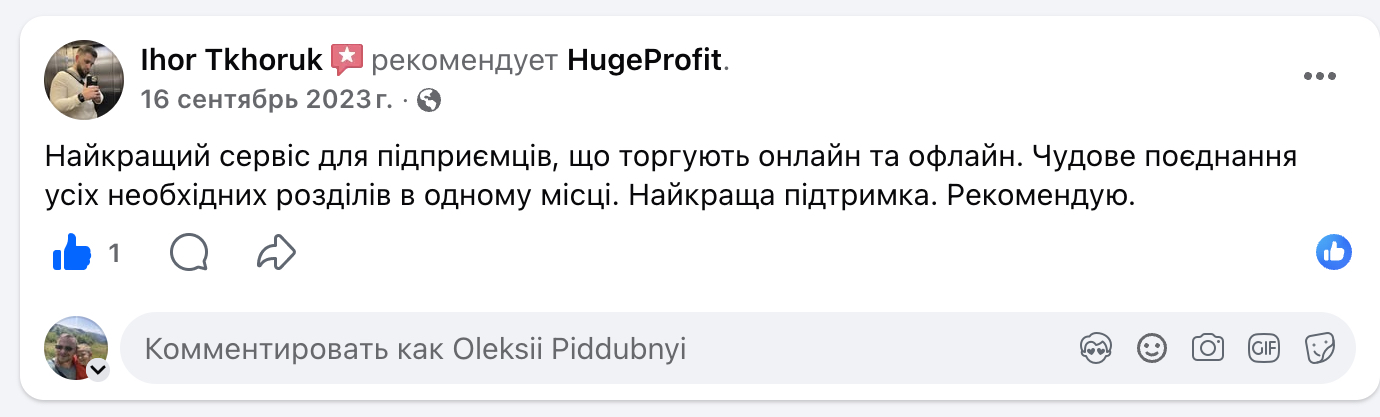

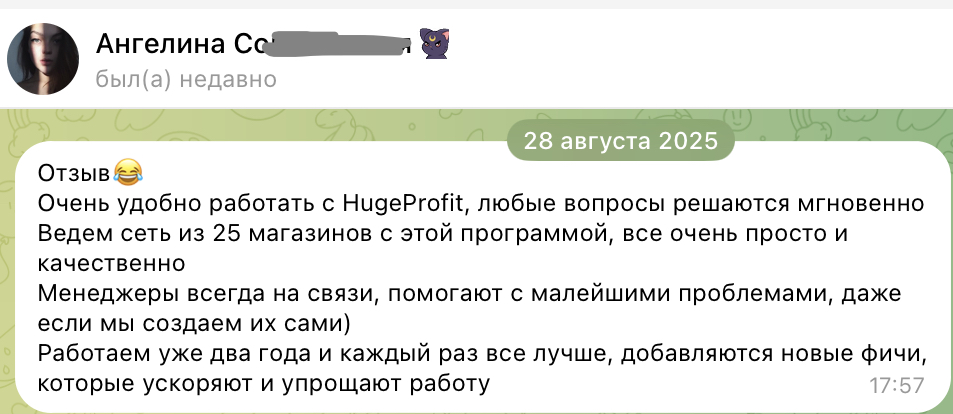
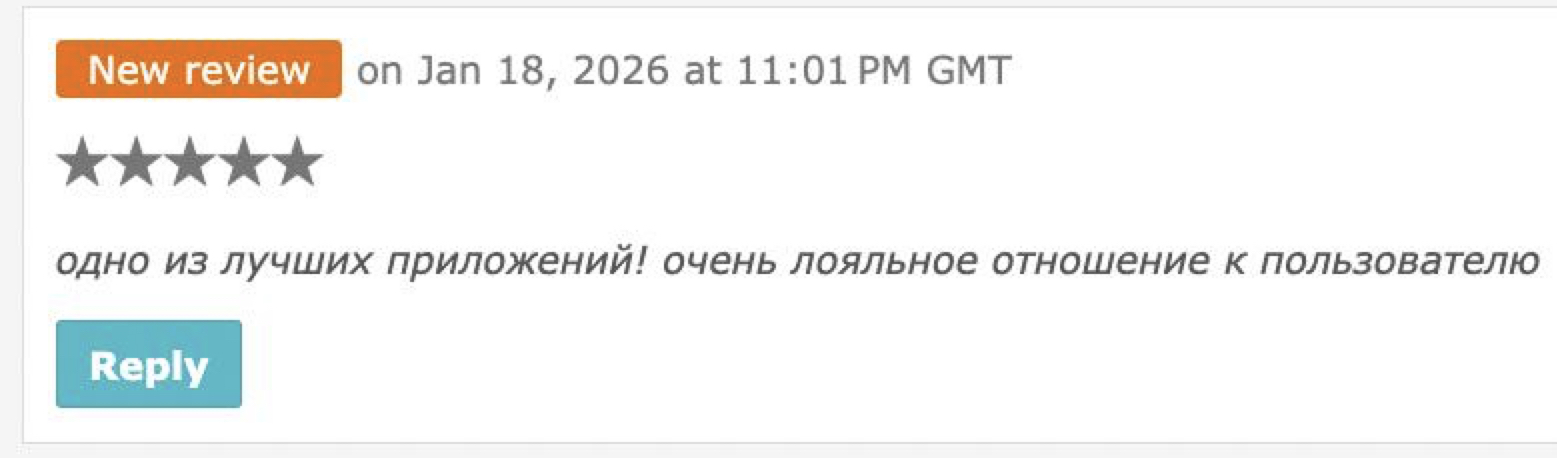
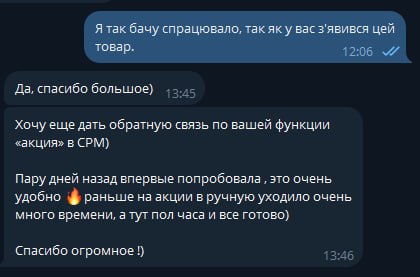


Free consultations and demos are available to all users of the service.
Small business ERP system pricing
A free ERP system to get started: up to 50 sales a month with all modules. Every plan includes all modules and integrations; the only difference is the number of sales and products.
ERP for small business: FAQ
Launch an ERP for your business today
Sign up without a card, import your products and connect your sales channels. Up to 50 sales a month are free.