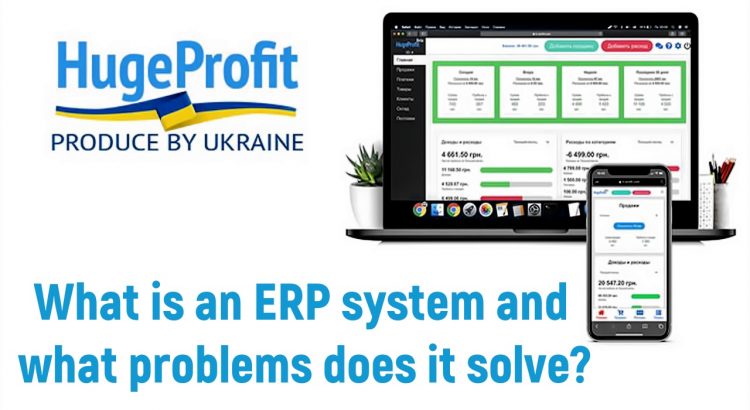
ERP (Enterprise Resource Planning) – is an integrated enterprise management system that combines all the core functions of a company. It allows automating processes, improving business efficiency, and optimizing resource utilization.
The main functions of ERP include resource planning, procurement management, warehouse management, financial accounting, and much more. The principle of operation of an ERP system is that it integrates all the company’s data and processes into one centralized system.
ERP is necessary to provide a unified information base for making strategic decisions, increase the operational efficiency of the enterprise, and ensure effective management of business processes.
Advantages of implementing an ERP system for business management
An integrated ERP system allows automating and optimizing processes within the company, improving the speed and efficiency of the business. This contributes to cost reduction, optimization of business processes, and increasing the company’s competitiveness in the market. As a result of implementing an ERP system, the company can become more flexible, adaptive to changes in the market situation, and efficient in its activities.
[apps_en]
Implementing an ERP system provides companies with several significant advantages:
- Increased business efficiency: Implementing an ERP system allows automating numerous processes, simplifying employees’ work, and reducing the time spent on tasks. This leads to increased overall company productivity and reduced operational costs.
- Data centralization: An ERP system provides a unified database that stores all information about the company – from finances to warehouse stocks. This allows managers to make informed decisions based on reliable information.
- Improved business control: Thanks to the ERP system, managers gain the ability to more thoroughly control all aspects of the company’s activities, track task completion, and react promptly to changes.
- Process optimization: An ERP system helps optimize workflows by eliminating redundant steps and improving coordination between different company departments. This contributes to increased overall team efficiency.
- Increased competitiveness: By increasing efficiency, optimizing processes, and better controlling the business, the company becomes more flexible and competitive in the market. As a result, the use of an ERP system can lead to expanding the customer base and increasing profits.
Main modules and functionality of ERP for comprehensive business management
An ERP system integrates all key processes and data of the company into a single system. The main ERP modules are designed to automate and optimize business processes, providing comprehensive organization management.
- Finance and accounting – it not only automates basic accounting tasks but also ensures control over accounts payable and receivable, ensures accurate completion of accounting operations, generates important financial reports, and helps comply with accounting standards. This module reduces financial risks and facilitates the execution of many other operations, making it an integral part of any successful enterprise’s operation.
- Sales management – ensures effective interaction with customers, analyzes data to increase sales volumes and identify potential opportunities. This module supports the process from order to payment receipt, including order management, contracts, invoicing, and sales performance monitoring. With its help, a company can successfully conduct promotional activities and stimulate additional sales.

- Business analytics – helps finance, procurement, and project management specialists optimize business processes. With its help, you can identify key factors affecting the profitability of the enterprise, more effectively manage working capital, and control company expenses. This module provides valuable analytical data that will help make informed strategic decisions for business development.
- Procurement and inventory management – an indispensable tool for your business. Automation of the procurement process, inventory control, supply optimization, and cost reduction are made possible thanks to this module. Don’t miss the chance to increase efficiency and improve management of your resources.
- Human Resources Management – provides automation of basic personnel processes, including timekeeping and payroll calculation. In addition, additional modules or entire Human Capital Management (HCM) solution packages can be connected to the ERP system. They expand personnel management capabilities, including personnel analytics and employee experience management. Implementing such solutions helps companies efficiently manage their resources and increase employee productivity.
- Logistics and Supply Chain Management – ensures effective tracking of goods and supplies at all stages of the organization’s supply chain. Thanks to this management module, it is possible to control inventory, warehouse operations, transportation, and logistics in real-time. Such an approach enhances the transparency and resilience of the supply chain, providing more efficient management of all processes.
Integration of all these ERP modules provides comprehensive business management, increases organizational efficiency, and helps make informed strategic decisions based on reliable information.
How to Choose and Adapt an ERP System to Your Business Specifics?
The correct choice and adaptation of an ERP system to the specifics of your business play a key role in the successful implementation of smart technologies. When choosing enterprise management software (ERP), it is necessary to consider the needs and characteristics of your company. Adaptation of software to the company’s needs (ERP) allows optimizing business processes and increasing efficiency.
The optimal configuration of an ERP system when implementing smart technologies will help your business be prepared for the challenges of the modern market. It is important to consider not only the current needs of the company but also its long-term development strategies. A properly selected ERP system will become a reliable tool for business management and ensure its successful development.
ERP in Simple Terms: What It Looks Like in a Product Business
Imagine an online store that sells through its own website, Prom and Rozetka and ships with Nova Poshta. Without ERP, every process lives separately: orders in marketplace dashboards, stock in Excel, purchases in emails with suppliers, expenses in the accountant’s notebook. To find out how much the business actually earned in a month, you have to combine several spreadsheets by hand.
An ERP system brings these processes into a single database. A marketplace order automatically deducts stock, a supplier delivery updates stock levels and cost price, and the profit report is built from the same data without manual consolidation. That is the main value of ERP: one source of truth for every department instead of several versions of the data.
ERP, CRM and Accounting Software: What Is the Difference
These three types of software are often confused because their functions partly overlap. In short:
| Software | Main focus | Typical tasks |
|---|---|---|
| ERP | Company resources: products, warehouse, money, production | Purchasing, stock, cost price, production, finance, reporting |
| CRM | Customers and sales | Orders, customer base, purchase history, communication, sales pipeline |
| Accounting software | Tax and statutory accounting | Source documents, ledger entries, tax reporting, payroll |
For a small product business the line between ERP and CRM often blurs: it is more convenient when sales, inventory and finance live in one system. Read more in CRM and ERP: how they differ. ERP usually does not replace accounting software: tax reporting and payroll are kept separately.
Does a Small Business Need an ERP System
Classic enterprise ERP is expensive and hard to implement, so small businesses relied on spreadsheets for a long time. Today there are cloud systems with monthly billing that can be launched in a day without developers. Signs that you already need ERP:
- you sell through more than one channel (website, marketplaces, social media, a physical store) and stock levels do not match;
- you buy goods in batches at different prices or in foreign currency and are not sure about the real cost price;
- calculating monthly profit means combining data by hand;
- you have employees who need access to only part of the data (cashier, storekeeper, manager);
- every stocktake shows shortages or mix-ups and you cannot find the cause.
If at least two points apply, automation will pay off faster than it seems: fewer stock errors, fewer cancelled orders and a clear view of which products actually make money.
How to Implement an ERP System: 7 Steps
- Describe your processes. Where orders come from, how goods arrive at the warehouse, who ships them and where expenses are recorded.
- Set priorities. Start with what hurts most: usually warehouse stock tracking and marketplace synchronization.
- Clean up the product catalog. Consistent names, SKUs, barcodes, variants (size, color) and bundles.
- Do an initial stocktake and enter actual stock with cost prices.
- Connect sales channels and delivery so that orders and waybills are created without manual copying.
- Set up roles and permissions: each employee sees and changes only what their work requires.
- Review the reports after a month: profit, stock, inventory turnover. Discrepancies will show which processes still need tuning.
How Much Does an ERP System Cost
The cost depends on the type of solution. On-premise enterprise ERP is bought per license, and implementation and customization often cost more than the software itself. Cloud systems for small and medium businesses work on a subscription: you pay monthly, while updates, servers and backups are handled by the vendor.
For example, HugeProfit has a free plan for a small number of sales and products, and paid plans depend on the size of the business — see current prices on the pricing page. When comparing systems, count not only the subscription but also the time needed for implementation and team training.
ERP FAQ
How is ERP different from warehouse software?
Warehouse software only tracks the movement of goods. ERP connects inventory with sales, purchasing, finance and reports, so, for example, profit per product is calculated automatically based on cost price.
Can I start with ERP without an IT specialist?
Yes. Modern cloud systems are configured through the interface: importing products from Excel or XML, connecting marketplaces and delivery services with an API key or account credentials. A developer is needed only for non-standard integrations.
Will ERP replace accounting?
No. ERP handles management accounting: goods, money, profit. Tax reporting, payroll and source documents for the tax office are usually kept in accounting software.
How long does implementation take?
For a small product business with a ready product catalog, basic setup takes from one day to a week. Changing the team’s habits takes longer, so introduce modules gradually.
Solve Your Business Challenges Efficiently with the Modern ERP System HugeProfit!
We want to introduce you to our modern ERP system HugeProfit, which will help your trading business efficiently solve tasks and manage all processes in one place. Our solution is specially designed to optimize company operations and increase profits.
With the HugeProfit system, you can automate accounting, warehouse control, production planning, data analysis, and much more. Thanks to the integration of all business processes into a single platform, you will have a complete view of the current state of affairs and be able to make informed strategic decisions.
[try_free_en]
Don’t lag behind competitors – choose the HugeProfit ERP system for your business and increase its efficiency today!
[tarif_en]
Read also:
