“`html
To connect, you must have an Instagram business account linked to a public Facebook page and messaging enabled.
Then, it’s enough to simply connect the integration to HugeProfit as described in point 1.
If you’re just starting out or missing any of the above, steps 2-4 will help.
- Connecting Integration in the HugeProfit System
- Switch Instagram Account to Professional and Link to Facebook
- Or Link Professional Instagram Account from Facebook
- Allow Access to Instagram Messages
Connecting Integration in the HugeProfit System
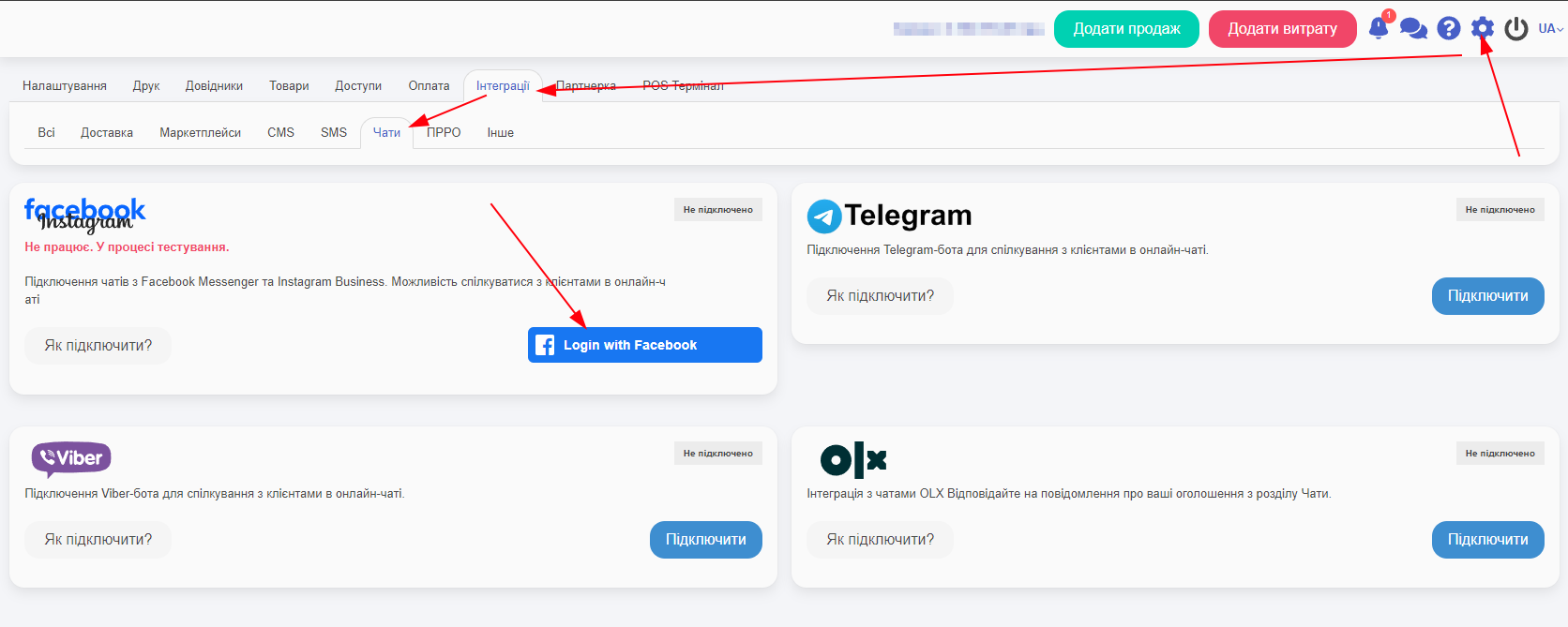
Go to Settings -> Integrations -> Chats -> Login with Facebook:
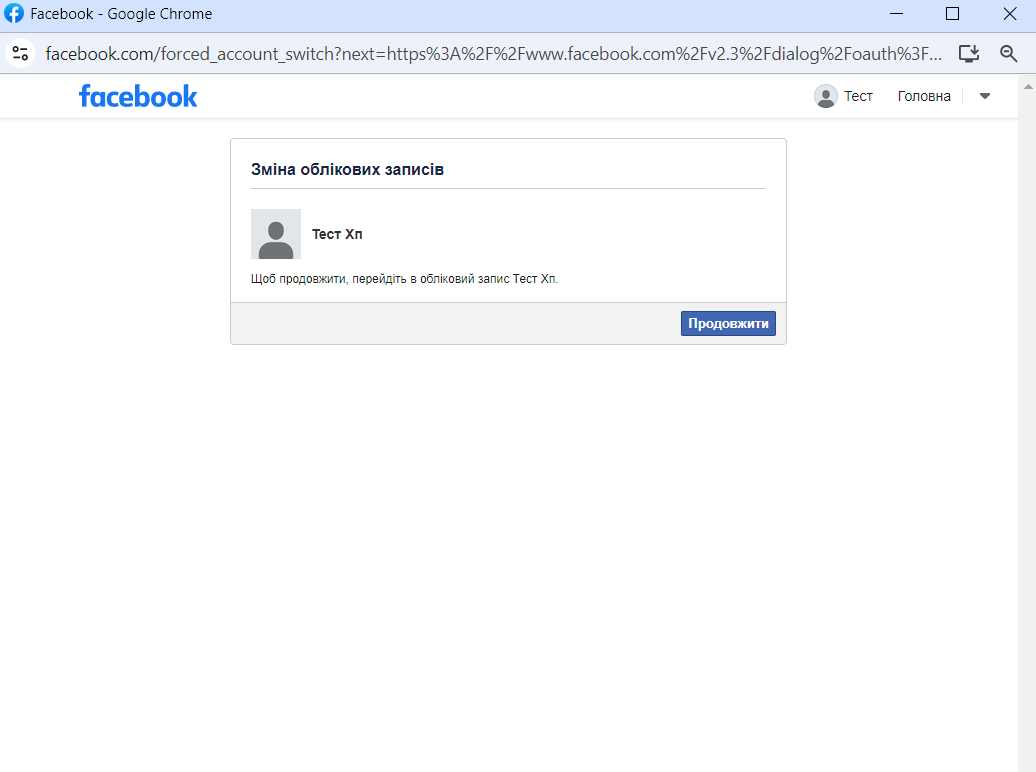
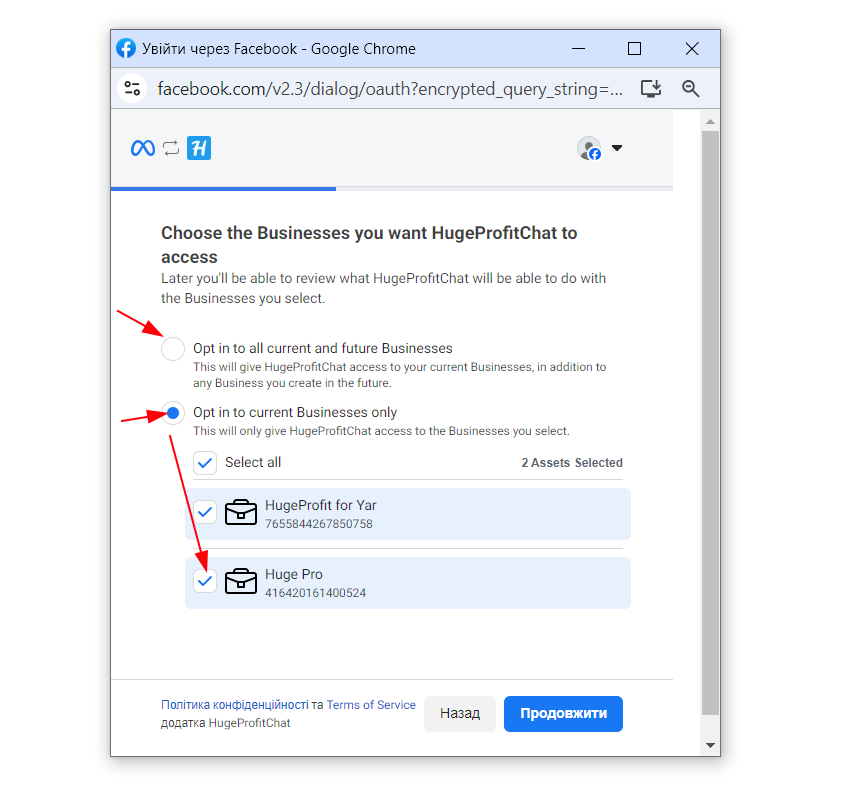
Grant permission to the company’s portfolio. Either to all through the upper selection or choose a specific one from the bottom:
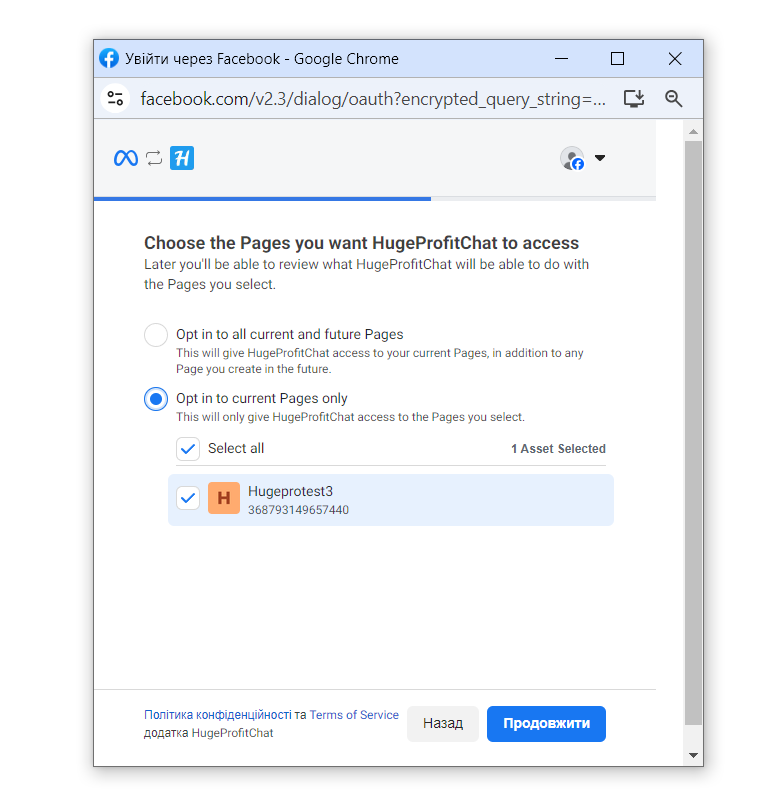
Grant access to pages:
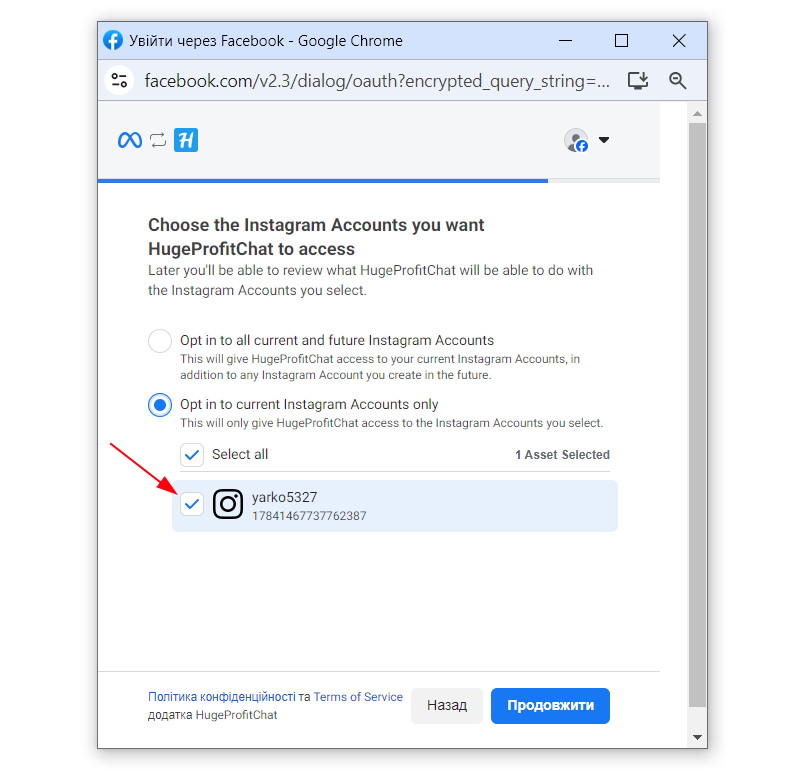
Grant access to the Instagram account
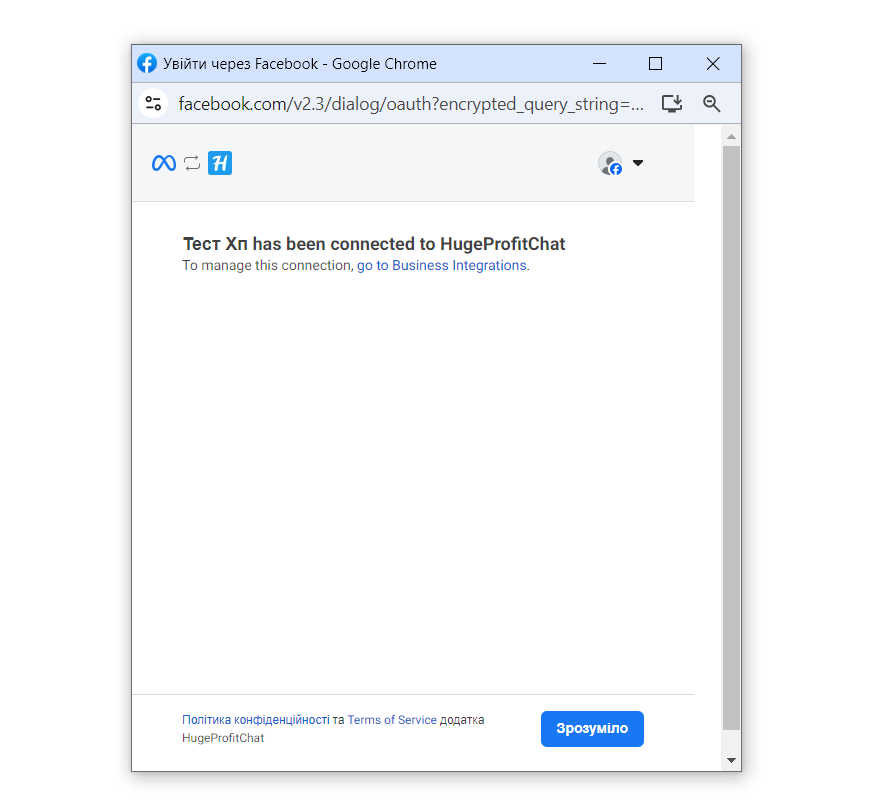
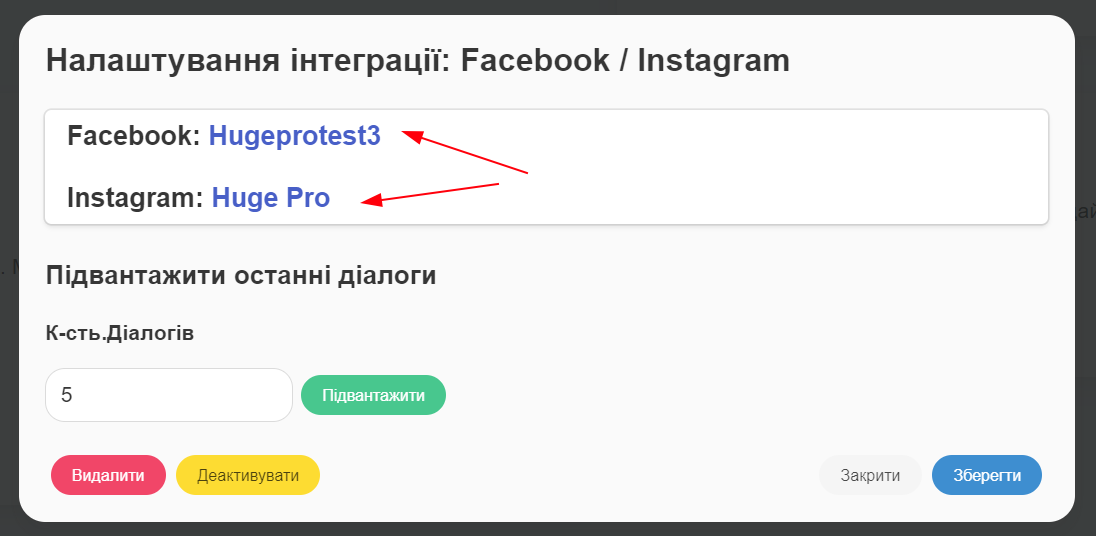
Integration has been successfully connected:
Switch Instagram Account to Professional and Link to Facebook
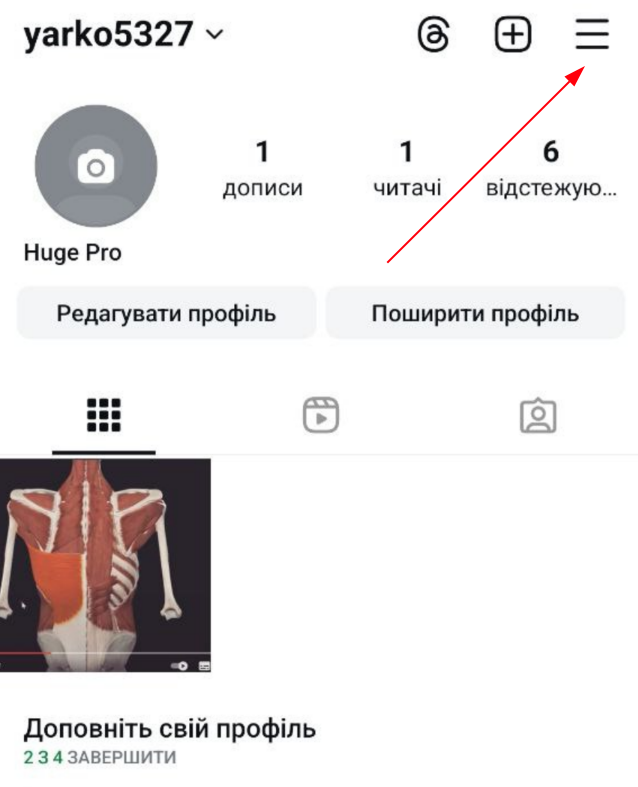
To switch your Instagram account to professional, click the three lines in the top right corner:
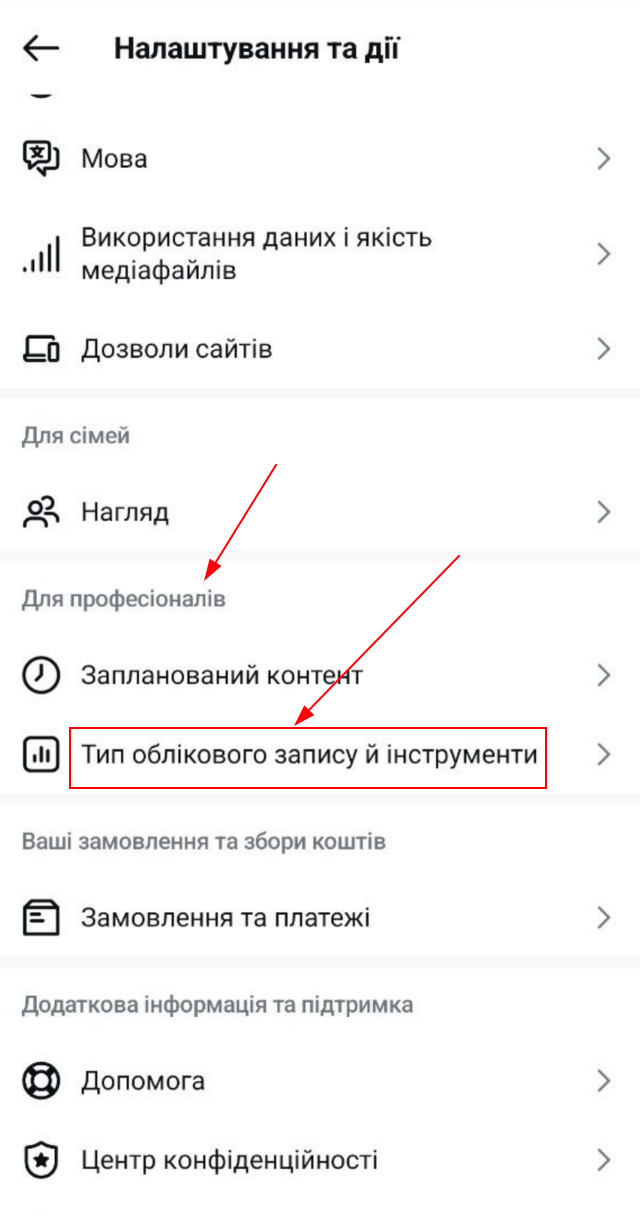
In Settings, select Account Type:
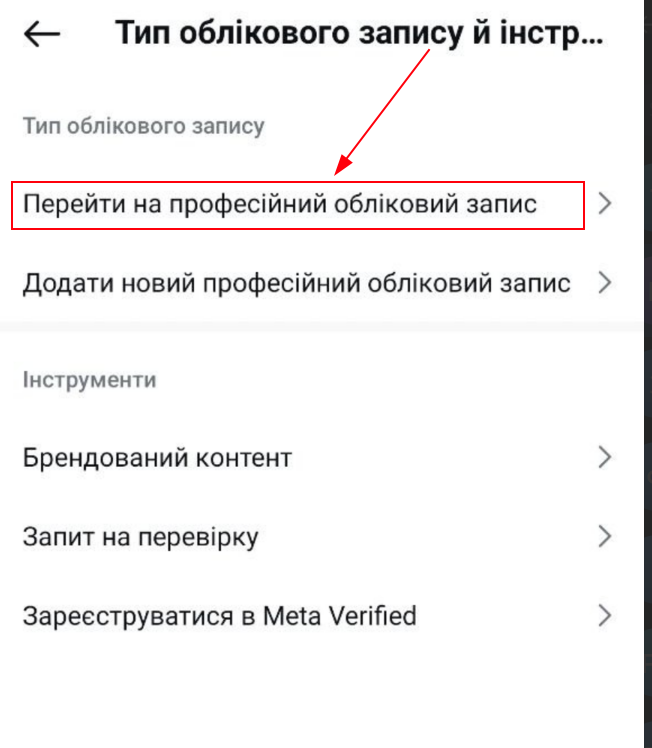
Switch to a professional account:
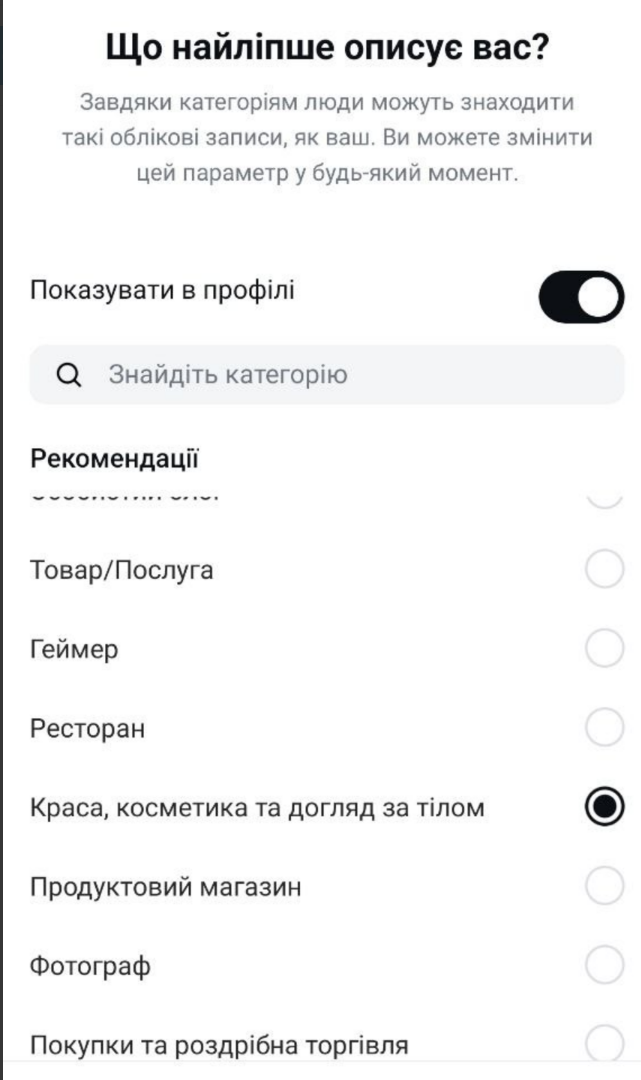
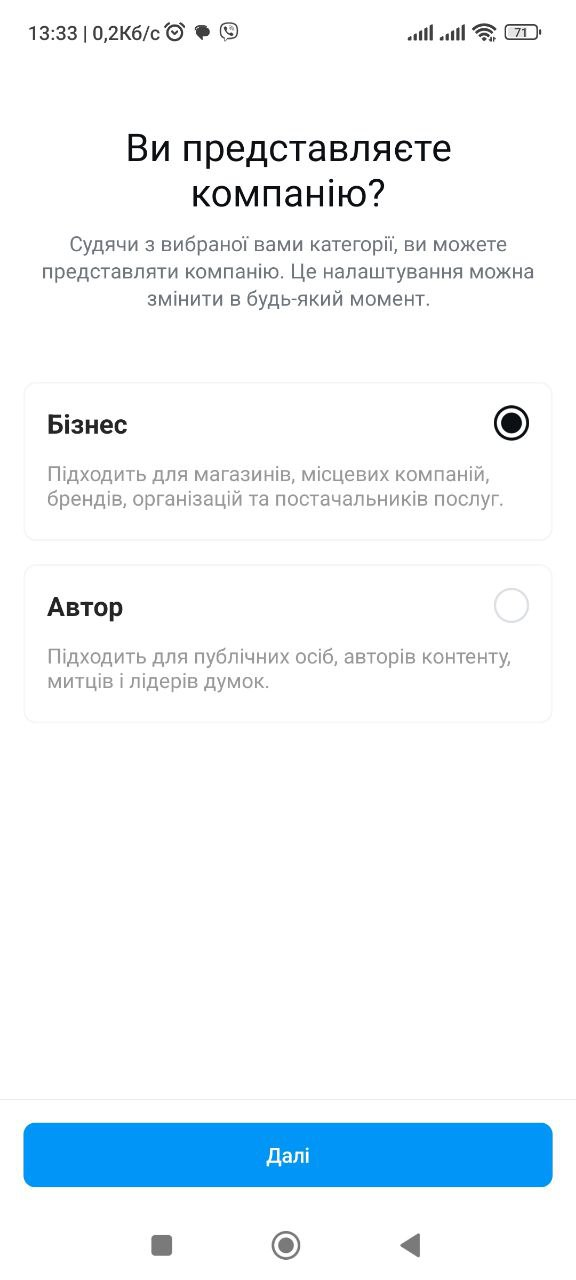
Select representation and category from the options provided:
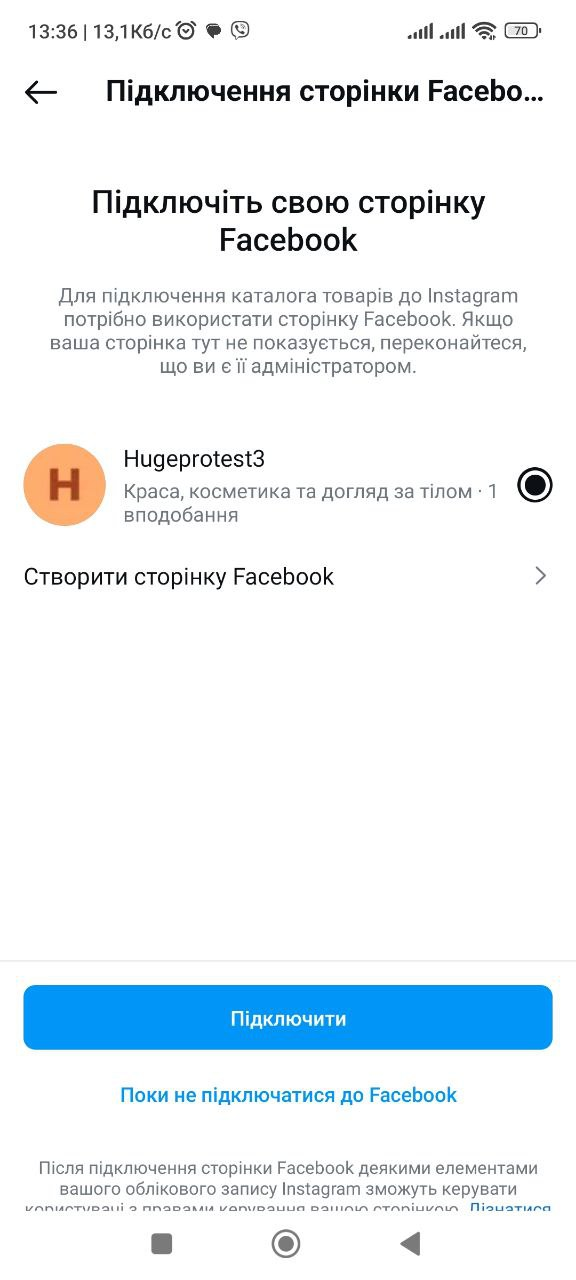
Connect a Facebook page. If one does not exist, create it. Not a Facebook account, but specifically a page:
Or Link Professional Instagram Account from Facebook
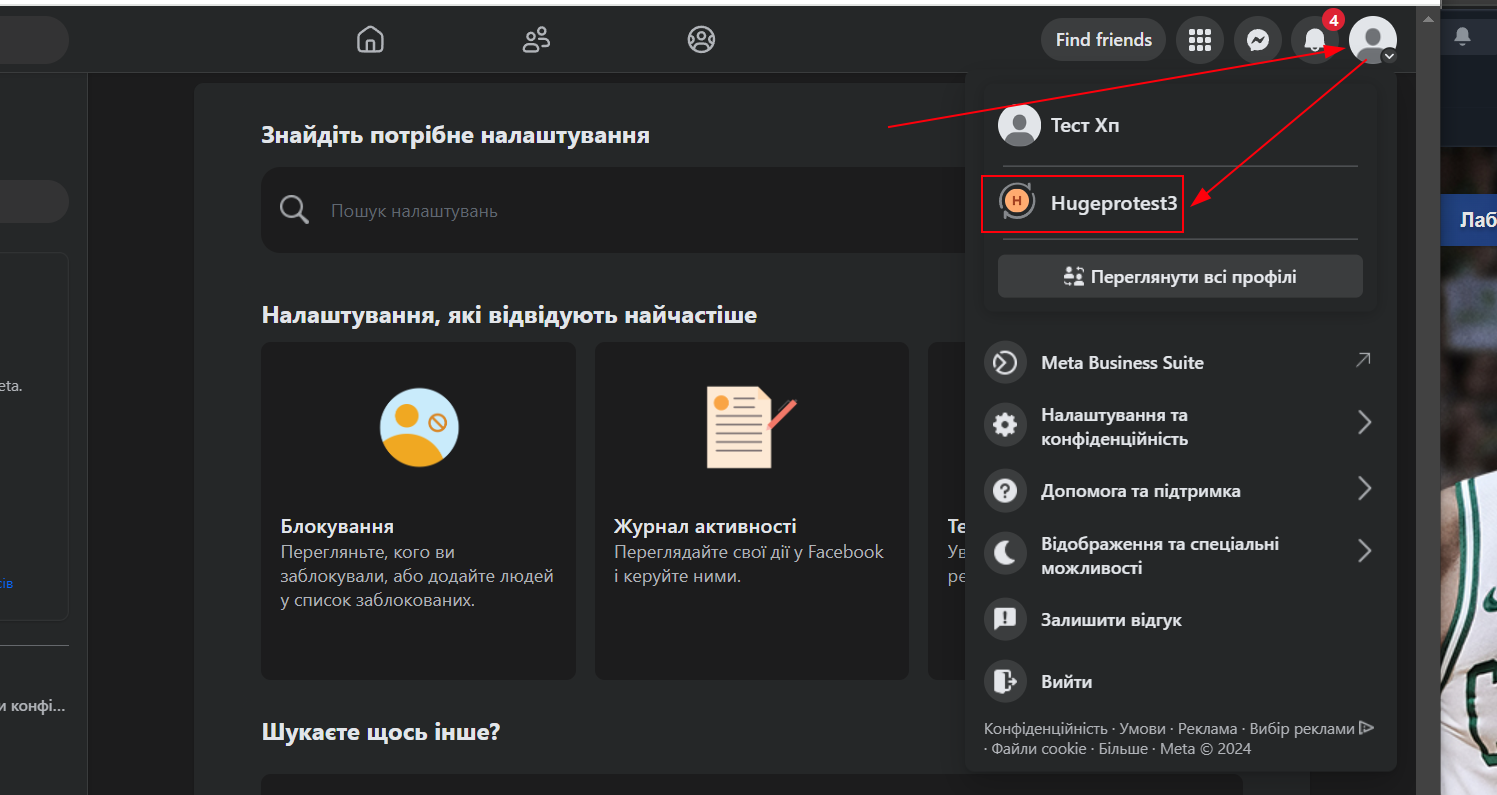
From the Facebook side, you can also link Instagram to your Facebook page. Do this by clicking on your profile picture in the top right, select your page
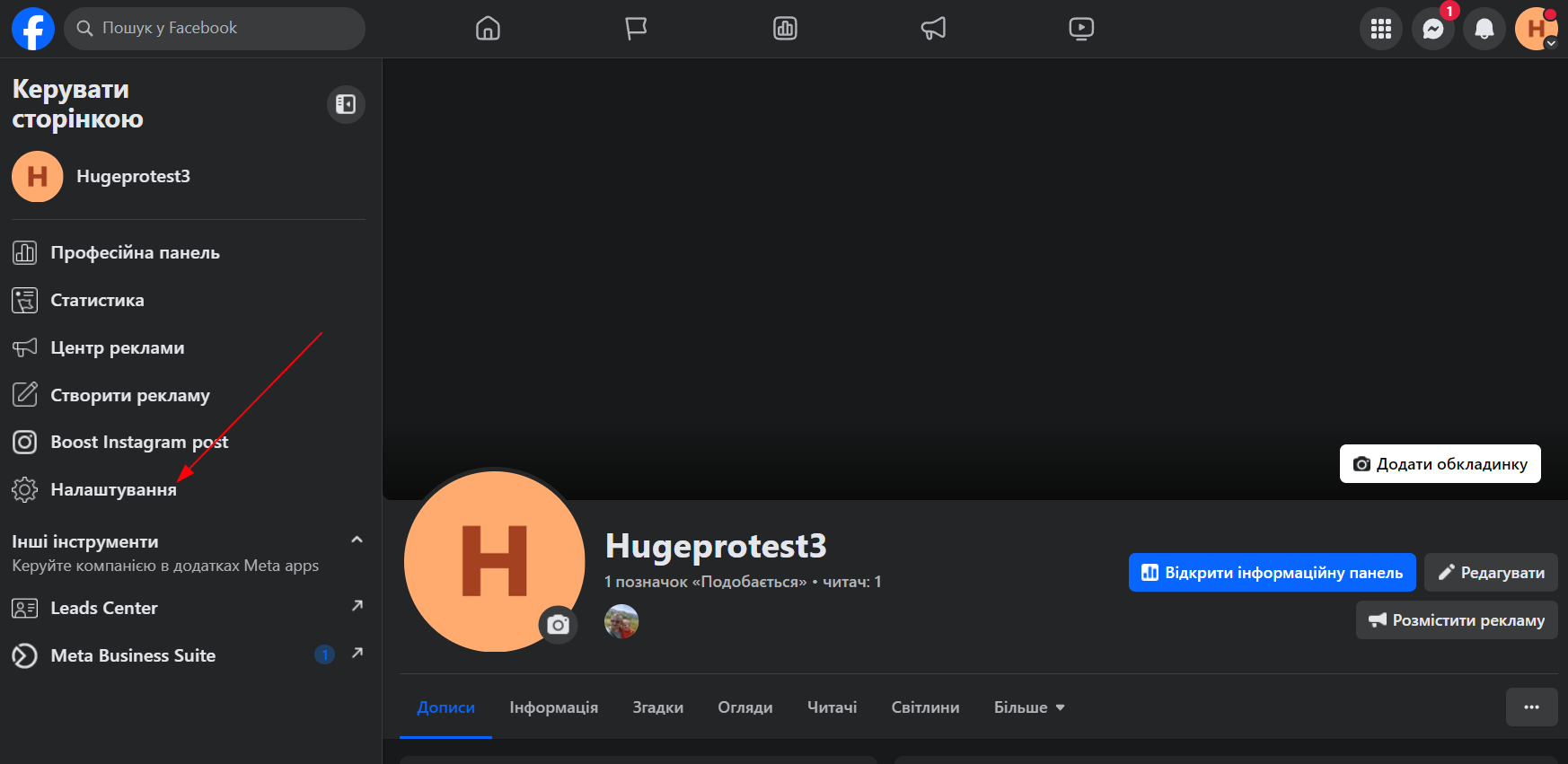
Then go to Settings, Permissions, Connected Accounts:
“`html
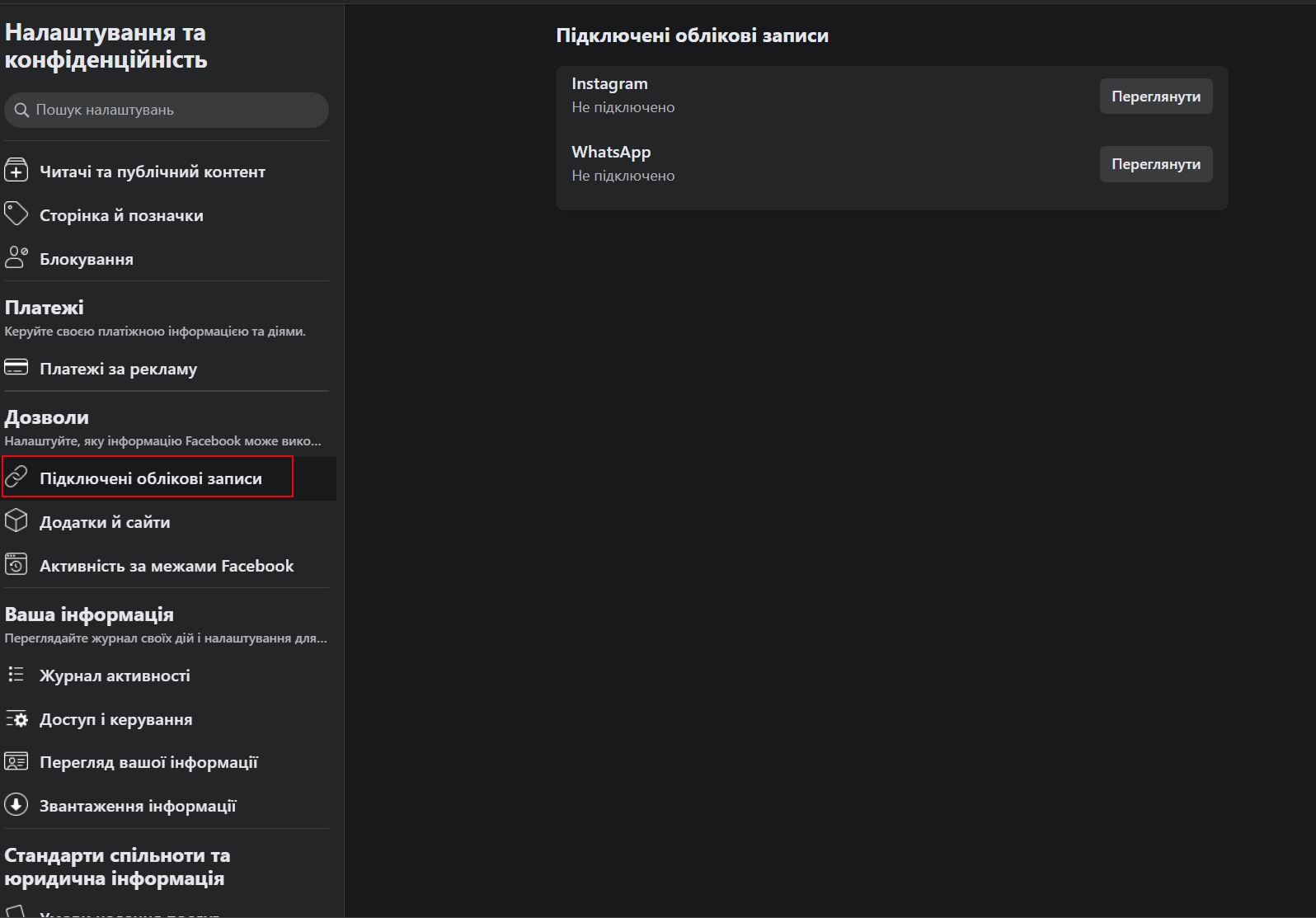
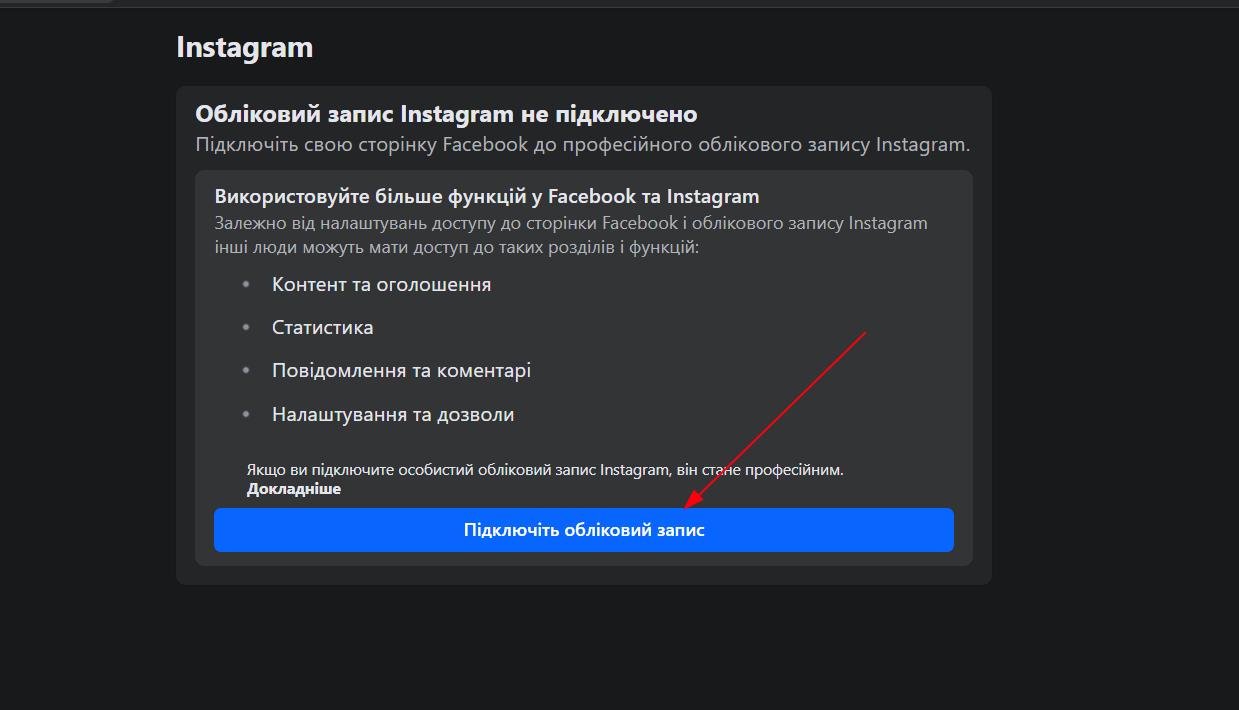
View Instagram connections and connect:
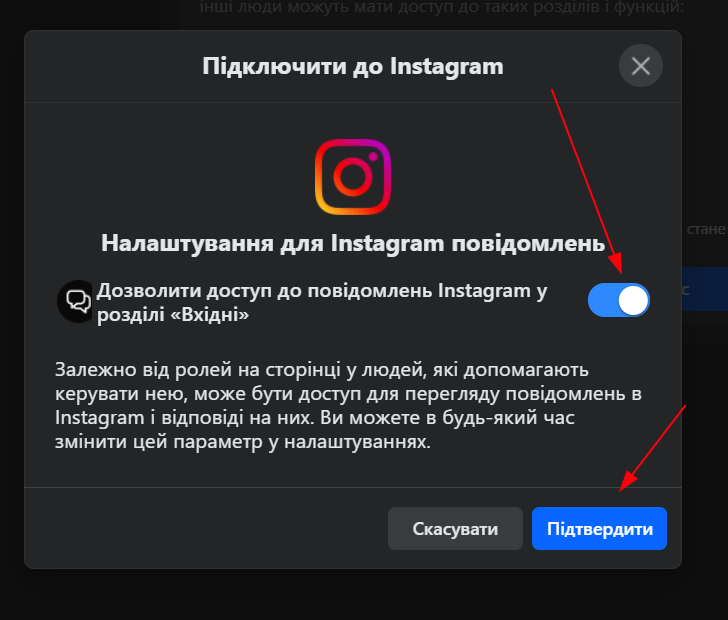
Allow access for Instagram messages:
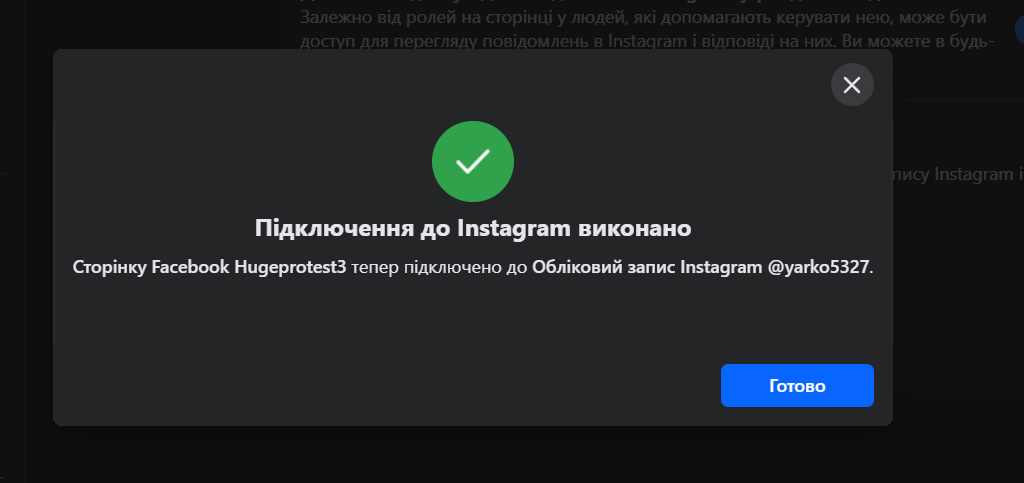
Confirm authorization to Instagram account or log in.
Page is connected:
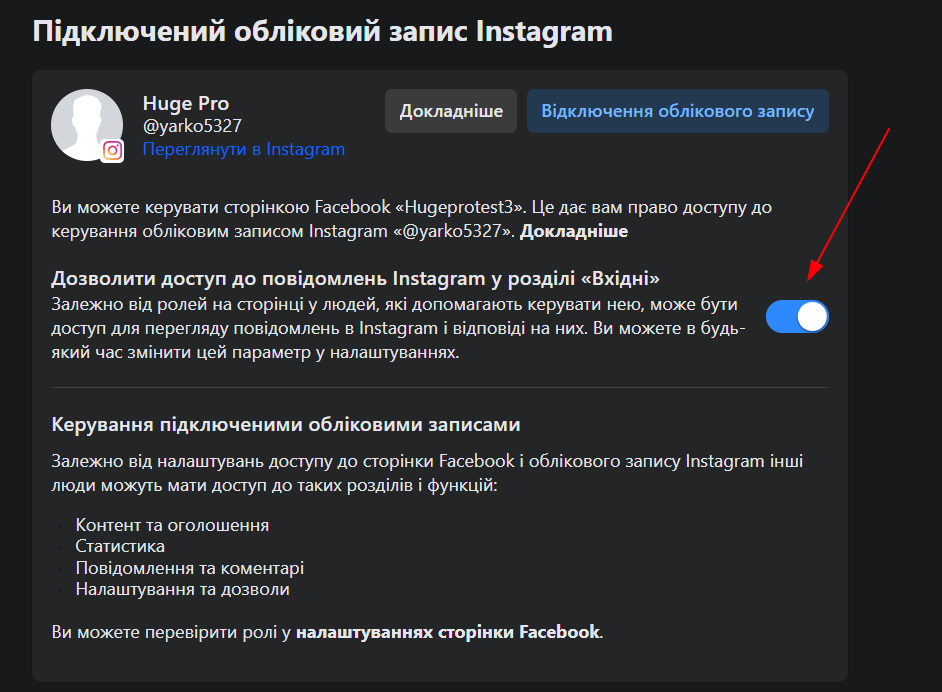
Here you can also grant access to Instagram messages:
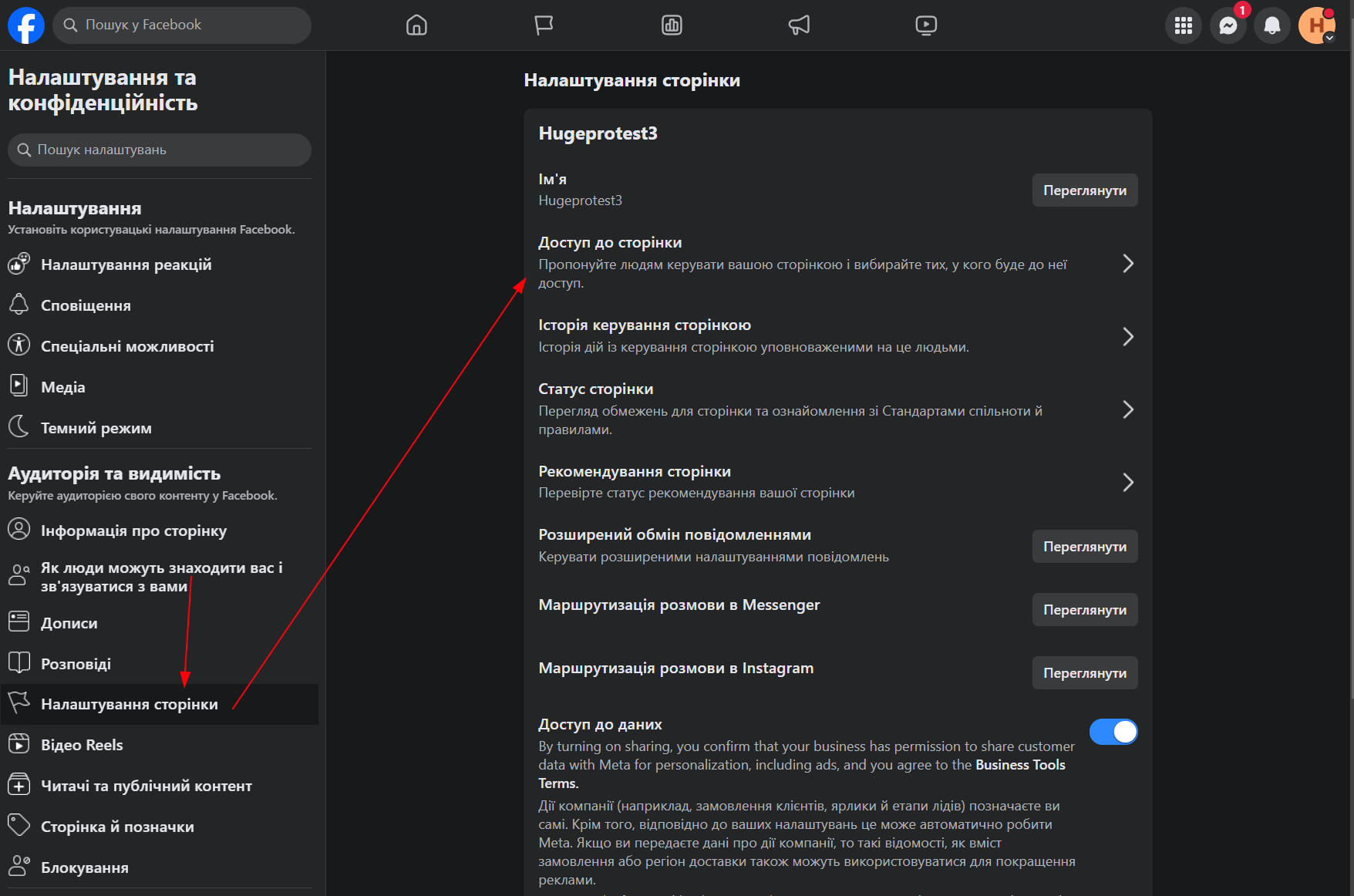
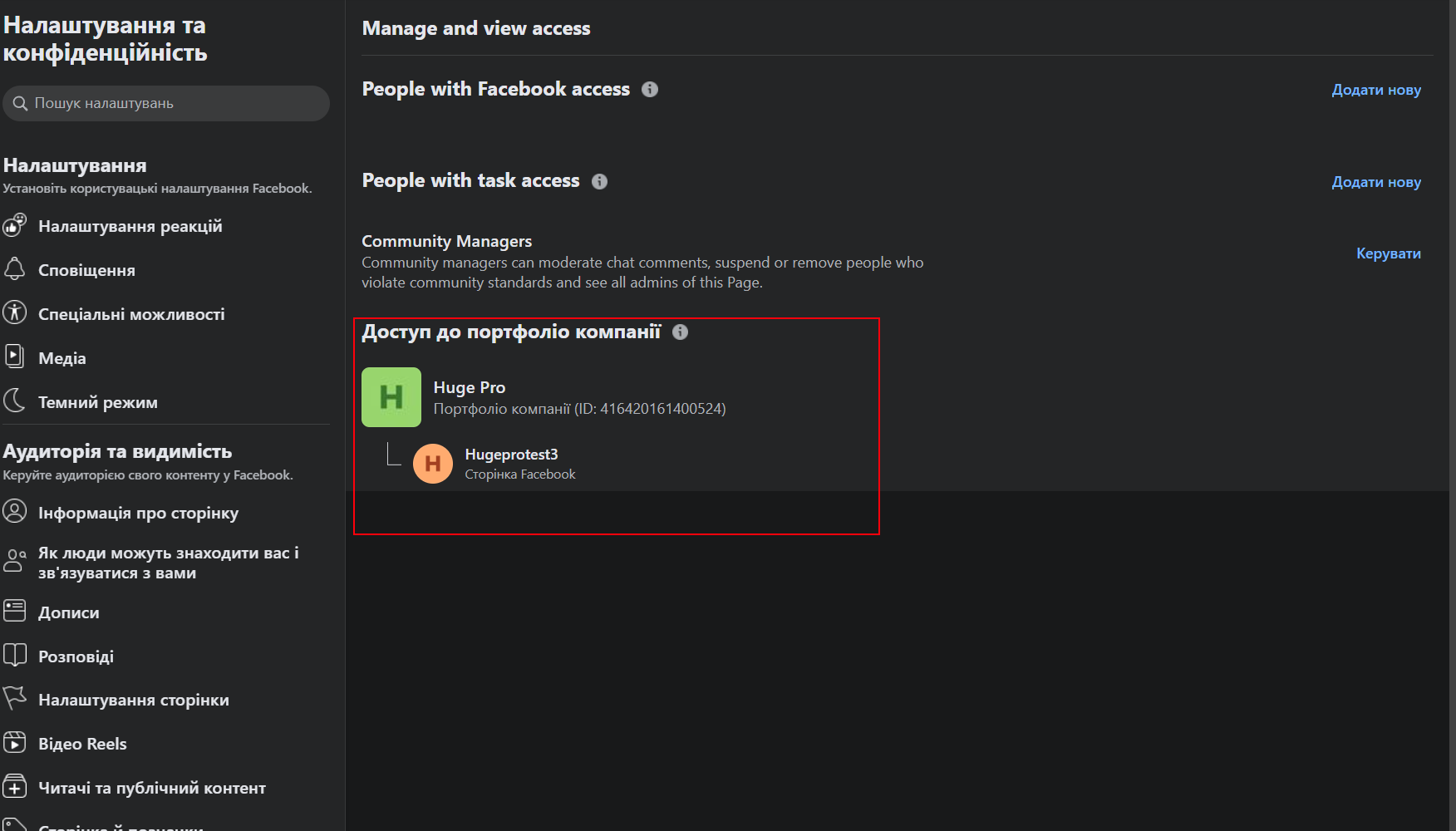
The Facebook page will be managed under the company’s Portfolio. You can view it through Page Settings, Page Access:
Allow Access to Instagram Messages
Messages and story replies
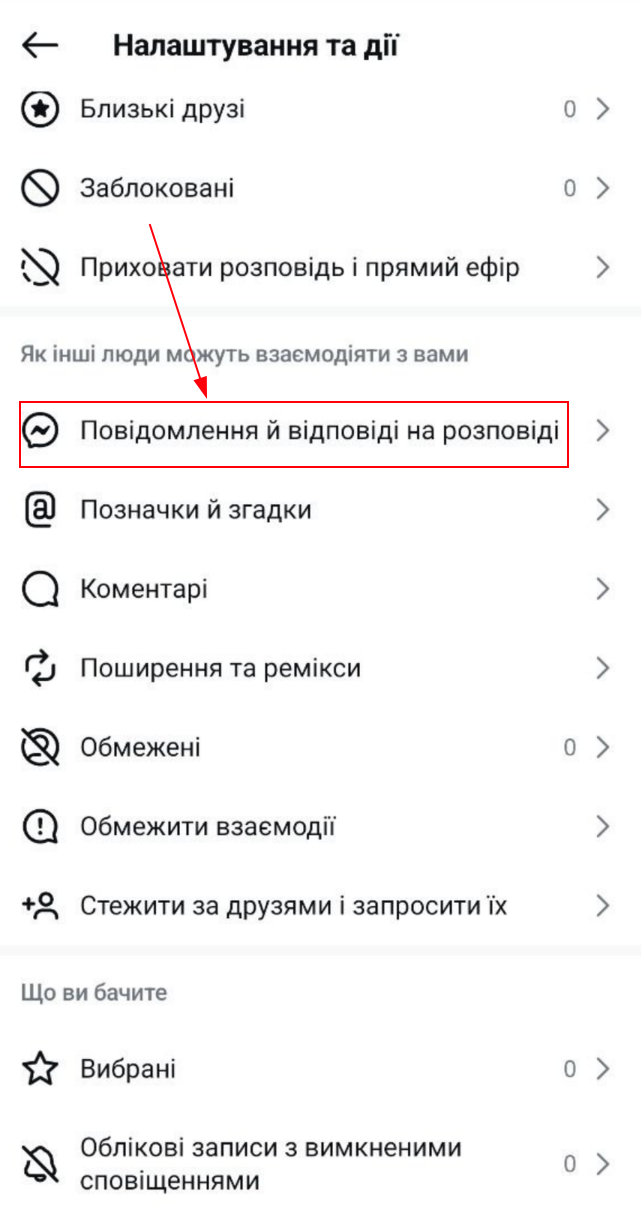
Manage messages
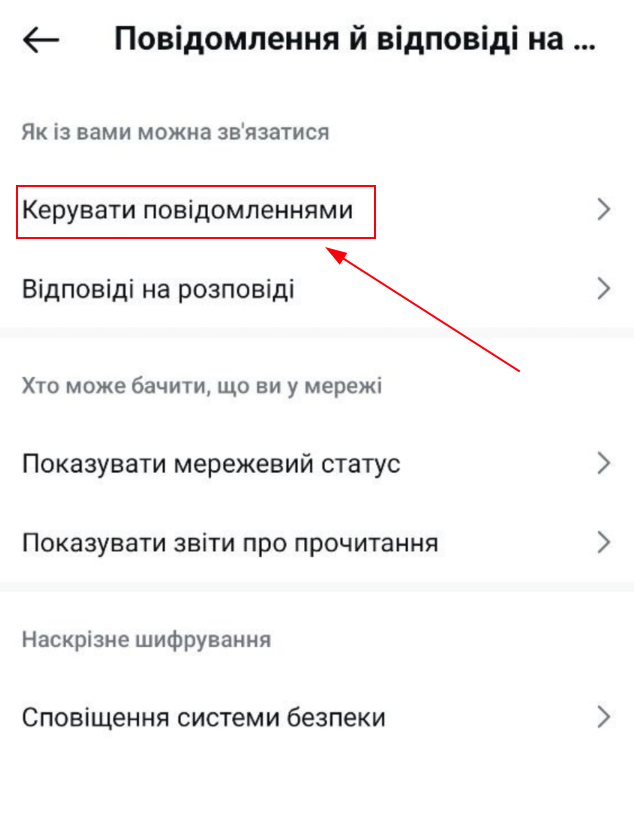
Switch permission to the required position:
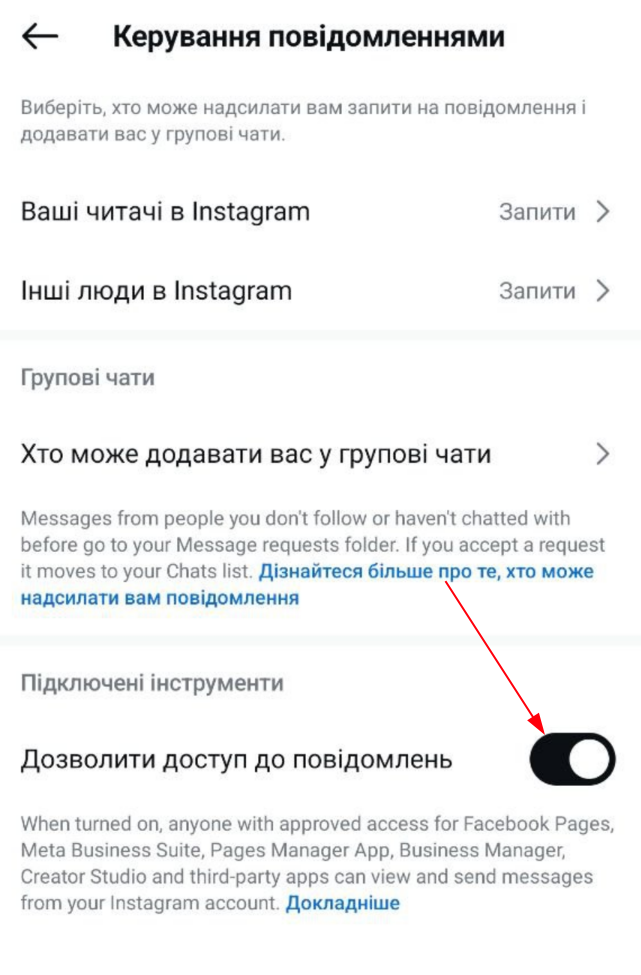
You can proceed to connecting the integration to HugeProfit
Learn more on the CRM for Instagram page.
