When a shopper searches for a product on Google, cards with a photo, price and store name often appear above the regular results. This is Google Shopping — a product showcase that any online store can get into. Some impressions are free, others are paid ads. This guide explains how to connect your store, what to prepare in advance and how to stand out from competitors.
How Google Shopping Works
Google gets information about your products from Google Merchant Center — an account where your store submits a feed: a list of products with titles, prices, availability, photos and links. Products can then be shown in two ways:
- free listings — products appear on the Shopping tab and in other Google services without paying for clicks;
- Shopping campaigns in Google Ads — paid ads with a photo and price in Search, on the Shopping tab and in other placements where you pay per click.
You can start with free listings and add advertising once you know which products sell best.
What You Need Before You Start
Google Shopping does not work with a social media profile — you need a website where customers can place an order. Check in advance that:
- every product has its own page with price, availability, photos and a buy button;
- the site shows contacts, delivery and return terms, and payment methods;
- prices and availability on the site match the feed — mismatches are the most common reason products get disapproved;
- product photos have no watermarks, borders or promotional text.
If you do not have a website yet, you can launch one together with inventory tracking using an online store CRM — so your catalog, prices and stock stay consistent from day one.
Connecting Your Store Step by Step
- Create a Google Merchant Center account with your Google account and enter your store details: name, country, website address.
- Verify website ownership via Google Search Console, a tag on the site or Google Analytics.
- Set up shipping and returns in Merchant Center: regions, costs, delivery times. Shoppers see this information right in the product card.
- Add products. A Google Sheet works for a small catalog; for a large one use an XML feed URL that updates automatically. Popular platforms (WooCommerce, OpenCart, Horoshop and others) have ready-made feed modules.
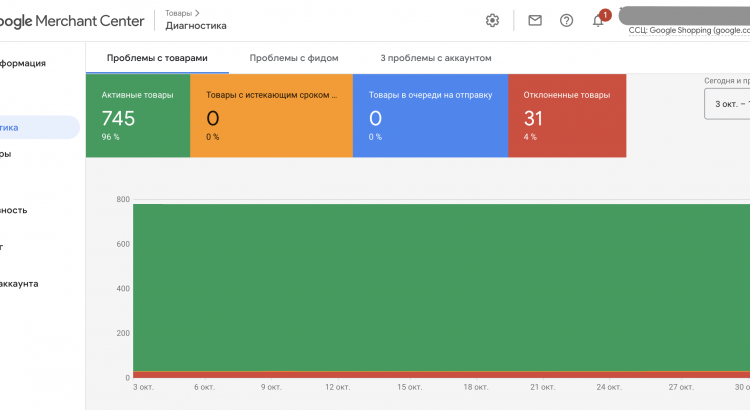
- Wait for review. Google checks the site and products; errors are shown in product diagnostics. Fix them in the feed or on the site.
- For paid ads, link Merchant Center to Google Ads and create a campaign: choose products or categories, budget and target regions.
How to Prepare a Feed That Gets Impressions
- Title — the way shoppers search: product type, brand, model, key attribute. “Men’s Nike Air Max 90 sneakers white” works better than “Air Max”.
- Description — specific features, material and sizes, without promotional slogans.
- Category and attributes — brand, GTIN (barcode), color, size for apparel. The more data, the better Google matches search queries.
- Price and availability update automatically: showing a product that is out of stock wastes money and disappoints customers.
Tips for Getting More Sales
- Group products by margin and bid higher on those that bring the most profit, not revenue.
- Compare your prices with competitors in the same results — Google shows the cards side by side.
- Collect store and product reviews: ratings increase click-through.
- Make sure product pages load quickly on mobile.
How to Tell Whether Ads Pay Off
Google Ads shows clicks and conversions but does not know your cost price, delivery costs or returns. To see whether the channel makes money, compare ad spend with the real profit from orders it brought. This is easy in inventory software: tag the sales channel on each order, and sales accounting will show profit per channel based on cost price.
FAQ
Can I sell on Google Shopping for free?
Yes, free listings are available once Merchant Center is connected. Their reach is limited, so stores usually add paid campaigns to grow.
Can I connect a store without a website, only with Instagram?
No, Google Shopping requires a website with product pages and the ability to place an order.
Why were my products disapproved?
Most often because of price or availability mismatches between the feed and the site, missing return terms or contacts, or unsuitable photos. Merchant Center diagnostics show the exact reason.
Read also: