Payment: payment methods and online card payment
At checkout, the customer must choose a payment method. You decide which methods to show and can accept card payments right in your store through monobank or WayForPay. HugeProfit takes no fee on payments.
Payment methods in the store
Site editor → Settings → Payment methods (at checkout) section.
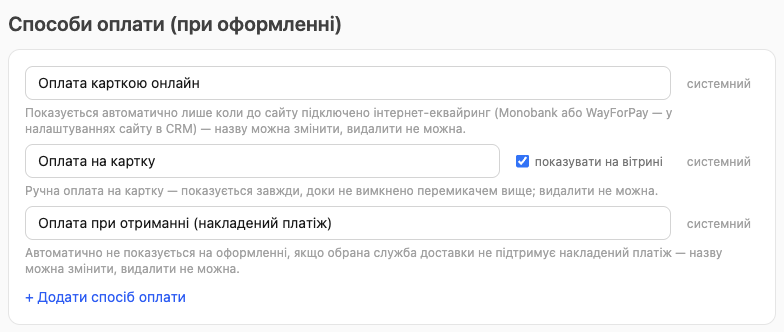
Three methods are built in (marked "built-in"): you can rename them but not delete them.
| Method | When the customer sees it |
|---|---|
| Pay online by card | Only when online payment is connected to the store (see below). The customer pays by card on the bank's page |
| Pay by card transfer | Always, unless you uncheck show at checkout. You send the customer your payment details yourself after the order |
| Pay on delivery (COD) | Only if the customer chose Nova Poshta, Ukrposhta, or Meest and cash on delivery (COD) is allowed for that carrier (store settings → Cash on delivery available for). It isn't offered for pickup, local delivery, nationwide delivery, international delivery, or your own delivery methods |
💡 Do you take payment in person at pickup or by courier? Add your own payment method, for example "Cash at pickup". How to set up delivery methods is covered in Delivery and cash on delivery.
- + Add payment method: your own option, for example "Cash at pickup" or "Bank transfer invoice for businesses". You can delete your own methods.
- The payment method name goes into the order in HugeProfit exactly as you wrote it.
- After making changes: Save draft → Publish.
Online card payment
Step 1. Connect acquiring in HugeProfit
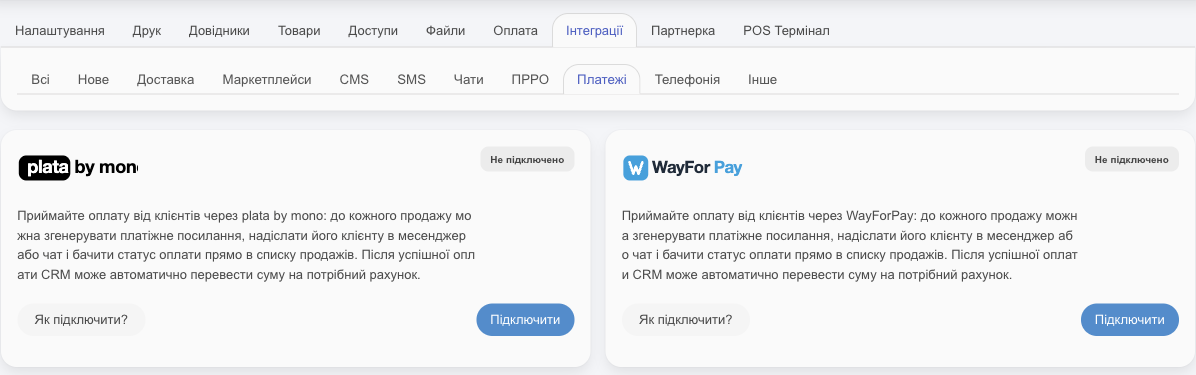
Connecting the bank step by step and setting up where funds go are covered in Acquiring: monobank and WayForPay.
Settings → Integration → Payments tab. Choose the bank and click Connect.
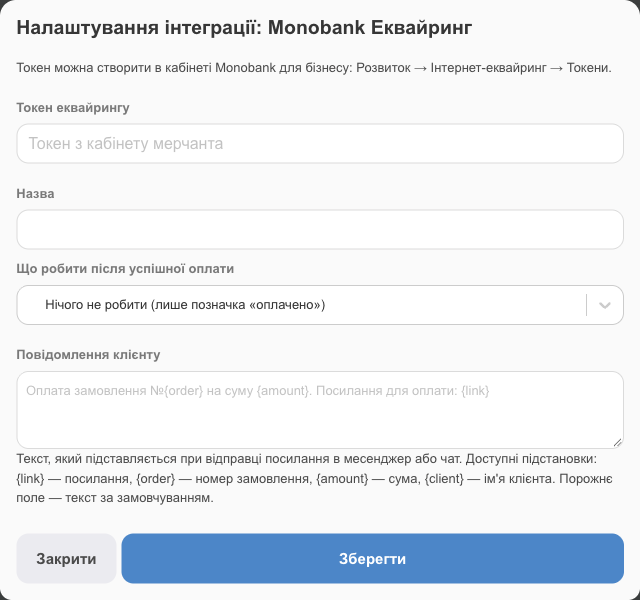
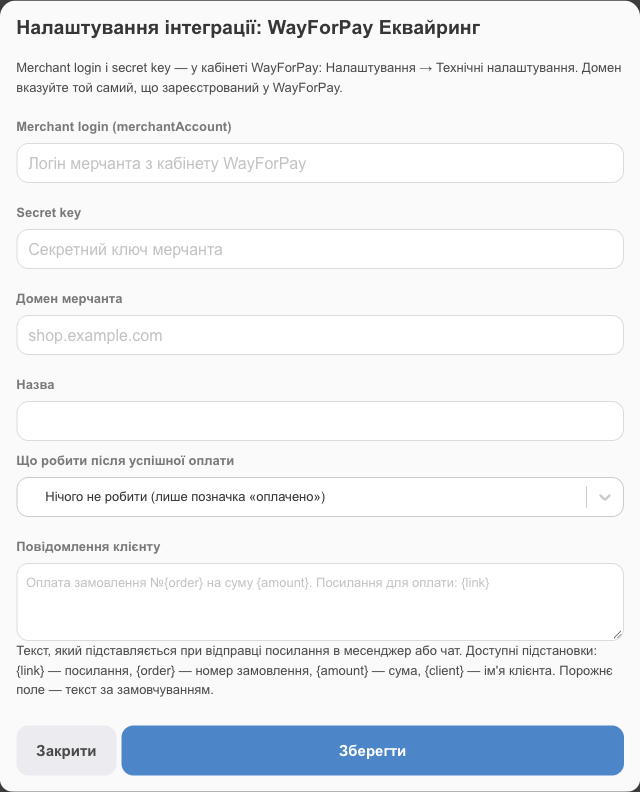
⚠️ For WayForPay, enter the same domain in the Merchant domain field as the one registered in your WayForPay account. If the domains don't match, the bank will decline payments. If needed, add your store's address to the list of websites in your WayForPay account.
What to do after successful payment: for example, automatically move the amount to a specific account in HugeProfit. By default, the order is only marked "paid".
Step 2. Turn on payment in the store
- Online store → Settings.
- Turn on Accept online card payments on the site. If several accounts are connected, choose one in the Which account should accept card payments on the site field.
- Click Edit (save).
Done: Pay online by card appears at checkout.
💡 Connecting the bank in Integrations doesn't turn on payment in the store by itself: it may have been connected only for payment links in sales. You need the checkbox in the store settings. If you later disconnect or delete that bank account, you'll have to turn the checkbox on again.
How the customer pays
- They choose Pay online by card and click Confirm order.
- They go to the bank's page and pay. They have 15 minutes to pay, and the products stay reserved for them the whole time.
- They return to the store and see "Waiting for payment confirmation…", and a few seconds later, the order page.
⚠️ The order appears in HugeProfit only after the bank confirms the payment. If the customer didn't pay, closed the bank's page, or ran out of time, there's no order, and the products stay in their cart so they can try again.
| What the customer sees after the bank | What it means |
|---|---|
| "Waiting for payment confirmation…" | The bank is still confirming; it takes a few seconds |
| "Payment couldn't be completed" | The payment failed. The products are in the cart, and the customer can try again |
| "Payment time has expired" | 15 minutes have passed. The customer needs to place the order again |
| "Payment is being processed" | The bank is taking longer than usual to confirm. The order will appear in "My orders" in a minute or two |
The money reaches your bank account under the terms of your agreement with monobank or WayForPay. HugeProfit takes no fee.