
How to connect monobank and WayForPay acquiring to HugeProfit
Connect monobank or WayForPay online acquiring, and HugeProfit can create payment links for your sales: the client pays by card, Apple Pay, or Google Pay, and the payment shows up in the sale automatically.
Settings → Integration → the Payments tab.
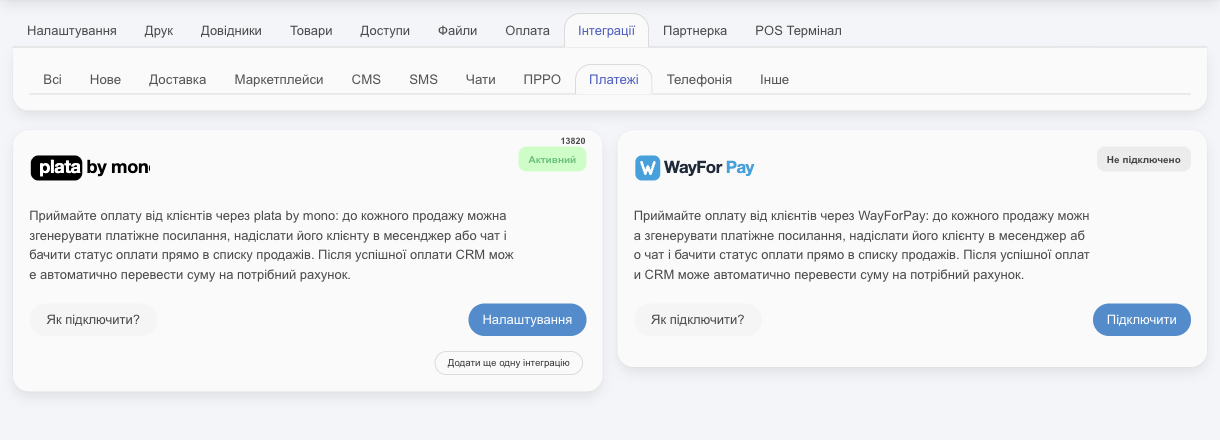
monobank
Token in your monobank account
Sign in to the monobank business account of the sole proprietor (FOP) or company that has online acquiring enabled.
On the left, in the Online payment section, choose your store (terminal). If you don't have one yet, click Add tool.
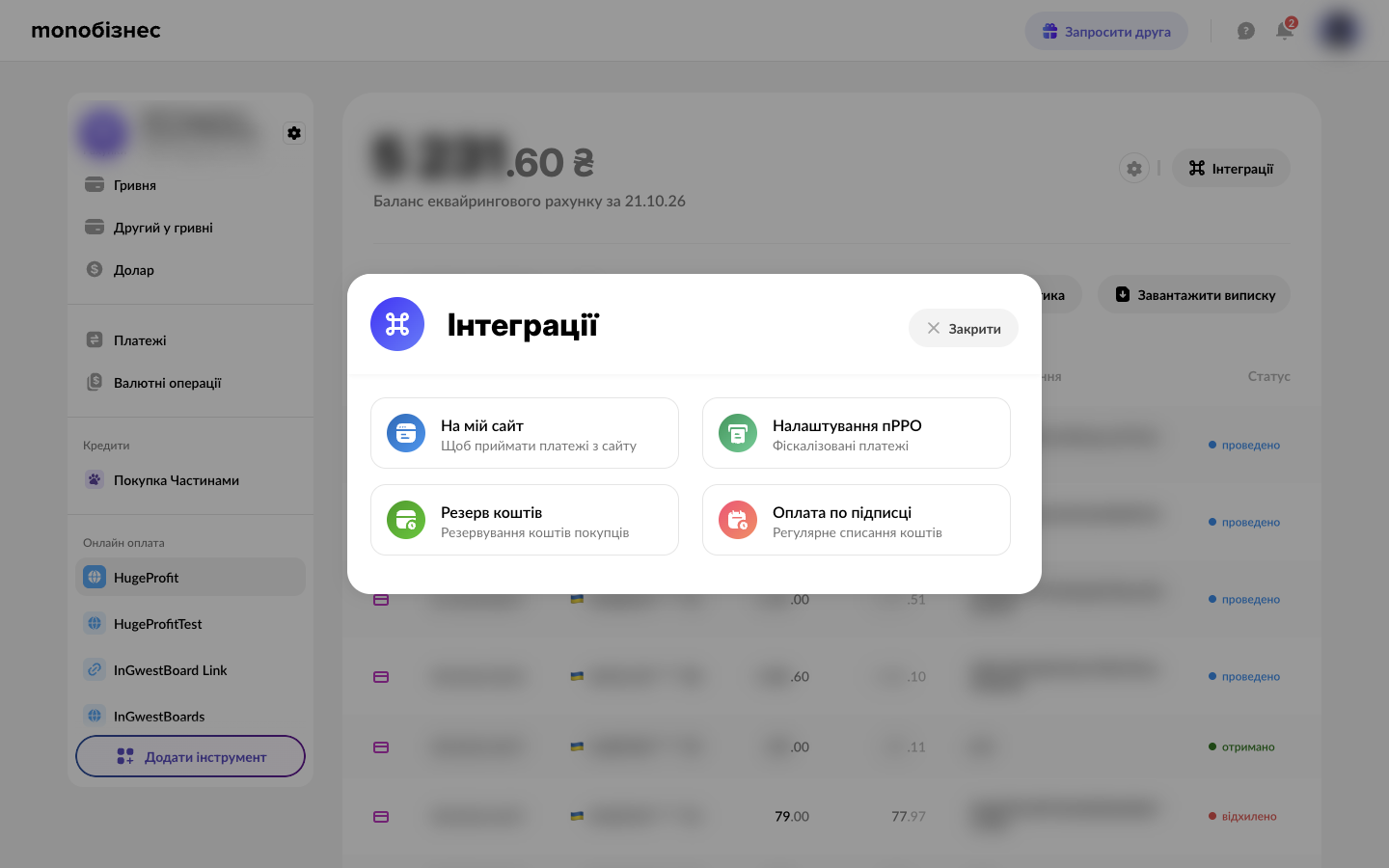
In the top right, go to Integrations → For my website.
Create a token and click Copy.
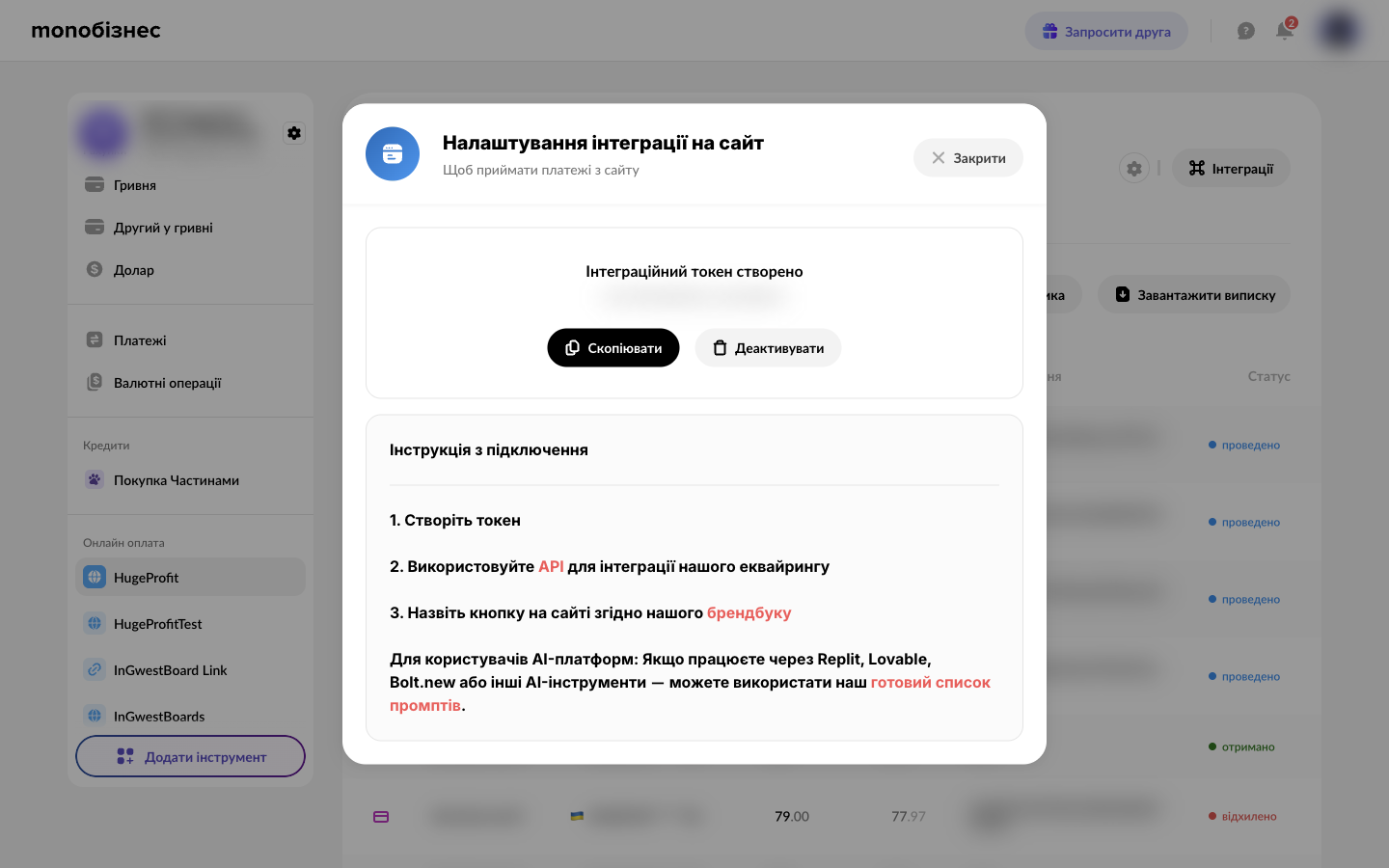
⚠️ If you Deactivate the token in your monobank account, HugeProfit stops creating links and receiving payments until you paste a new one.
Connect in HugeProfit
monobank card → Connect:
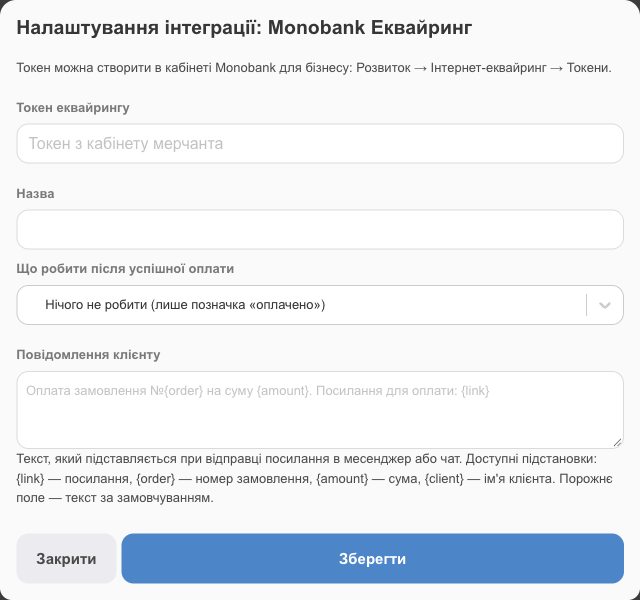
- Acquiring token: the token from your account;
- Name: how this acquiring connection is labeled in HugeProfit (if you have several);
- What to do after successful payment and Message to the customer: see below.
WayForPay
Details in your WayForPay account
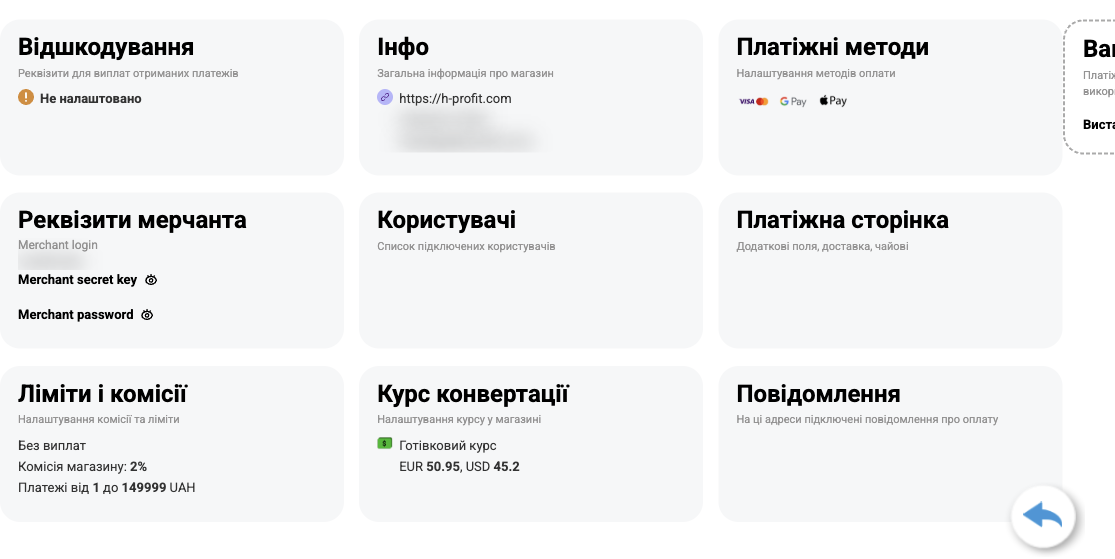
- WayForPay account → Store settings → your store.
- In the Merchant details section: Merchant login and Merchant secret key (👁 shows it).
- In the Info section, the store's website address is your merchant domain.
Connect in HugeProfit
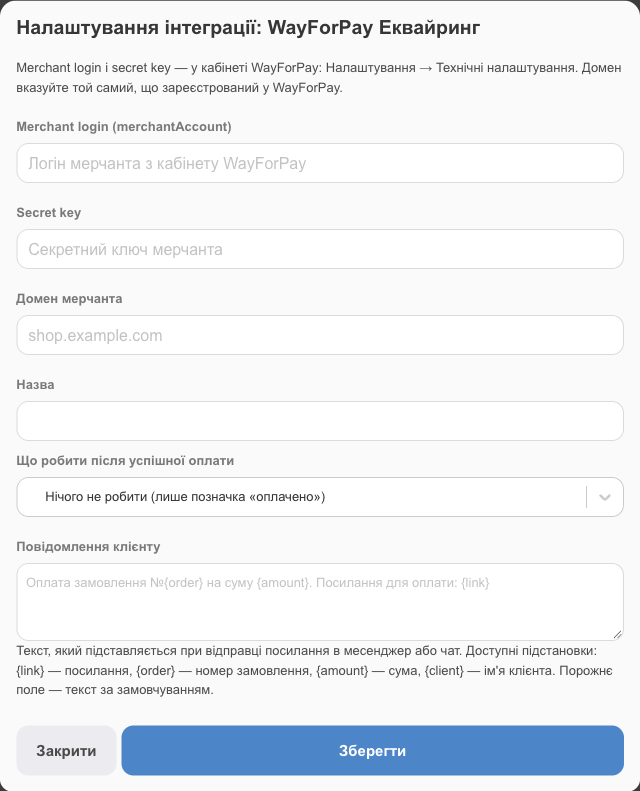
- Merchant login (merchantAccount), Secret key;
- Merchant domain: the same domain registered in WayForPay (for example,
shop.example.com, without https://). It's part of the payment signature, and WayForPay rejects payments with a different domain; - Name, the action after payment, and the message to the client work as for monobank.
What to do after payment
- Do nothing (mark as paid only): the link and the sale are marked as paid, and the sale's account doesn't change.
- Change sale account → Account for crediting: the payment moves automatically to the account you choose (for example, “monobank acquiring”), so your balance in HugeProfit matches the bank.
Message to the client
The text sent to the client with the link in a messenger or chat. Placeholders: {link} is the link, {order} the order number, {amount} the amount, and {client} the client's name. If you leave it empty, the default text is used: “Payment for order #{order}, amount {amount}. Payment link: {link}”.
Troubleshooting
| Problem | What to do |
|---|---|
| Invalid acquiring token | Copy the token again and check that it hasn't been deactivated in your monobank account. |
| Sale currency is not supported by acquiring | Change the sale currency to one your acquiring supports (usually UAH). |
| WayForPay rejects the payment | Check the merchant domain: it must exactly match the domain in your WayForPay account. |