
How to set up a cumulative discount for clients in HugeProfit
A loyalty program rewards regular clients: the more a client buys, the bigger their discount, or the more bonuses they earn. HugeProfit tracks each client's purchase total and updates their discount or balance automatically.
Left menu → Marketing → Client discounts (or Clients → Adjust discounts). Turn on Enable loyalty program and choose the Discount type.
Percentage of the total: cumulative discount
Set the thresholds: Total purchases amount of a client, UAH and Discount amount, %. When a client's purchase total reaches a threshold, they get the matching discount on their next purchase. To add more thresholds, click Add one more discount.
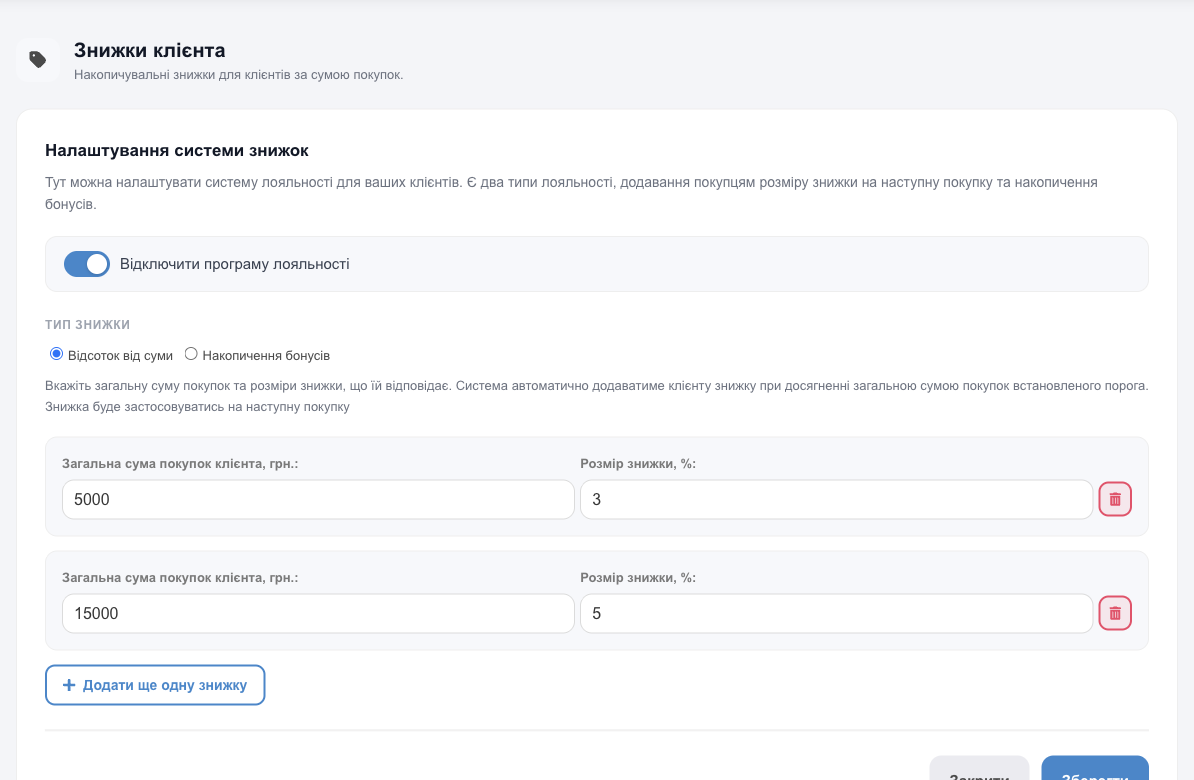
- The discount is saved in the client's card (the Discount field) and applied to a sale automatically as soon as you select the client. The salesperson can change it manually in a specific sale.
- You can also set a client's discount manually in their card, for example for a wholesale buyer.
- Clients who have already passed a threshold get the discount as soon as you save the settings.
- Be careful when editing old sales: if you open a sale that was made before the client had a discount, HugeProfit applies the client's new discount. If you don't want to change that sale's total, remove the discount before saving. Conversely, to apply a new discount to a sale you've just made, open it for editing and simply save it.
Bonus accrual
Set the purchase total thresholds and % of purchases are credited to bonuses. With every purchase, the specified percentage is credited to the client's bonus account (Balance in the card). To start crediting from the first purchase, set the threshold to 1 UAH.
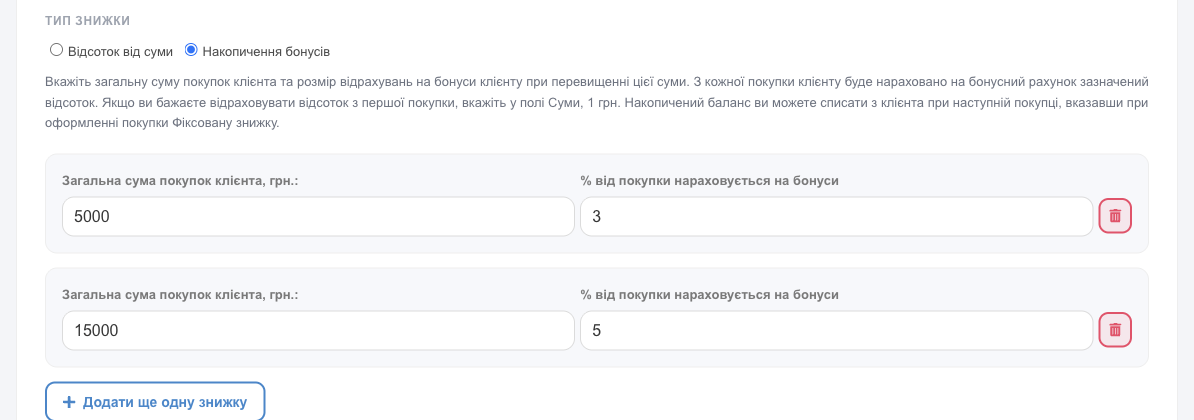
How to redeem bonuses: in the next sale, change the discount type to a fixed amount and enter the amount, no more than the balance (you can see the balance in the sale window next to the client). This amount is automatically deducted from the client's balance.
- No new bonuses are credited for a sale with a fixed discount (bonus redemption). A percentage discount doesn't prevent accrual.
- Bonuses are credited again from the following sales.
- You can also change a client's balance manually in their card.
- If a cumulative discount was in effect before, the discounts already assigned to clients remain after you switch to bonuses until you change them.
Click Save.
Turning it off
Disable loyalty program → Disable. Discounts the system has already assigned to clients remain; you can change them in the client cards.
💡 If the Loyal Cards integration is connected, the built-in loyalty program is unavailable, and Loyal Cards manages discounts.
Other discounts
- Promotions: product discounts for all buyers for a set period. By default, the client discount also applies to promotional products (calculated from the promotional price). To keep it from stacking on top of a promotion, check Don't apply client discount on top of this promotion in the promotion.
- One-time discount: set manually in the sale window (on the whole sale or on a single product).