
Profit and sales reports in HugeProfit
Reports answer the question "how much did I make, and on what?": a general report by day, plus reports by product, category, brand, employee, and finances by category. Every report has a period picker, filters, and export to Excel or PDF.
Left menu → Reports. The tabs at the top switch between reports; set the period with "from–to" dates or a quick option (today, week, 30 days, month, 3 months).
General
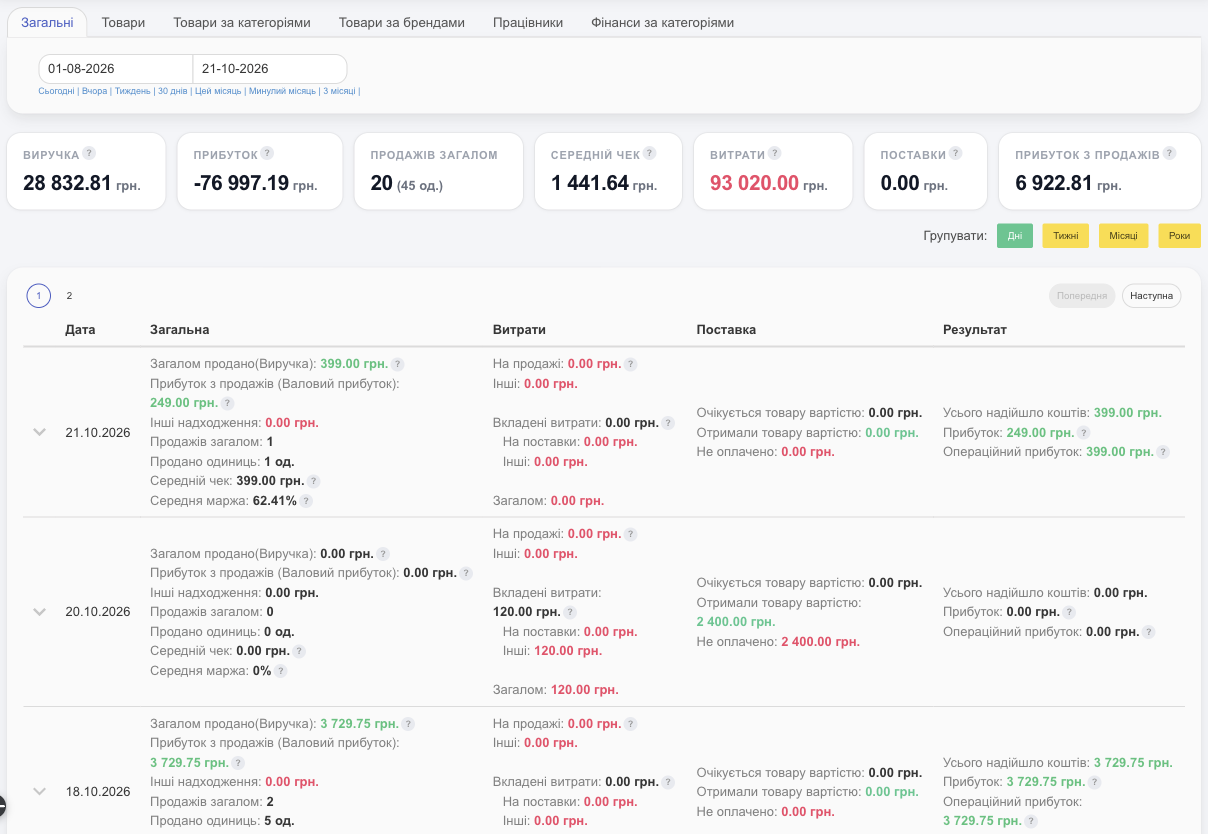
The totals for the period are at the top: Revenue, Profit (net, after all expenses), Total Sales, Average check, Expenses, Shipments, Sales Profit. Hover over ? to see how a metric is calculated.
Below is a breakdown you can Group by day, week, month, or year. For each period:
- General: revenue, gross profit, other income, number of sales and units, average check, average margin;
- Expenses: sale expenses, other expenses, and Embedded Expenses (on shipments and others already included in cost price);
- Shipment: expected, received, not paid;
- Result: total money received, profit, operating profit.
Chart: Lines, Bars, or Combined. Download the Excel report / PDF.
Products
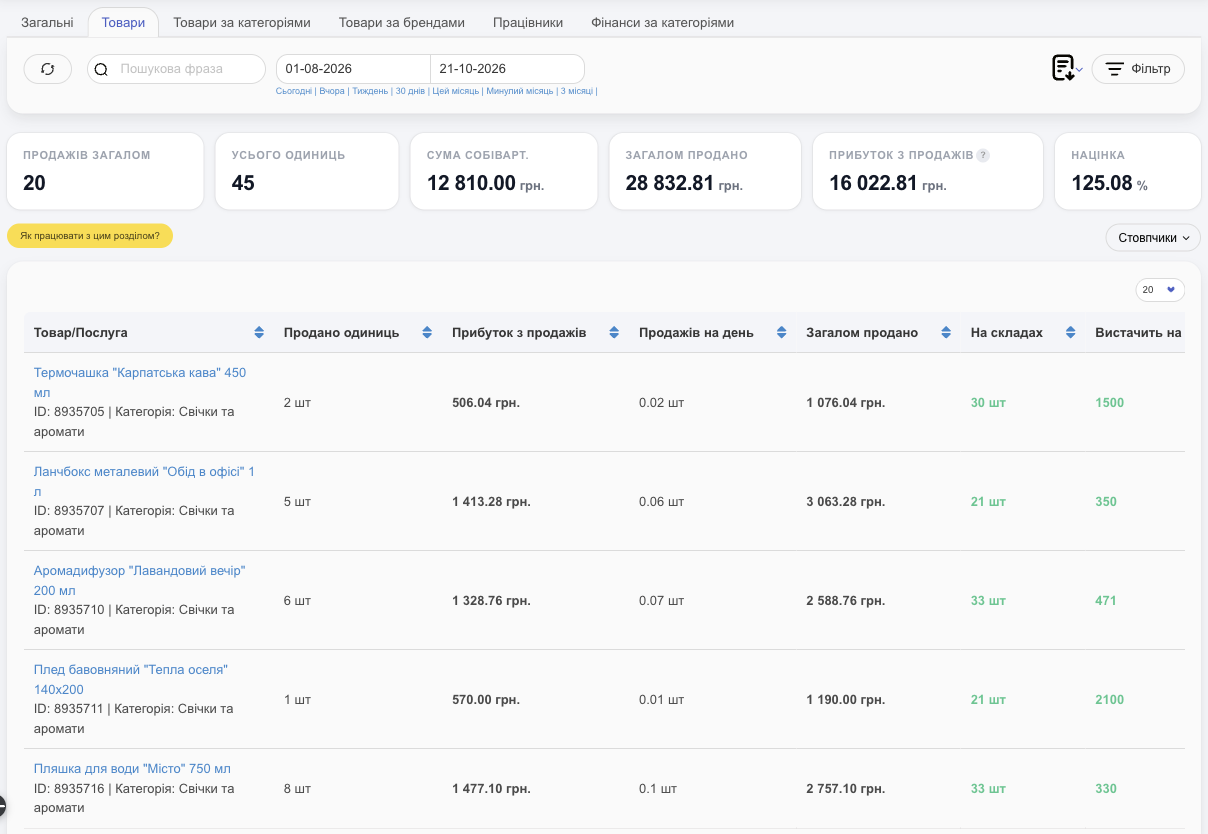
- Totals: Total Sales, Total units, Sum of the Cost, Sum of Sales, Sales Profit, Margin.
- For each product: Sold units, Sales Profit, Sales per day, Sum of Sales, In warehouses, Enough for days; under Columns, you can add Profit Percentage, Profit with expenses, To purchase, Safety stock, and more.
- Filter: account, category, brand, warehouse, seller, client, shipment, supplier, channel. For example, profit on products from a specific supplier.
- Export: Excel, PDF, Download by breakdown (by warehouse, client, and so on).
💡 Sort by Sales Profit to see which products make you money and which just take up warehouse space.
Products by category and by brand
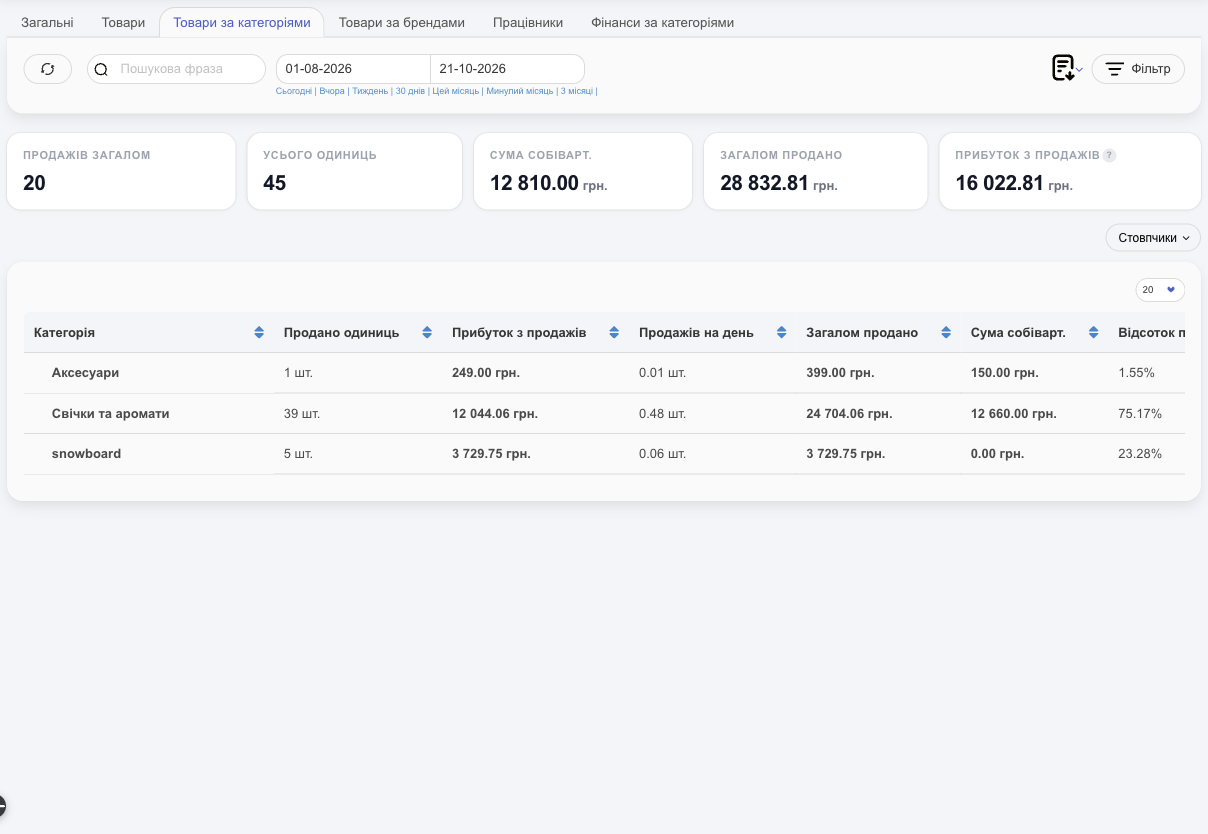
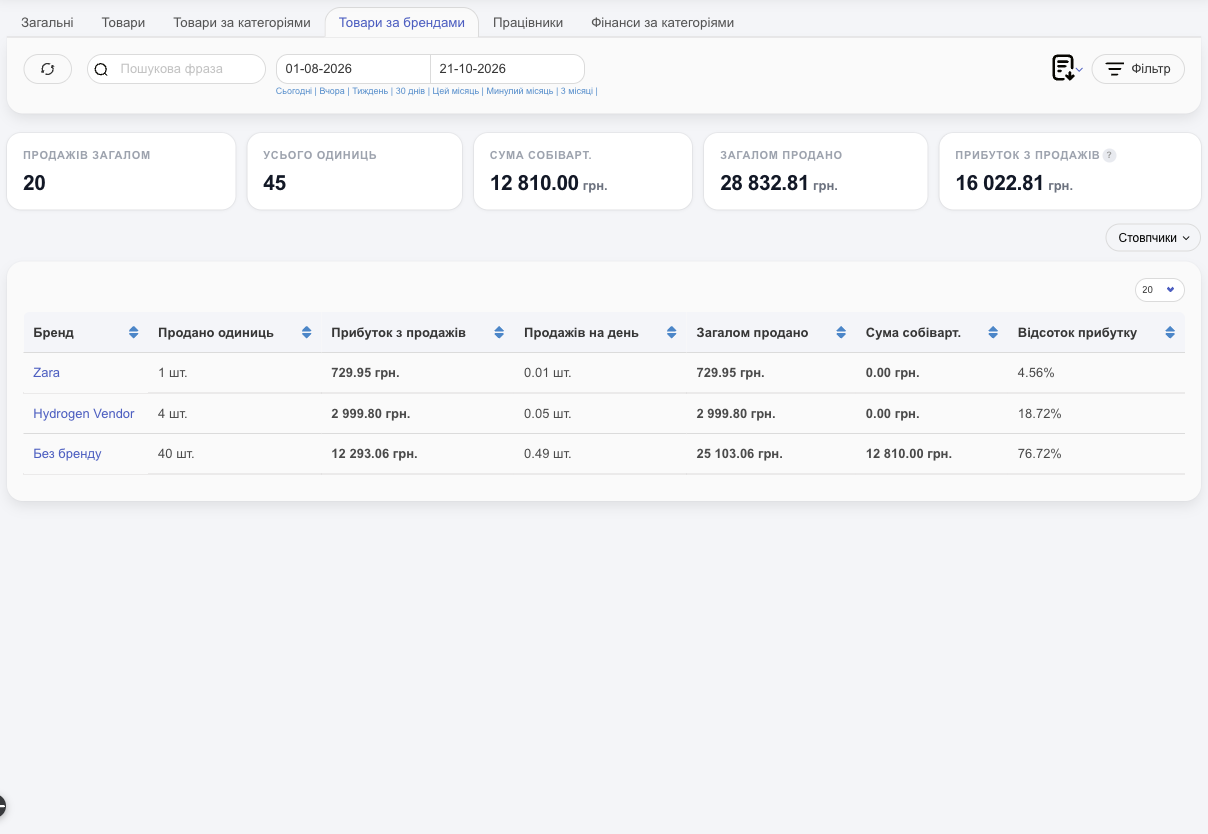
The same metrics, grouped by category (Category report) or by brand (products without a brand appear under Unbranded): number of sales, amount sold, cost price, profit, profit percentage, sales per day. Expand shows the products within a group.
Employees
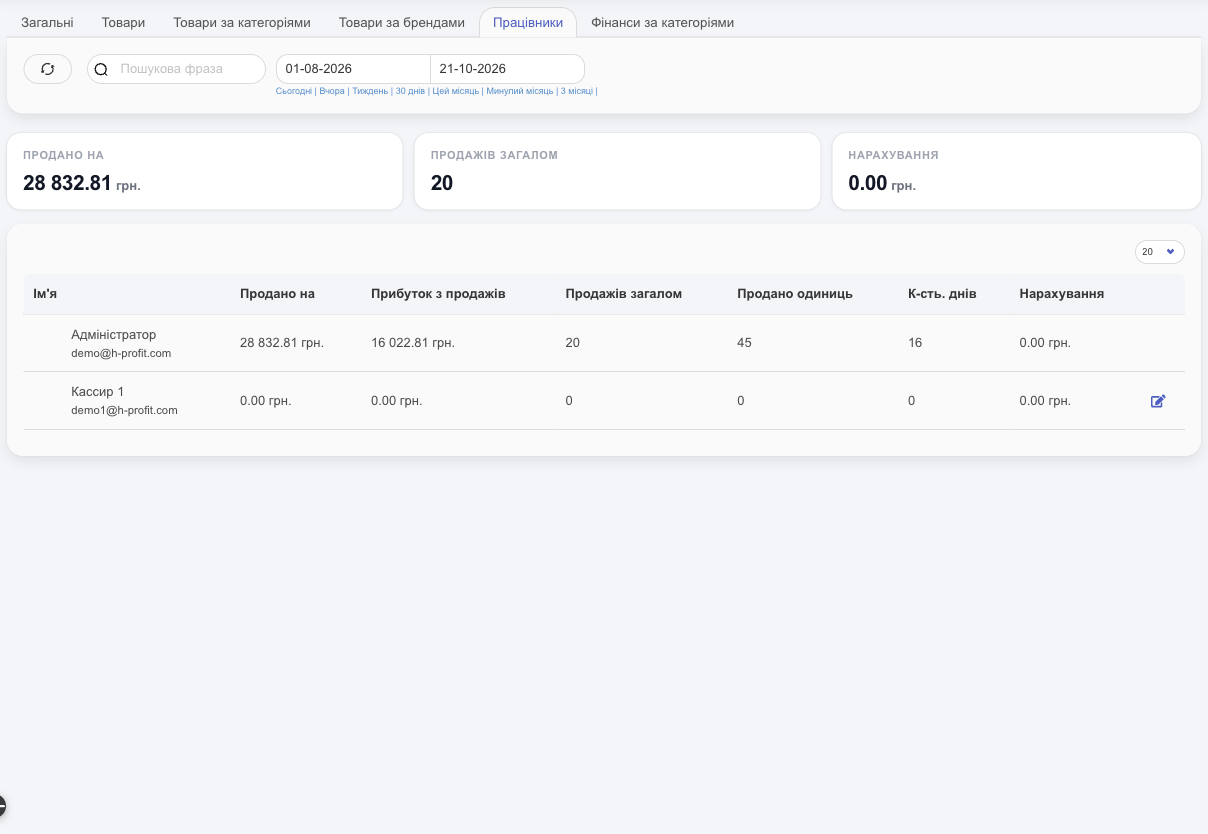
For each employee: amount sold, profit, number of sales, units, days with sales, and Accruals, the amount credited to them from sales under the accrual rules. This tab appears if you have employees.
Finances by category
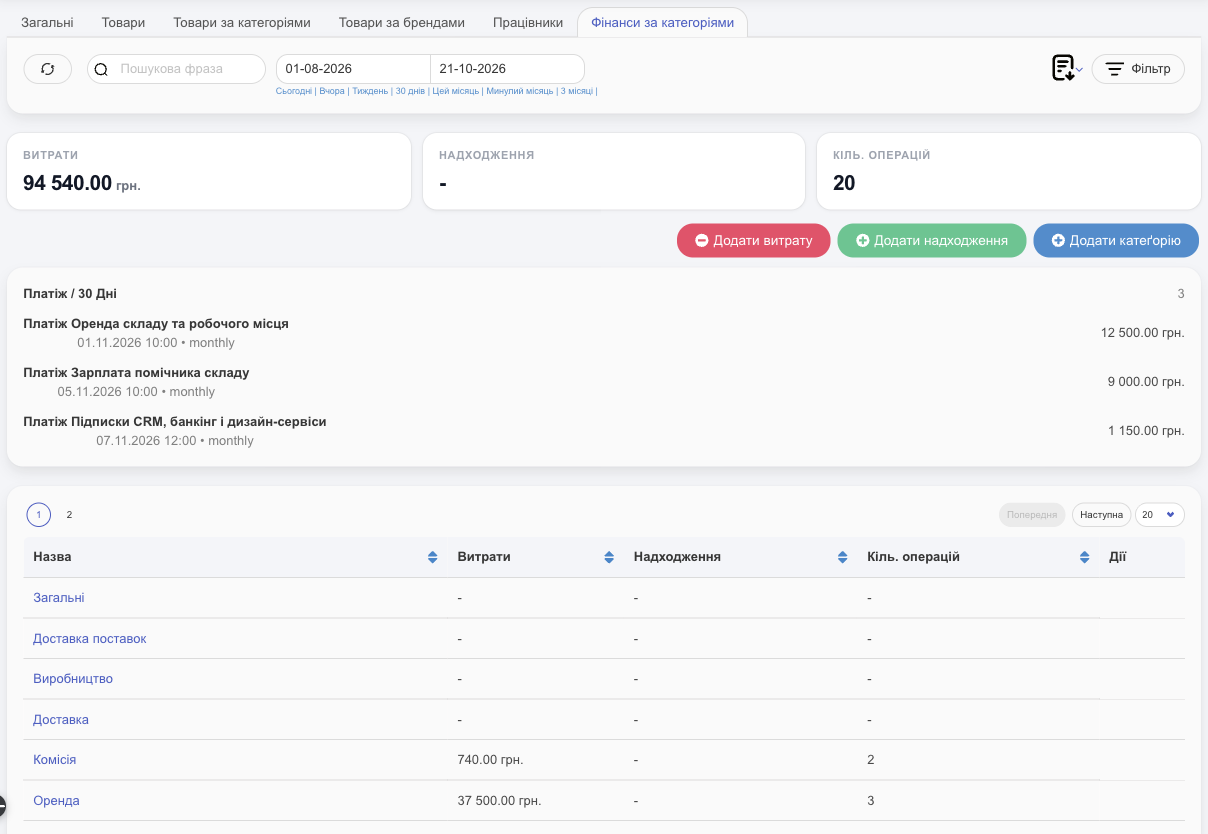
Expenses and income grouped by category: the amount and the number of transactions. Filter by warehouse/shop and account. From here you can also Add expense, Add funds, and Add Category. This tab is available if the finance module is enabled.
Access
Employees see reports if they have access to the Reports section; profit amounts are visible only with the Income information right.
Reports are where sales and profit tracking in HugeProfit comes together.