
How to process a product return from a buyer in HugeProfit
How to process a return: a client brought a product back, a parcel wasn't picked up at the branch, or you need to refund one product out of several. HugeProfit puts the product back in the warehouse, debits the money from the account, and records the return costs.
Return an entire sale
You can process a return for a sale with the Sold or Refusal to receive status.
- Sales → find the sale → ⋯ → Sales return.
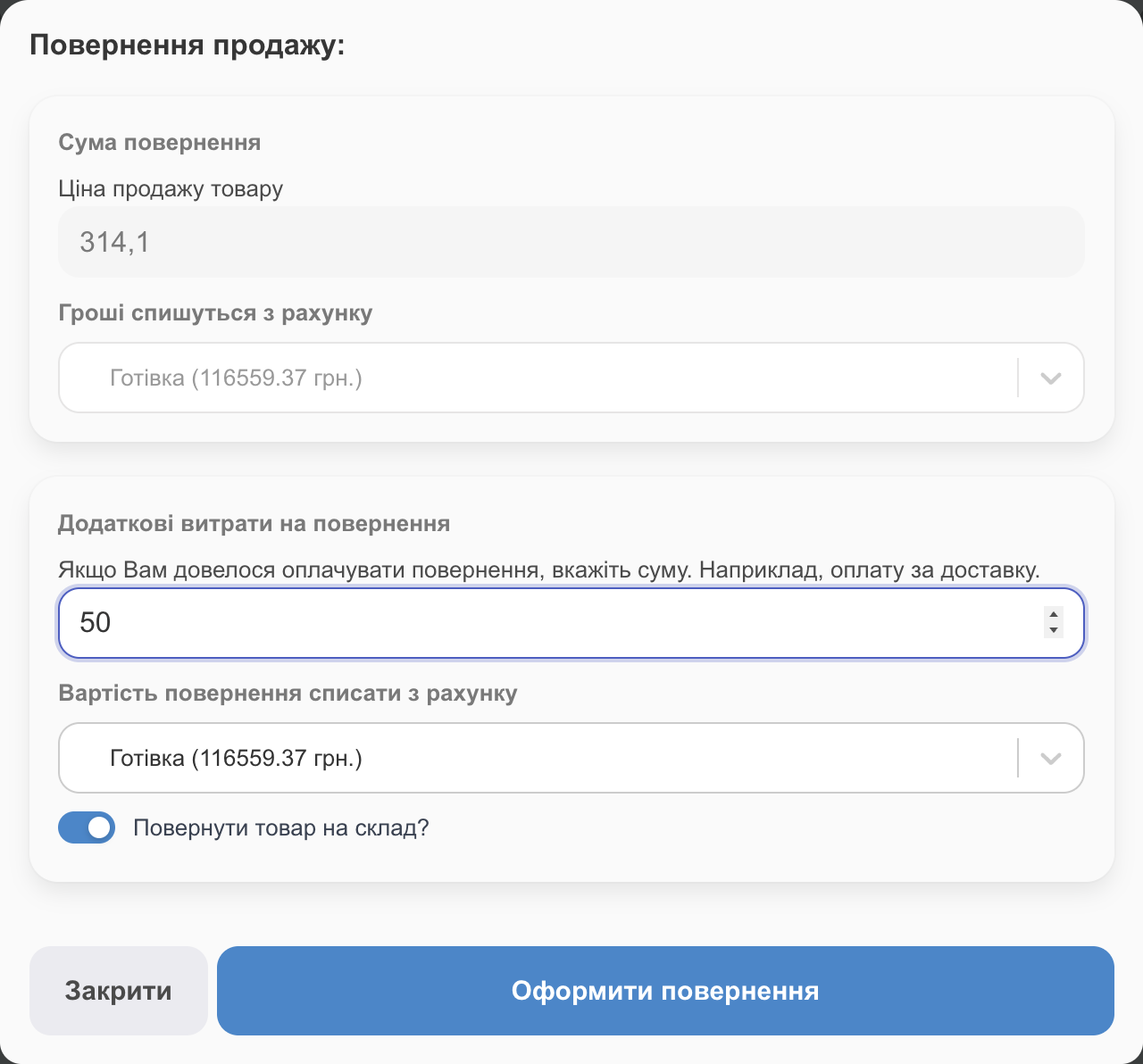
- Refund Amount is the sale price (for a partially paid sale, excluding the partial payment), and The money will be debited from the account is the sale's account. You can't change either field here: if the money needs to come from a different account, first change the account in the sale itself (Payment → Change account, or by editing the sale), then process the return.
- Partial payment. If the client made a prepayment, a Partial payment refund amount block appears with the account it was paid to. Do not return partial payment is on by default, so you keep the prepayment. Turn it off if you're refunding that too.
- Additional refund costs: if you paid for the return (for example, return shipping), enter the amount and choose Debit the refund cost. The expense shows up in Transactions.
- Return the item to the warehouse? is on by default: the product goes back into stock and can be sold again. Turn it off if the product is damaged; then it won't go back to the warehouse (if needed, create a write-off to record the loss).
- Click Make a Refund.
✅ “Refund processed successfully”: the money is debited from the account, the product (if selected) is back in the warehouse, and the sale's profit no longer counts.
If the receipt was fiscalized, HugeProfit offers to make a fiscal return as well (To return / No refunds). HugeProfit doesn't refund a partial payment receipt that was fiscalized separately; the window shows the warning “Partial payment is not refunded”. Refund it in your software cash register (PRRO) account (see PRRO).
Return a single product
If a sale has several products and only one is returned: click Expand sales in the list → the ↶ icon next to the product. Enter the amount and the account. Only that product is returned, and the sale shows the Item returned by customer mark next to it. This is available for sold sales and to employees with the Refunding products permission.
List of returns
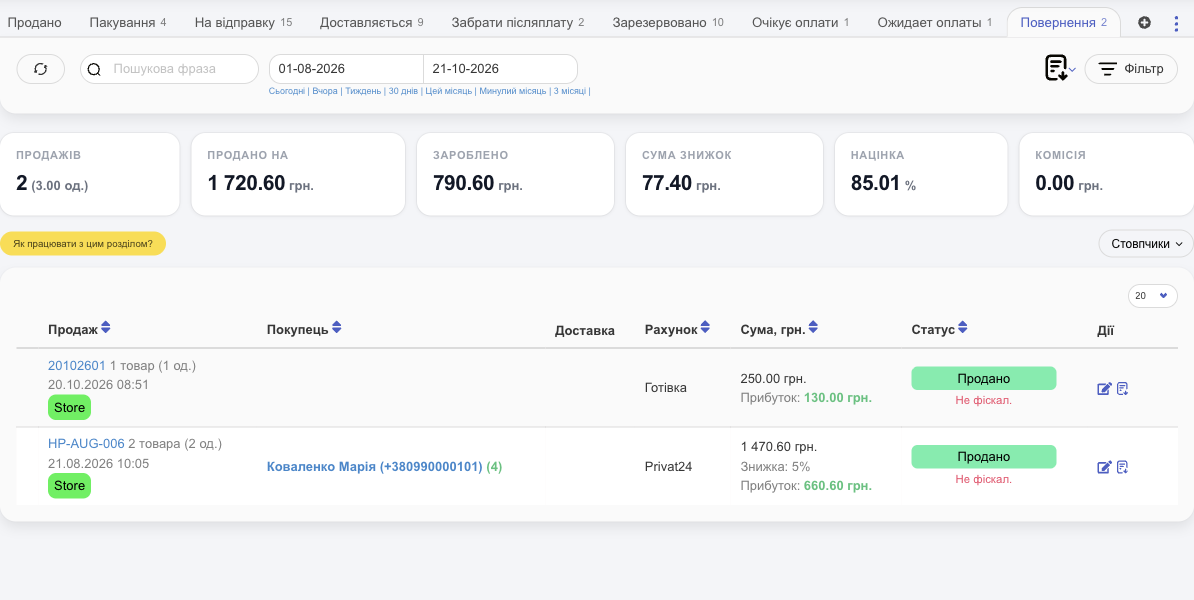
Sales → the Refunds tab shows all returns for the period, with totals. Money refunded to clients and return costs also appear in Finance → Transactions. For fiscalized sales, you can also view the fiscal cancellation receipt here.
Returned by mistake? In the return row, click Edit → Restore in the sale window, and the sale is restored.
The parcel wasn't picked up
When a client refuses a parcel, HugeProfit uses tracking to move the sale to Refusal to receive and then to Rejection (shown with a count in the sales menu). When the parcel comes back to you, open the sale and process the return: put the product back in the warehouse and enter the return shipping cost in Additional refund costs. That way, reports show how much refusals cost you.
💡 Telegram notifications about parcel auto-return help you remind the client to pick up the parcel in time (see Account settings).
Return or delete?
- Return: the sale happened, but the client returned the product. It stays in the history and shows up in reports.
- Delete: the sale was created by mistake. It disappears from reports, and the product and money are returned automatically.
Related guides: delivery and parcels that weren't picked up, fiscal returns, and refunds for a payment link.