
Team and settings
How to turn HugeProfit modules on or off
HugeProfit can do a lot, but not everyone needs everything. Turn off the modules you don't use: they disappear from menus, buttons, and forms, and your work gets simpler. You can turn any module back on at any time, and no data is lost.
Settings → System modules. Each card is a module with a description and an Enabled / Disabled toggle.
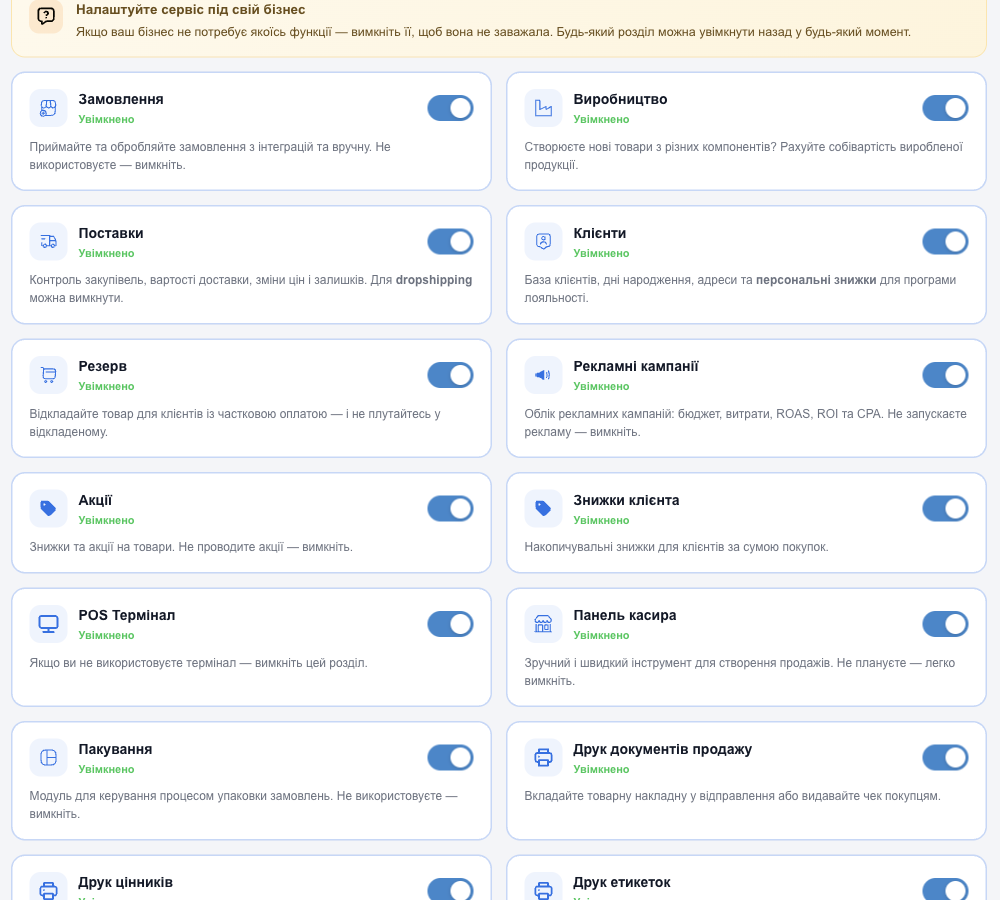
| Module | What it does | When you can turn it off |
|---|---|---|
| Orders | Receiving and processing orders from integrations and entered manually | You have no website or marketplaces |
| Manufacturing | Production templates and the cost price of manufactured products | You don't make anything |
| Shipments | Purchasing, delivery costs, price and stock changes | Dropshipping without your own warehouse |
| Clients | Client database, birthdays, addresses, personal discounts | You don't keep a client database |
| Reserve | Holding products with partial payment | You don't hold products for clients |
| Marketing campaigns | Advertising tracking: budget, ROAS, ROI, CPA | You don't run ads |
| Promotions | Discounts and promotions on products | You don't run promotions |
| Client discounts | Cumulative discounts based on total purchases | You have no loyalty program |
| Cashier panel | Quick sales at the register | You have no physical store |
| POS Terminal | Payment through a bank terminal (Checkbox) | You don't use a terminal |
| Packaging | A separate step for picking orders in the warehouse | You pack orders yourself right away |
| Printing sales documents | Delivery notes, invoices, receipts | You don't need documents |
| Printing Price Tags | Price tags for the shop floor (the setup and test print buttons are here too) | You sell online only |
| Printing Labels | Barcode labels | You don't need labels |
💡 Only the account owner can see and turn on modules. Employee access can be restricted further in Access rights; a disabled module is hidden from everyone.
Some modules (for example, POS Terminal) are available only for accounts from Ukraine.