
HugeProfit catalogs: statuses, channels, categories, suppliers
Catalogs are the lists of values you pick from in sales, expenses, shipments, and client cards: statuses, sales channels, payment categories, suppliers, tags, additional fields. Set them up once to fit your business, and from then on just pick from the list.
Settings → Catalogs. The All, Sales, Payments, Clients, Shipment, Write off, Manufacturing, and Other tabs show the catalogs for each area; Search on the right searches for a value across all catalogs at once.
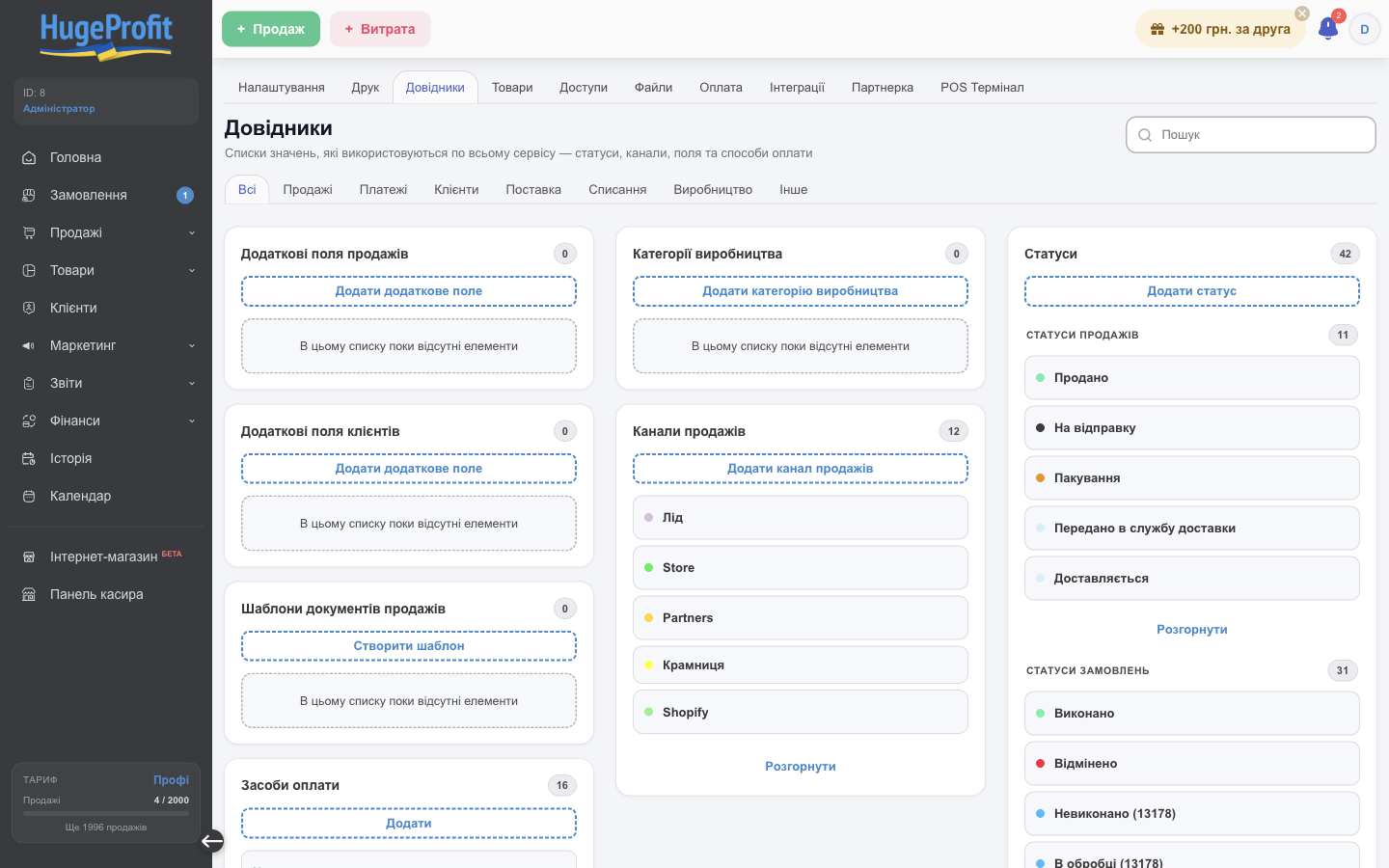
Each card is one catalog: the number of values, an add button, and the list (the first 5; Expand shows the rest). Click a value to edit or delete it.
What's in the catalogs
| Catalog | Where it's used |
|---|---|
| Statuses | Sale statuses and order statuses (including orders from websites and marketplaces). See Statuses and channels. |
| Sales channels | Where a sale came from (Instagram, website, store, Rozetka…) and the channel fee. |
| Sale additional fields, Client additional fields | Your own fields in the sale or client form: contract number, manager, source, and so on. |
| Sales document templates | Saved document templates for printing. See Printing documents. |
| Payment methods | Card, bank transfer, card acquiring, RozetkaPay…; linked to accounts for fiscal receipts and the POS terminal. |
| Payment Categories | Expense and income categories. See Expenses. |
| Suppliers | The list of suppliers for shipments. See Shipments. |
| Tags for the client | Client labels (VIP, wholesale, problematic…) for filters and access restrictions. See Clients. |
| Write off categories | Reasons for write-offs (defects, breakage, expiration). See Write-offs. |
| Production categories | Groups of tech cards. See Manufacturing. |
| Statuses for chat rooms | Conversation statuses in the Chats section. |
Status
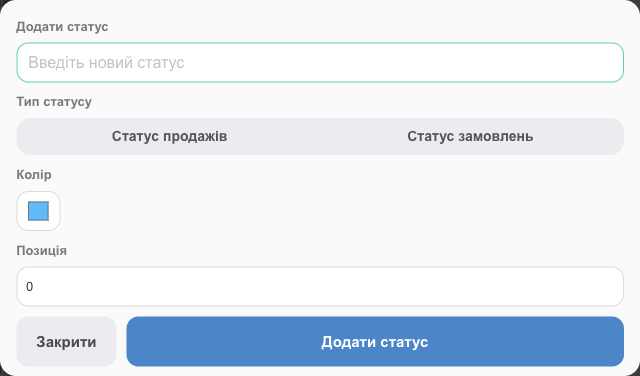
- Name, Status type (Sales status or order status), color, and Position in the list.
- A status that came from a marketplace has a Transfer to the website when local statuses are available field: when you set one of the selected statuses of your own on a sale, this status is automatically sent to the marketplace.
- You can't delete a status that's already used in sales or orders; change it in those sales first.
Sales channel and fee
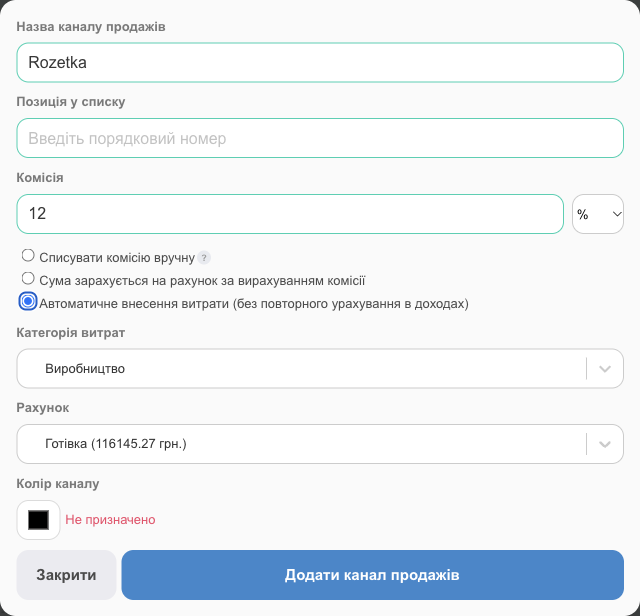
- Sale Channel name, Position In The List, Channel color (how the channel looks in the sales list and reports).
- Commission: a percentage or a fixed amount on every sale through this channel. How to account for it:
- Write off the commission manually: the fee is only calculated, and you enter the expense yourself;
- The amount will be credited to the account minus the fee: the account receives the amount minus the fee;
- Automatic entry of expenses: each sale creates an expense in the selected Expenses Category from the selected Account.
💡 To avoid deducting the fee from income twice, use a payment category with the "Do not include in income" type for it.
Other catalogs
- Additional field: just a name. The field appears in the sale or client form; its value shows in the card and in exports.
- Payment method: name and position.
- Payment category: name and type (regular expense, do not include in income, and so on); see Expenses.
- Supplier: name, phone, address, comment.
- Client tag, write-off category, production category, chat status: a name (and a color for tags and statuses).
You can add most values on the fly, right from the selection list in the sale, shipment, or expense form (the Create: … item).
⚠️ You can't delete a value that's already in use (a status in sales, a category with expenses); HugeProfit shows an error. You can rename values at any time, and the new name appears everywhere.
Product categories and brands, attributes, and additional prices are configured separately; see Product settings.