
HugeProfit plans and subscription billing
HugeProfit has a free plan with no time limit and three paid plans. Plans differ only in the number of sales per month and the number of products; every feature and integration is available on every plan, including the free one. Below you'll learn how to choose a plan, pay for it, buy extra sales, and cancel your subscription.
Where to see your plan
Open Settings → Payment (or the profile menu → Payment, or click the Plan block at the bottom of the left menu). The Current state block shows:
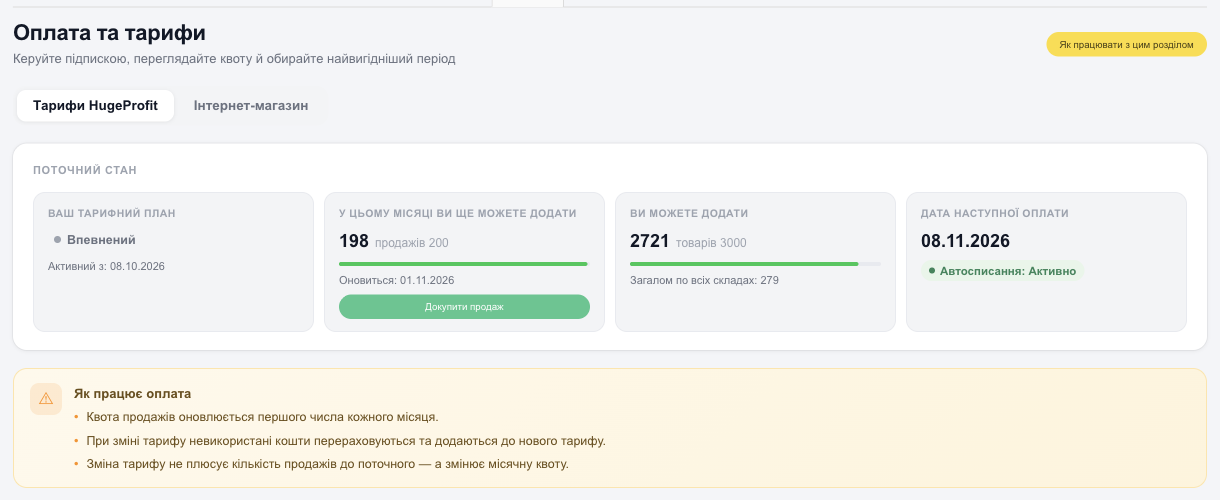
- Your tariff plan and the date it took effect;
- This month you can still add: how many sales are left in this month's quota and when it resets;
- You can add: how many more products you can create; below it, how many products you have now Total across all warehouses;
- Next payment date and whether Auto-renewal from your card is on.
Plans
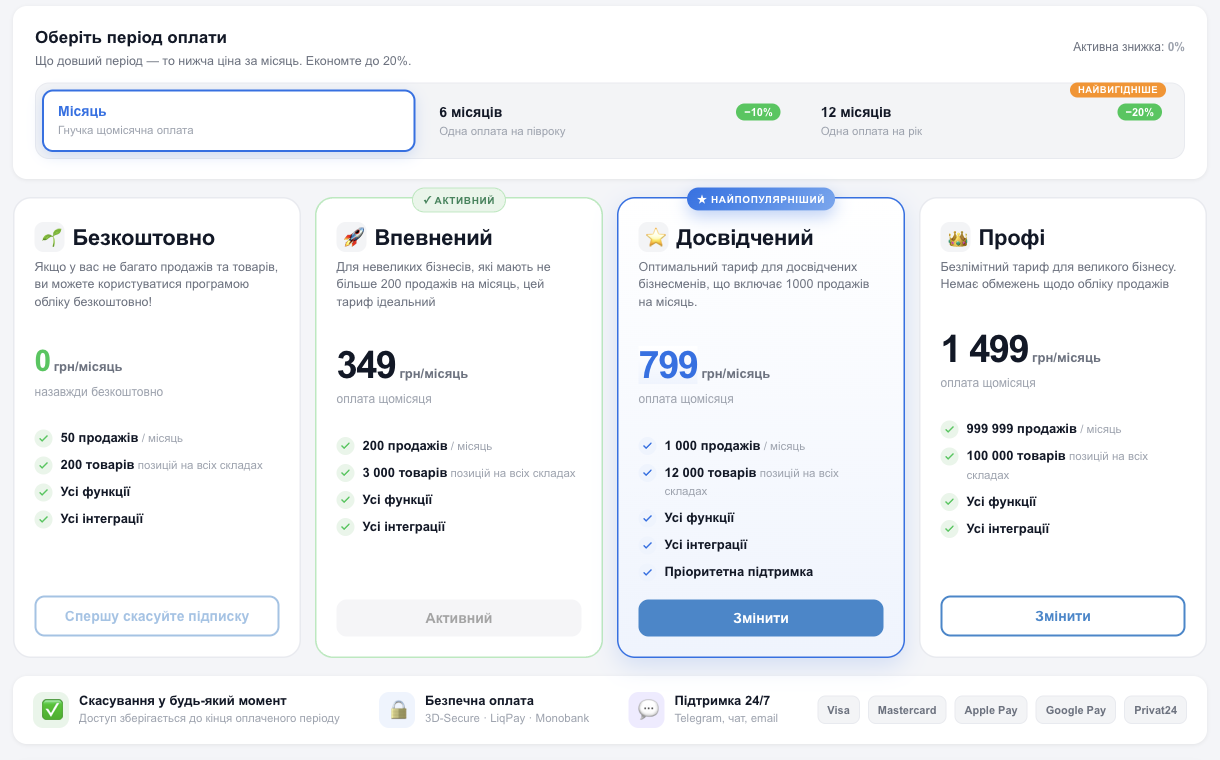
| Plan | Price per month | Sales per month | Products |
|---|---|---|---|
| Free | 0 UAH, forever | 50 | 200 |
| Confident | 349 UAH | 200 | 3,000 |
| Experienced | 799 UAH | 1,000 | 12,000 |
| Pro | 1,499 UAH | unlimited (shown as 999,999 on the card) | 100,000 |
Every plan includes all features and all integrations. The Experienced plan also includes priority support. Current prices are always shown on the Payment page in the CRM and on the HugeProfit pricing page. For accounts outside Ukraine, prices are shown in US dollars.
💡 What counts as a “sale” in the quota. Every new sale, whether created manually, at the register, or from an order, uses one sale from the monthly quota. Editing an existing sale doesn't use the quota, and deleting a sale frees it up. Products are counted across all warehouses combined (deleted products don't count).
How to pay for or change your plan
- On the Payment page, in the Select payment period block, choose how long to pay for: 1, 6, or 12 months. Paying for 6 months gives you a 10% discount, and 12 months gives you 20%. The current discount is shown in the Active discount line.
- On the card of the plan you want, click Change.
- Check the details: Price, Paid days, New next payment date, then click Confirm the order.
- Pay by bank card on the payment page.
- Monthly payment renews automatically: your card is saved, and the amount is charged on the next payment date (Auto-renewal). Saved cards are listed in the Your bank cards block.
- Paying for 6 or 12 months is a one-time, discounted payment for the whole period. Your monthly sales and product quota is the same as on the chosen plan.
- All payments, with their date, amount, and status, are in the Your payments block.
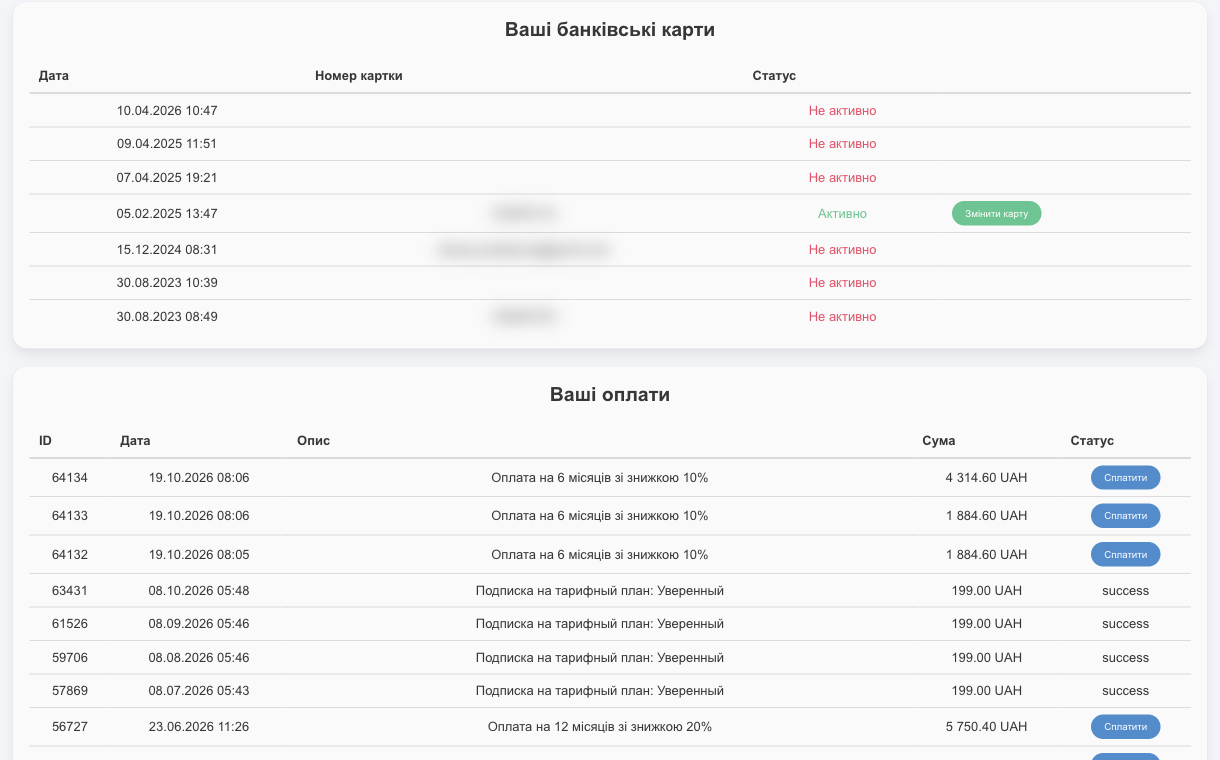
- Your bank cards: the cards you've paid with. Auto-renewal uses the card with the Active status; Change card links a different one.
- Your payments: every payment order with its ID, date, description (plan and period), amount, and status. If an order was created but not paid (for example, you closed the bank page), the row has a Pay now button so you can finish paying later.
What happens to days you've already paid for
Unused time doesn't go to waste. When you change plans, it's converted into extra days at the new plan's price and extends your subscription. If you renew the same plan, the remaining time is simply added as days to the new period.
💡 Changing plans doesn't add sales to what you have left; it changes the monthly quota. For example, if you've already made 150 sales on Confident and switch to Experienced, you can make 850 more this month.
If you run out of sales for the month
- The sales quota resets on the first day of every month.
- Once the quota runs out, you can't add new sales until the new month starts, you change plans, or you buy more sales. You can still edit existing sales.
- When you get close to zero, HugeProfit warns you: “On your plan you can add … more sales”.
Buy more sales
If you're a few sales short before the end of the month and don't want to move to a more expensive plan, click Buy more sale in the Current state block and choose a pack: 10, 50, or 100 sales. The pack price depends on your plan. Extra sales are valid until the end of the current month. You'll see them in the Your additional payments block.
The button is available on paid plans while your subscription is paid.
If a payment fails
If an automatic charge fails, for example because the card has insufficient funds or a limit, the Payment page shows an Automatic payment failed block with the amount, and the app shows a reminder. HugeProfit will try to charge the payment a few more times. The block has these buttons:
- Change card: pay with a different card;
- Pay for the plan once: appears when there will be no more automatic attempts this month. After a one-time payment, the card will be charged automatically again next month.
⚠️ If your subscription isn't renewed, you won't be able to add new sales, products, or expenses. All your data is kept, and you can get back to work as soon as you pay.
FAQ on the payment page
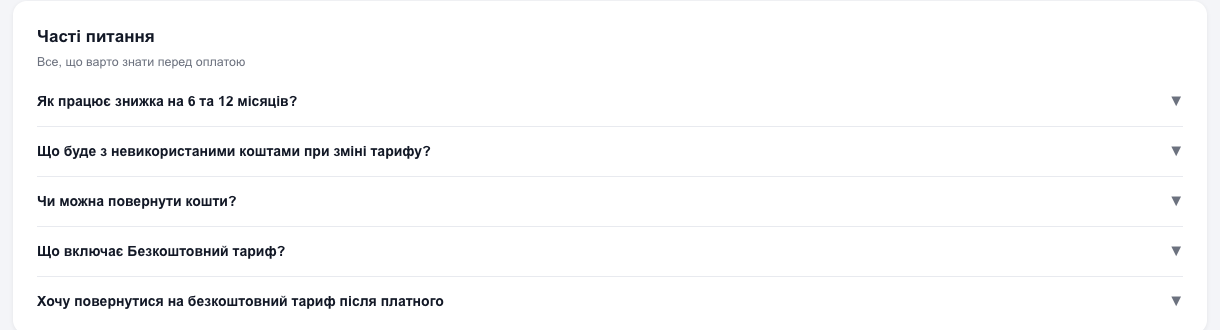
At the bottom of the page you'll find short answers to the most common questions: how the 6- and 12-month discount works, what happens to unused funds, whether you can get a refund, what the free plan includes, and how to go back to it.
Refunds
Within 14 days of payment, you can request a refund through support: profile menu → Support.
Canceling your subscription and switching to the free plan
- At the bottom of the Payment page, click Cancel subscription.
- Choose a reason. This helps us improve; the What exactly should we improve? field is optional.
- Confirm the cancellation or click Do not cancel.
Once you cancel, auto-draft is turned off. You can switch to the free plan only after canceling your subscription: while auto-draft is active, the free plan card shows the hint Cancel subscription first instead of a select button.
⚠️ The free plan has its own limits: 50 sales per month and 200 products. If you have more products than that, you won't be able to work fully.
Subscribing through iPhone or Shopify
- If you subscribed in the iPhone app, you pay through Apple. To change the period or cancel, go to the Apple subscription settings on your phone. HugeProfit shows a hint about this on the Payment page.
- If you installed HugeProfit from the Shopify App Store, the plan is billed together with your Shopify bill. To change plans, switch to annual billing, or cancel, use the Shopify plans page (the Manage in Shopify button). To cancel, choose the Free plan there.
The online store is billed separately
The HugeProfit online store subscription is separate from your HugeProfit plan. You'll find it on the Online store tab of the same Payment page.
Bonuses for referring friends
Invite friends to HugeProfit and get a bonus toward your payment: use the +200 UAH per friend button at the top of the page. See Partner program.