How customers shop
What customers see and can do in your store, from finding a product to tracking an order. It's useful to know when answering customer questions and testing your store.
Finding and choosing a product
- Catalog (
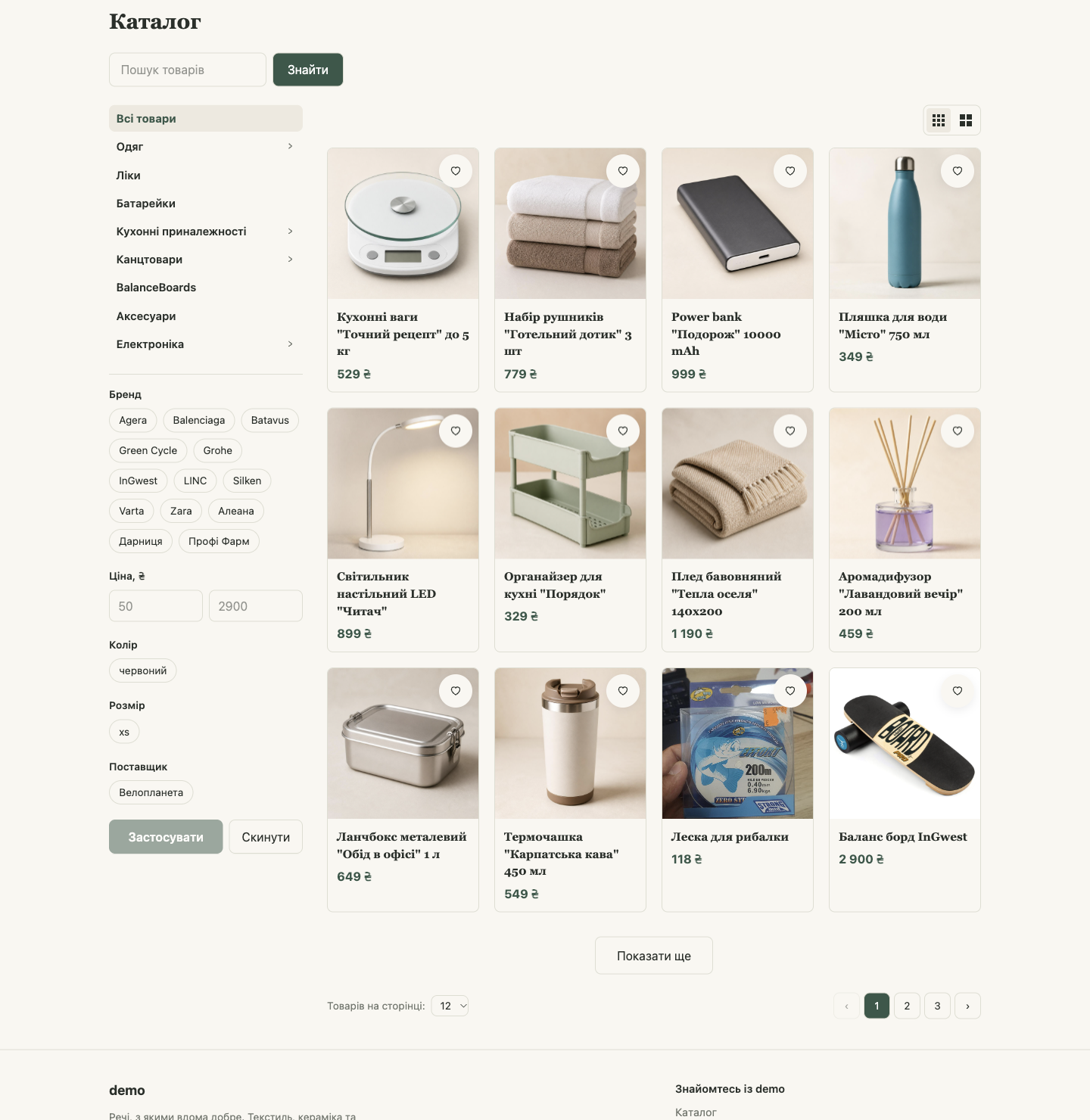
/catalog) and category pages: categories on the side, search by name and description, filters by brand, price, and attributes, a choice of card layout, and 12–96 products per page. - The Catalog menu in the header opens all categories.
- Product page: photos, price, variants, quantity, description, attributes, related products.
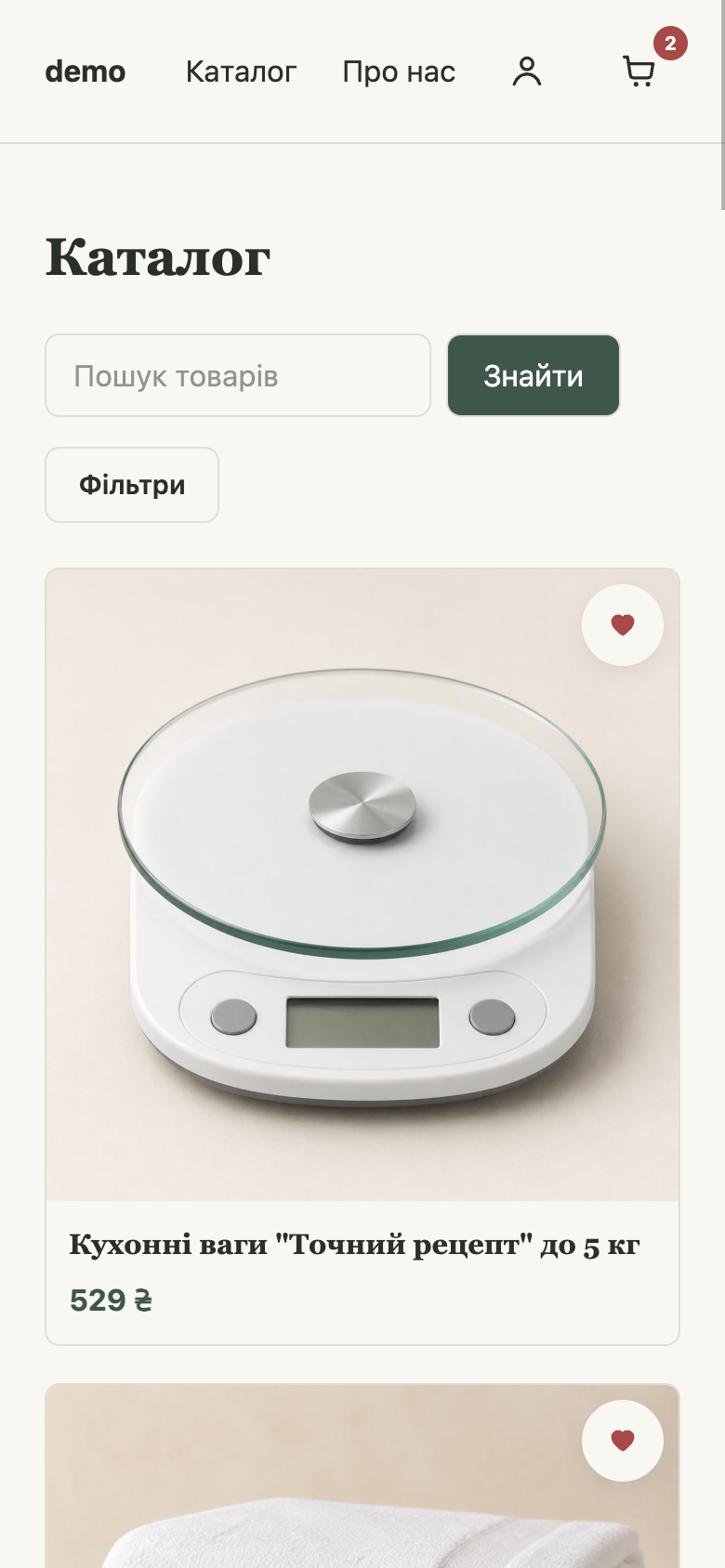
- The store is fully mobile-friendly: on a phone, filters open with the Filters button, and the menu with the "hamburger" button.
Cart
- Add to cart: the product is added, and a counter appears next to the cart icon in the header.
- Clicking the cart opens a mini cart on the side: products, quantities, total, and the Go to cart and Place order buttons.
- Buy in 1 click on the product page adds the product and opens checkout right away.
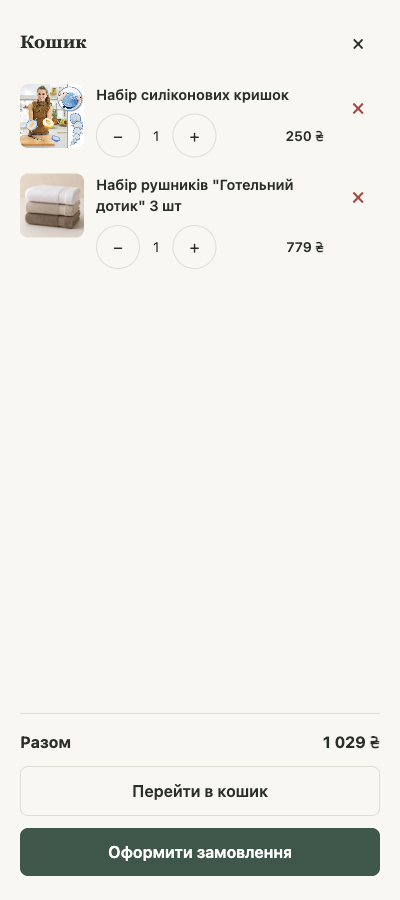
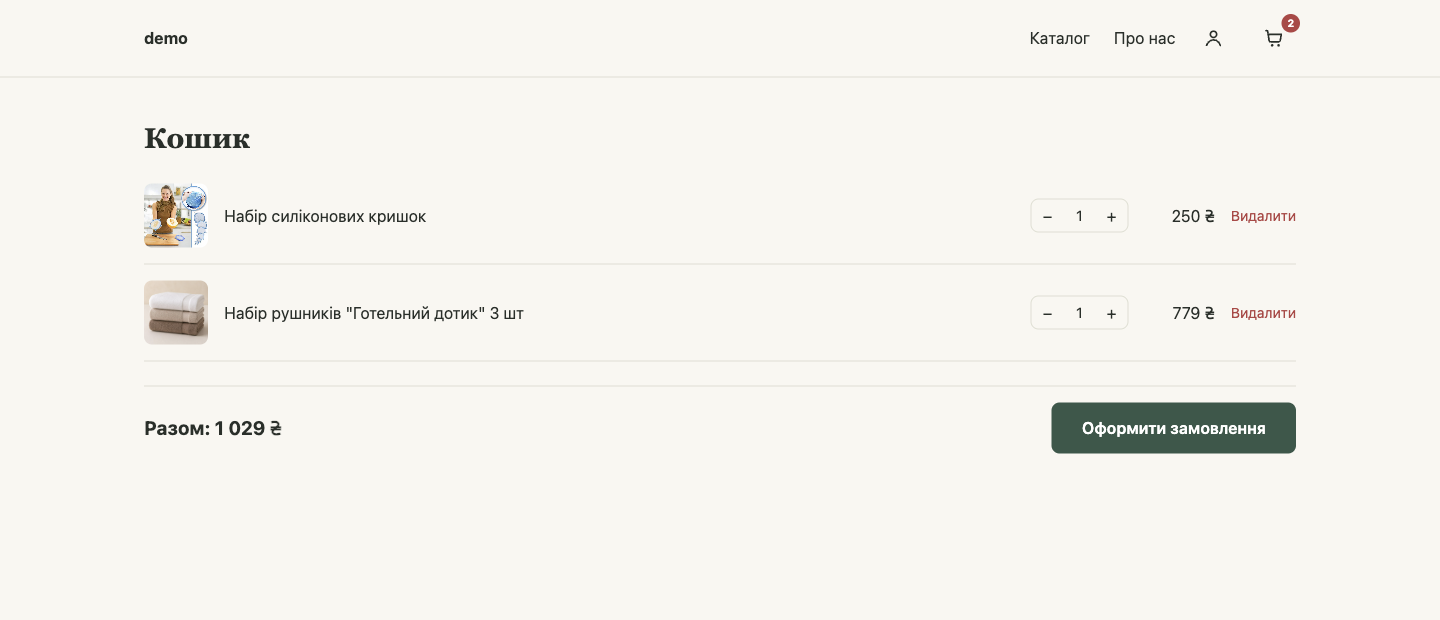
💡 The cart is stored in the customer's browser: if they open the store on another device, the cart will be empty.
Checkout
- Last name, First name, Patronymic, and Phone are required.
- Delivery: in the Delivery method list, a carrier (Nova Poshta, Ukrposhta, Meest) with a branch or address, or pickup, local delivery, or another method you've turned on. Below the selected method, the customer sees your description, for example, the pickup address and hours (see Delivery).
- Payment method (see Payment). Pay on delivery (COD) is available only for carriers where you've allowed cash on delivery.
- Order comment: optional.
- The Create an account to see all your orders checkbox with a password: signing up along with the order.
- Confirm order.
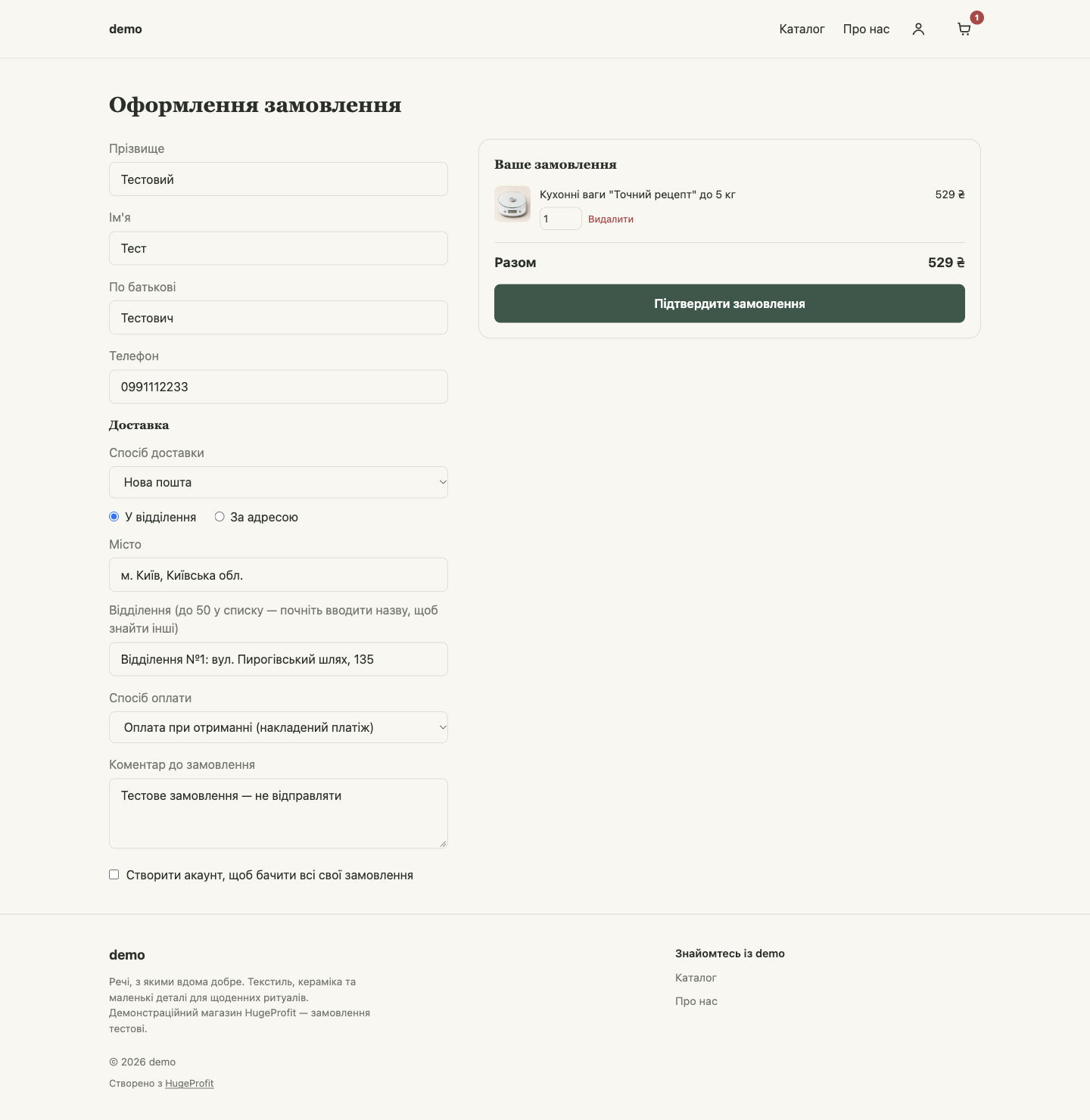
Details from the previous order are filled in automatically. Checkout doesn't ask for an email, and there are no promo codes.
Personal client discount
If Apply customer discount at checkout is turned on in the store settings in HugeProfit (see Creating a store and settings), a customer who is signed in to their account automatically gets their personal discount from the client card in HugeProfit:
- a Discount line with the amount appears in the Your order block, and the total is reduced by it;
- the discount is also shown on the order page and recorded in the order in HugeProfit;
- the discount doesn't apply to products in a promotion that has "Don't apply client discount on top of this promotion" turned on; it's calculated only on the rest of the products.
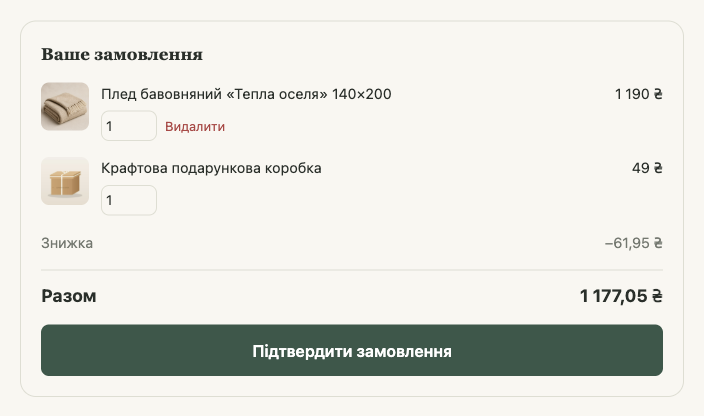
Without signing in, the discount isn't applied: the store doesn't know who's buying. Where the personal discount comes from is covered in the CRM documentation: Client discounts and Promotions.
After confirmation, the customer sees an "Order No. … received" page with all the details. The link to it lets the customer return to the order even without signing in.
Customer account
An account is optional: customers can order without one. It's needed to see order history, keep saved addresses and Favorites across devices, and cancel an order themselves. If you've turned this on in the store settings, a customer with an account also gets their personal discount at checkout and sees their bonuses.
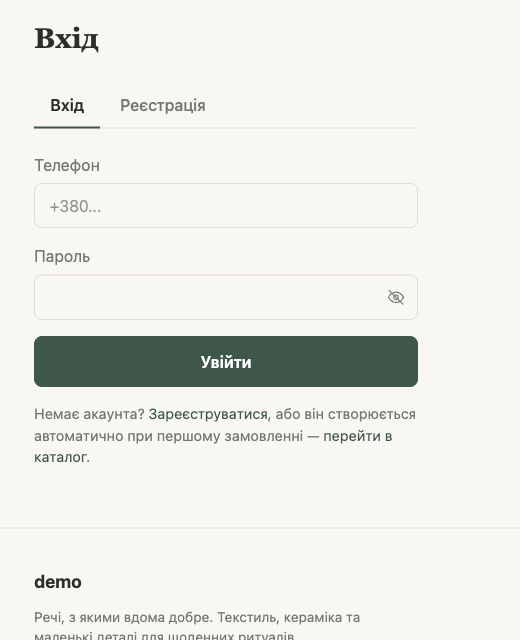
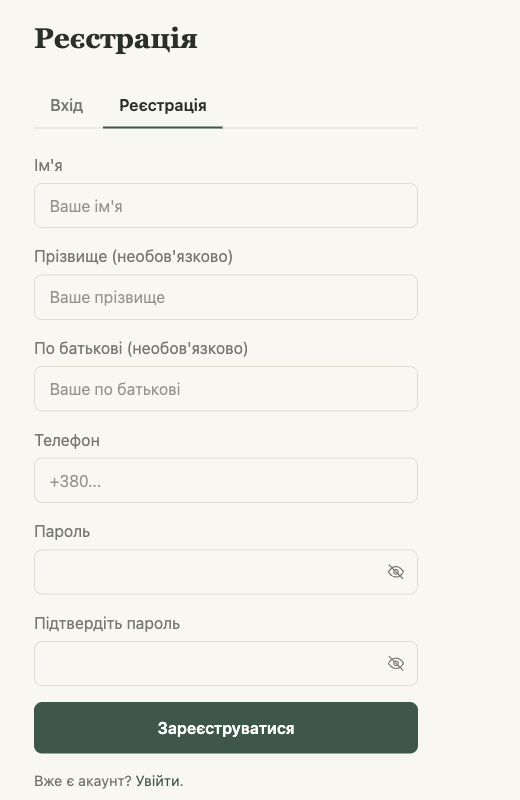
- Sign-in: with phone and password (the person icon in the header → Log in).
- Sign-up: first name, phone, password (at least 4 characters); last name and patronymic are optional. Or with the checkbox at checkout.
- If a customer has already ordered without signing up, they can sign up with the same phone number, and their previous orders will appear in their account.
- Accounts are separate for each store: if you have two stores, customers sign up on each one separately.
The account menu (the person icon in the header):
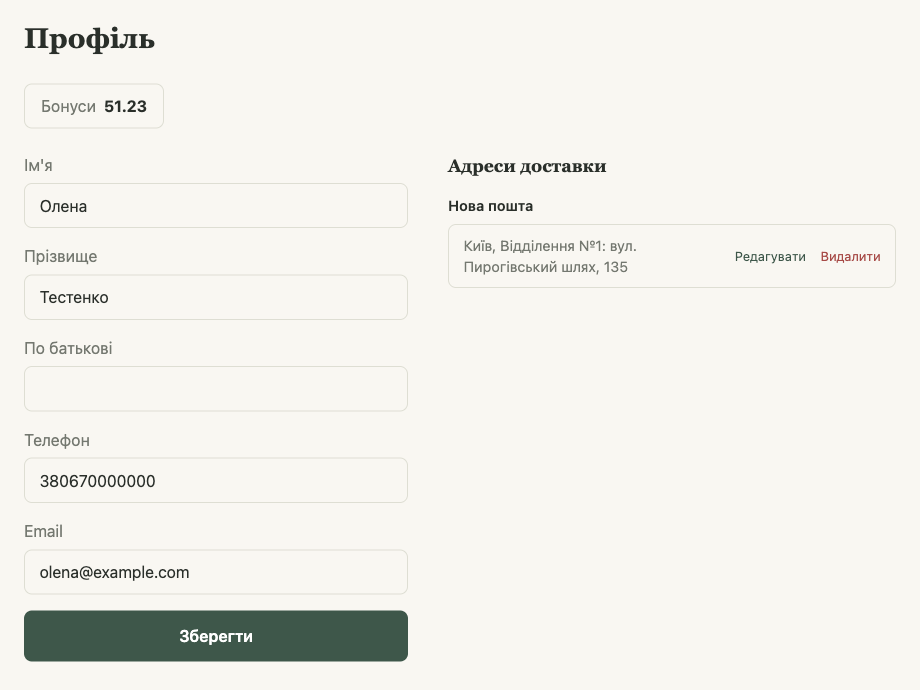
- Profile: last name, first name, patronymic, phone, email; Delivery addresses from previous orders, which can be edited and deleted (new addresses are saved automatically when ordering with Nova Poshta, Ukrposhta, and Meest). If Show customer bonuses is turned on in the store settings, Bonuses appears at the top of the page: the client's balance from HugeProfit.
- My orders: all orders from this store, with statuses and waybill (TTN) numbers.
- Favorite products: the Favorites list.
- Log out.
⚠️ The store doesn't support resetting a forgotten password yet. The customer can still place orders without signing in.
Favorites
The ♡ heart on a product card or page adds the product to Favorites (/wishlist). Without an account, the list is stored in the browser; with an account, it's available on any device.