
How to let an employee see stock at other warehouses (view only)
A customer asks whether a product is available at another one of your shops, but the seller only sees their own warehouse. To let them answer without giving them access to the other warehouse, add view-only warehouses for them. On those warehouses the employee sees only the product quantity: no prices or cost, and no sales, transfers, or write-offs.
What the employee sees
| Own warehouse (Warehouse\Shop) | View-only warehouse (View warehouses) | |
|---|---|---|
| Product quantity | Yes | Yes, in the Check availability window |
| Selling price, cost | Depends on the employee's permissions | No |
| Sales, reserves, transfers, write-offs, inventory counts | Yes | No: the warehouse doesn't appear in the warehouse selection |
| Stock movements and history | Yes | No |
How to set it up
Settings → Access → open the employee (✎) or click Add User (the form is described in Employees and access rights):
- Group: any group except Administrator. An administrator already works with all warehouses.
- Warehouse\Shop: the warehouse the employee works at.
- View warehouses: the warehouses where they'll see only the quantity. The list shows only warehouses that aren't in Warehouse\Shop. All means all other warehouses, including ones you create later.
- Save.
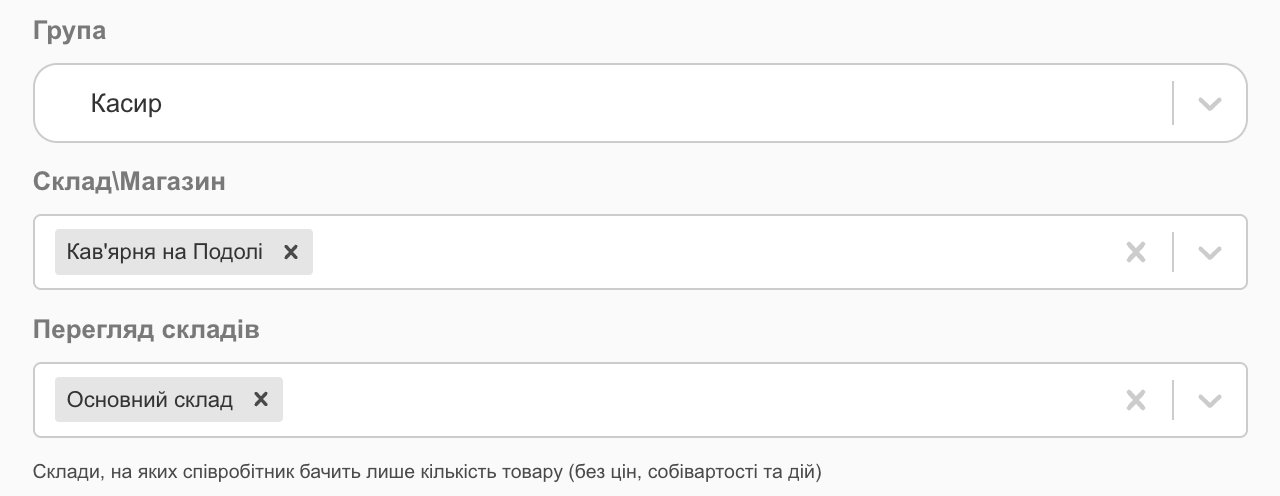
The View warehouses field appears when the employee doesn't have access to all warehouses. If all warehouses are selected in Warehouse\Shop, there's nothing else to view.
Check availability
The Check availability button (a shop icon) opens a window with the product quantity at each warehouse that has it:
- New sale: in the product selection list, to the right of the name;
- Cashier panel: on the product in the cart;
- Product list: next to Info; in compact mode, an item in the … menu; in the mobile version, among the product actions.
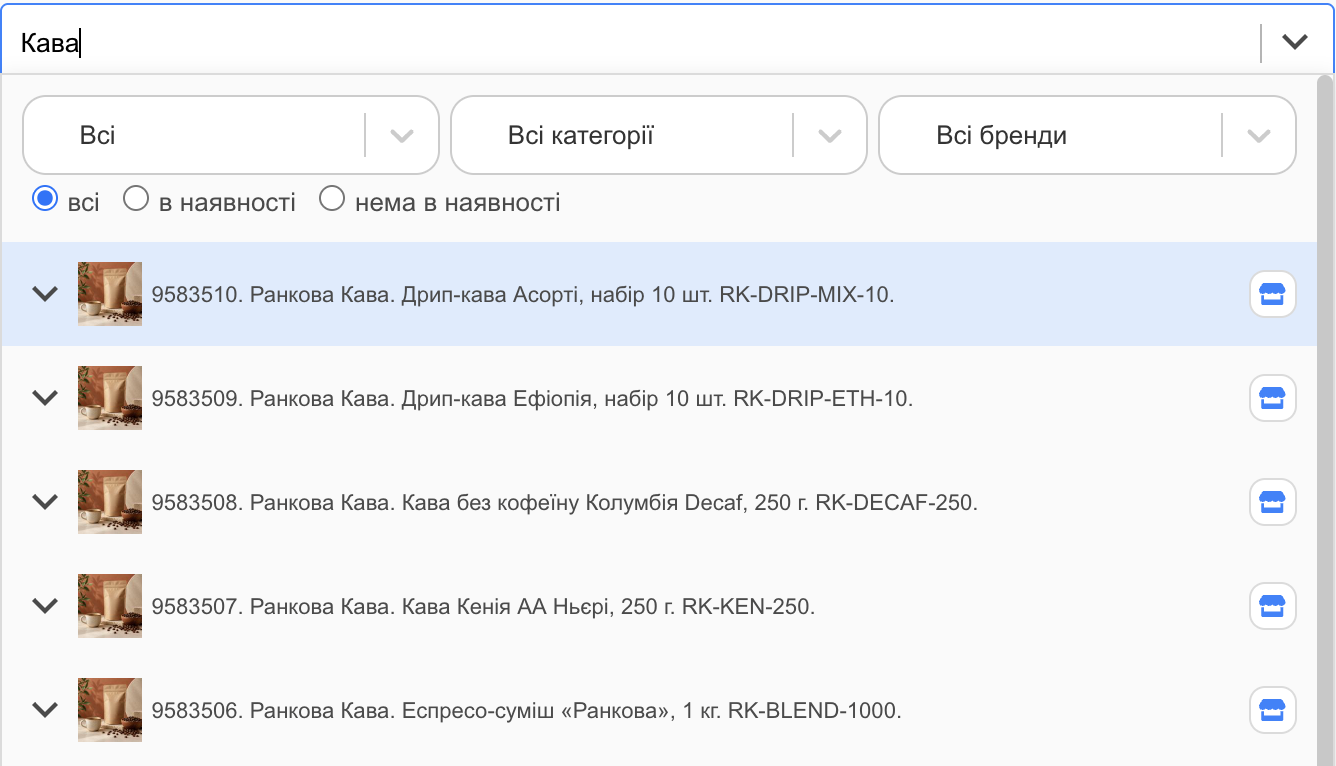
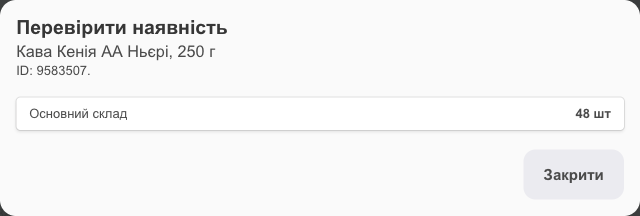
The window lists the warehouses that have the product. The warehouse you're selling from (in the cashier panel, in the product list, and in a new sale if you have one warehouse) is marked current and is shown even with zero stock. Quantities are reloaded each time you open the window. If no other warehouse has the product, the window says so: The product is not available in other warehouses. Dropshipping warehouses aren't shown in the window.
In a new sale and in the cashier panel, the button is available to anyone who sees the product at more than one warehouse, including the administrator. In the product list, it's shown only to employees with view-only warehouses, because their own warehouses are already shown there as rows. Services don't have the button.
If you need a product from another warehouse
An employee can't sell or reserve a product from someone else's warehouse. Ask the person who works with that warehouse to make a transfer to your warehouse, then complete the sale. If the employee needs to fully work with several warehouses, add them to Warehouse\Shop, not to View warehouses.
FAQ
Does the employee see prices at a view-only warehouse?
No. For these warehouses, HugeProfit sends only the product quantity, without the selling price, cost, or amounts.
What happens if I delete a warehouse?
It's automatically removed from View warehouses for all employees.
Can I give warehouse viewing to an administrator or a manager who has all warehouses?
There's no need: they already see all warehouses in full, so the field isn't shown for them.